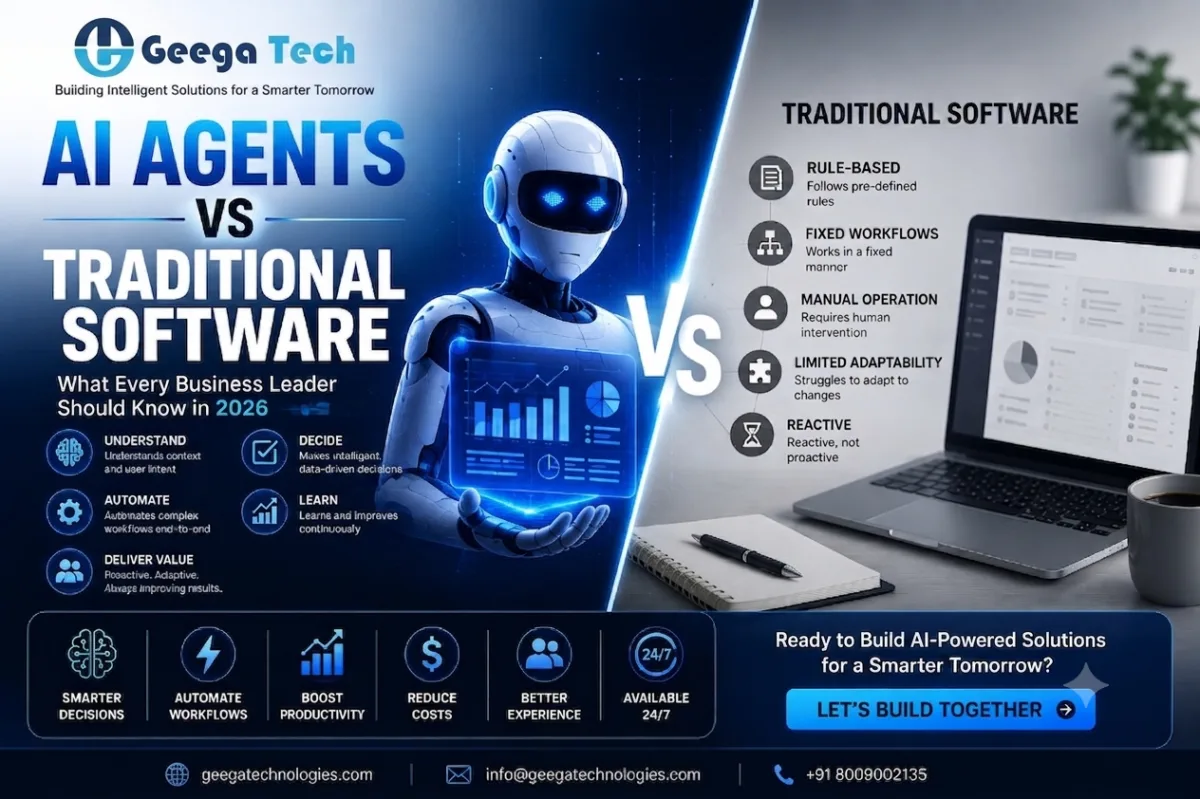
Flutter vs React Native: Which Cross-Platform Framework Wins in 2026?

Home » Flutter vs React Native: Which Cross-Platform Framework Wins in 2026?


Flutter vs React Native: Which Cross-Platform Framework Wins in 2026?

Cross-platform mobile development has become an attractive option for businesses that want to launch applications on both Android and iOS without maintaining two completely separate codebases.

Two of the most popular technologies in this space are Flutter and React Native.

Both frameworks allow development teams to reuse a significant amount of code across platforms, helping businesses reduce development effort and launch products faster.

But when comparing Flutter vs React Native, which framework should you choose in 2026?

The answer depends on your application requirements, development team, performance expectations, UI complexity, integrations, and long-term product strategy.

Let’s compare both technologies.
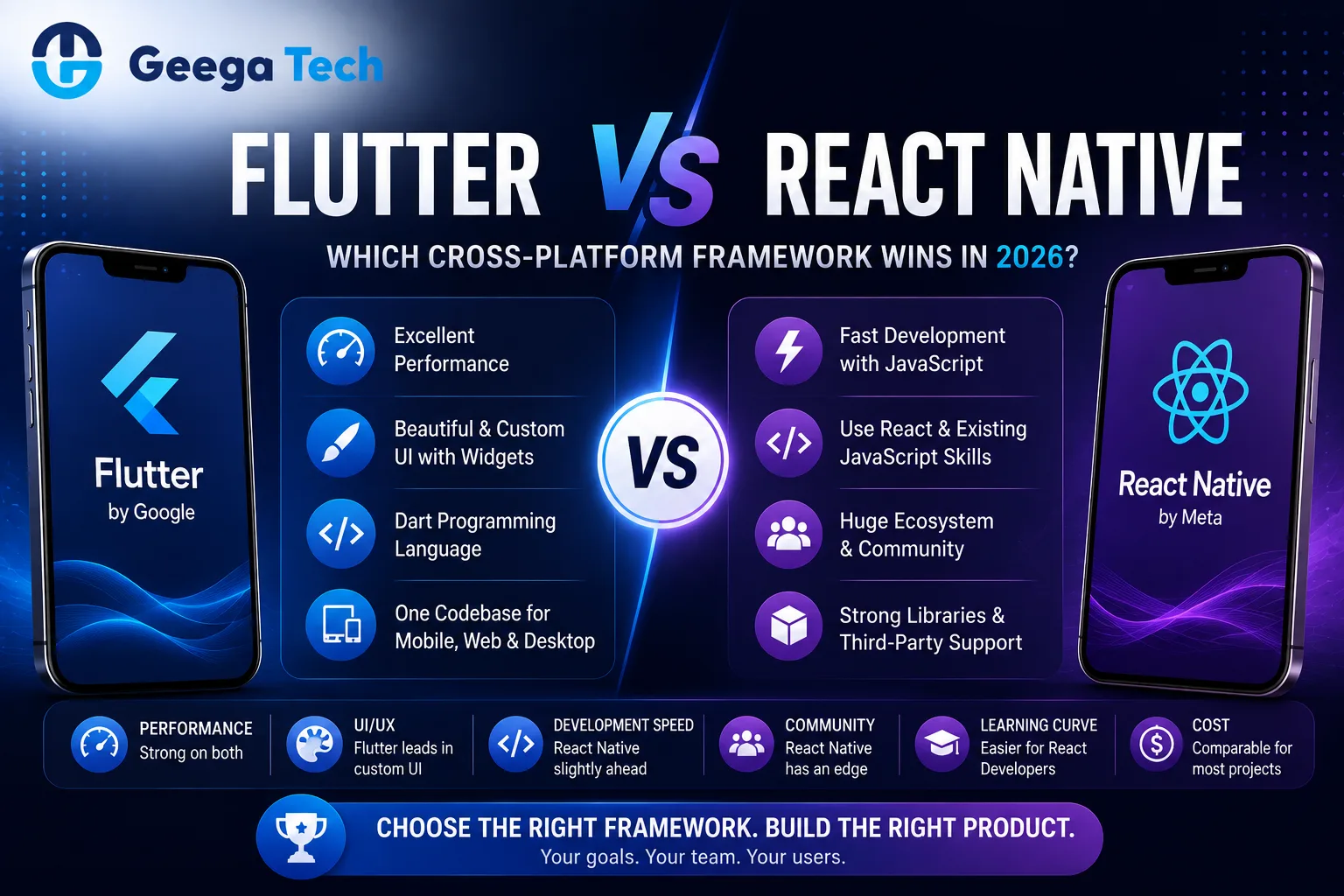
Flutter vs React Native comparison for cross-platform app development in 2026

Flutter vs React Native: Which Should You Choose in 2026?

Cross-platform mobile development has become an attractive option for businesses that want to launch applications on both Android and iOS without maintaining two completely separate codebases.

Two of the most popular technologies in this space are Flutter and React Native.

Both frameworks allow development teams to reuse a significant amount of code across platforms, helping businesses reduce development effort and launch products faster.

But when comparing Flutter vs React Native, which framework should you choose in 2026?

The answer depends on your application requirements, development team, performance expectations, UI complexity, integrations, and long-term product strategy.

Let’s compare both technologies.


What Is Flutter?

Flutter is an open-source UI framework created by Google for building applications from a shared codebase.

Flutter primarily uses the Dart programming language.

Developers can use Flutter to build applications for platforms including:

  • Android
  • iOS
  • Web
  • Desktop

One of Flutter’s major strengths is its UI system.

Flutter provides a large collection of widgets that allow developers to create highly customized interfaces and maintain a consistent visual experience across platforms.


What Is React Native?

React Native is an open-source framework created by Meta for developing mobile applications using JavaScript and React.

It allows development teams to build Android and iOS applications while sharing much of the application logic.

React Native is especially attractive to businesses that already have developers experienced with:

  • JavaScript
  • TypeScript
  • React
  • Web development

This can make the transition from web development to mobile application development easier for some teams.


Flutter vs React Native: Quick Comparison

Factor Flutter React Native
Primary Language Dart JavaScript / TypeScript
Created By Google Meta
Android Support Yes Yes
iOS Support Yes Yes
Shared Code High High
Custom UI Excellent Very Good
Performance Strong Strong
Web Developer Adoption Moderate High
React Ecosystem No Yes
Learning Curve Requires Dart Easier for React developers

Both frameworks are capable of building production-quality mobile applications.


Flutter vs React Native Performance

Performance is one of the most common areas businesses compare.

Flutter Performance

Flutter controls much of its rendering system, which gives developers significant control over UI performance and animations.

It can be a strong option for applications with:

  • Custom interfaces
  • Complex animations
  • Interactive dashboards
  • Consistent cross-platform designs

React Native Performance

React Native also provides strong performance for most standard business applications.

It works particularly well for:

  • eCommerce apps
  • Social applications
  • SaaS mobile apps
  • Booking applications
  • Business applications
  • Customer portals

For most business applications, architecture and code quality often matter more than small framework-level performance differences.


UI and Design

Flutter

Flutter provides its own rich widget ecosystem.

Developers can create highly customized interfaces that look consistent across Android and iOS.

This makes Flutter attractive for applications where visual design is a major product requirement.

React Native

React Native works closely with native platform capabilities and provides a familiar development approach for React developers.

It can be particularly effective when the application needs a platform-friendly experience while still sharing code across Android and iOS.

Winner?

There is no universal winner.

For highly customized interfaces, Flutter can be particularly attractive.

For teams already comfortable with React and JavaScript, React Native may provide a smoother development experience.


Development Speed

Both technologies are designed to reduce cross-platform development effort.

Instead of:

Android Codebase + iOS Codebase

businesses can use:

Shared Codebase → Android + iOS

This can reduce:

  • Development time
  • Duplicate coding
  • Testing effort
  • Maintenance effort

However, some platform-specific development may still be required regardless of the framework.


Flutter vs React Native Development Cost

Development cost depends on more than framework choice.

Important factors include:

  • Number of screens
  • Backend complexity
  • APIs
  • User roles
  • Payment integration
  • Admin dashboard
  • Real-time features
  • UI complexity
  • Security
  • Third-party integrations

Both Flutter and React Native can potentially reduce costs compared with maintaining completely separate native Android and iOS applications.

The more important question is which framework best matches your development team and product requirements.


Programming Language

Flutter — Dart

Flutter uses Dart.

Dart is designed to work closely with the Flutter ecosystem, but developers unfamiliar with the language need to learn it.

React Native — JavaScript / TypeScript

React Native uses JavaScript and commonly TypeScript.

JavaScript has a very large development ecosystem and is widely used in web development.

Companies already using React for web applications may find React Native particularly convenient.

For example:

React Web Team → React Native Mobile Development

Some development knowledge and patterns can be shared across teams.


Developer Ecosystem

Both Flutter and React Native have large developer communities.

React Native benefits from the broader JavaScript and React ecosystem.

Flutter has developed a strong ecosystem around Dart and cross-platform UI development.

When selecting a framework, businesses should evaluate:

  • Developer availability
  • Required packages
  • Third-party integrations
  • Community support
  • Long-term maintenance
  • Internal team expertise

The framework with the strongest ecosystem for your specific application may be more valuable than the one with the most developers overall.


Native Device Features

Mobile applications often require access to:

  • Camera
  • GPS
  • Bluetooth
  • Microphone
  • Biometrics
  • Push notifications
  • Local storage
  • Sensors

Both Flutter and React Native can access native device functionality.

However, certain advanced features may require:

  • Native modules
  • Platform-specific configuration
  • Custom Android/iOS code

Businesses should confirm framework support for critical device functionality before development begins.


Flutter vs React Native for MVP Development

Both frameworks can be excellent options for MVP development.

Startups typically want:

Fast Development + Android + iOS + Controlled Budget

A shared codebase can help achieve these goals.

Choose Flutter When:

  • Highly customized UI is important.
  • Your team is comfortable adopting Dart.
  • Consistent cross-platform design is a priority.

Choose React Native When:

  • Your team already knows React.
  • JavaScript/TypeScript is part of your existing technology stack.
  • You want to leverage the broader React ecosystem.

Flutter vs React Native for SaaS Applications

SaaS businesses often have:

Web Application + Android App + iOS App + Backend APIs

React Native can be particularly attractive when the web product already uses React or Next.js because development teams share similar technologies.

For example:

Next.js Web App

Node.js APIs

React Native Mobile App

However, Flutter can also be a strong choice when the product requires a highly customized mobile experience.

The backend architecture remains independent of either mobile framework.


Flutter vs React Native for Enterprise Apps

Enterprise applications often require:

  • Authentication
  • Role-based permissions
  • API integrations
  • Offline functionality
  • Security
  • Analytics
  • Push notifications
  • Large datasets
  • Device features

Both Flutter and React Native can support enterprise applications.

The decision should consider long-term maintenance and the organization’s existing development expertise.


Security Comparison

Neither Flutter nor React Native is automatically more secure.

Application security depends largely on implementation.

Development teams should consider:

  • Secure authentication
  • API security
  • Token storage
  • Data encryption
  • Role-based access
  • Input validation
  • Secure network communication
  • Dependency security
  • Backend protection

Sensitive business logic should generally be enforced on secure backend systems rather than relying only on the mobile application.


App Maintenance

Cross-platform development can simplify maintenance because much of the application uses shared code.

For example:

Bug Found → Shared Code Updated → Android + iOS Updated

However, developers still need to test both platforms.

Operating-system updates can also require platform-specific changes.

Businesses should therefore budget for continuous mobile application maintenance regardless of the framework selected.


Flutter vs React Native: Pros and Cons

  Flutter React Native
Advantages Strong UI control, excellent custom designs, shared code JavaScript ecosystem, React familiarity, strong cross-platform development
Challenges Requires Dart knowledge Some features may require native modules
Best Fit UI-heavy cross-platform apps React/JavaScript-focused teams
MVP Excellent Excellent
Enterprise Apps Strong Strong

When Should You Choose Flutter?

Flutter may be a strong choice when:

  • Your app requires a highly customized UI.
  • Consistent design across platforms is important.
  • Complex animations are central to the experience.
  • Your team is comfortable with Dart.
  • You want a strong cross-platform UI framework.

When Should You Choose React Native?

React Native may be a strong choice when:

  • Your team already works with React.
  • JavaScript or TypeScript is your preferred ecosystem.
  • Your company has an existing React/Next.js web application.
  • Fast cross-platform development is important.
  • You want to reuse development knowledge across web and mobile teams.

Flutter vs React Native: Which Wins in 2026?

There is no absolute winner.

For many projects:

Flutter wins when highly customized cross-platform UI is the priority.

React Native wins when React ecosystem compatibility and existing JavaScript expertise are major priorities.

The better framework is the one that matches:

Product Requirements + Team Expertise + Performance Needs + Budget + Long-Term Roadmap

Businesses should avoid selecting technology based only on popularity.


Why Choose Geega Technologies for Cross-Platform App Development?

At Geega Technologies, we help startups and enterprises build secure and scalable mobile applications.

Our development capabilities include:

  • React Native Development
  • Cross-Platform App Development
  • Native App Development
  • Hybrid App Development
  • Android App Development
  • iOS App Development
  • Mobile App Development
  • Backend Development
  • API Development & Integration
  • Admin Panel Development
  • Cloud Application Development
  • App Maintenance & Scaling

Our team helps businesses select mobile technologies based on actual product requirements rather than following framework trends.


Final Thoughts

The Flutter vs React Native debate does not have a single answer for every application.

Flutter provides strong UI capabilities and a highly integrated development ecosystem.

React Native provides strong cross-platform development while benefiting from JavaScript, TypeScript, and React expertise.

For businesses, the decision should come down to:

Features + UI + Team Skills + Integrations + Performance + Maintenance + Budget

Both frameworks can be excellent choices when used for the right project.
Get in touch with us

Looking for a certified tech partner? Contact Geega Technologies today.

Mobile App Development Cost in 2026: Complete Pricing Breakdown

Home » Mobile App Development Cost in 2026: Complete Pricing Breakdown


Mobile App Development Cost in 2026: Complete Pricing Breakdown

One of the first questions businesses ask before starting a mobile application project is:

How much does mobile app development cost in 2026?

The answer depends on what you are building.

A simple business application with basic features may require a relatively small budget, while a complex marketplace, healthcare platform, fintech application, or AI-powered mobile app can require a much larger investment.

Factors such as features, design, backend development, Android and iOS support, integrations, security, and development-team location all influence the final mobile app development cost.

This guide provides a practical breakdown to help businesses estimate their mobile app development budget.

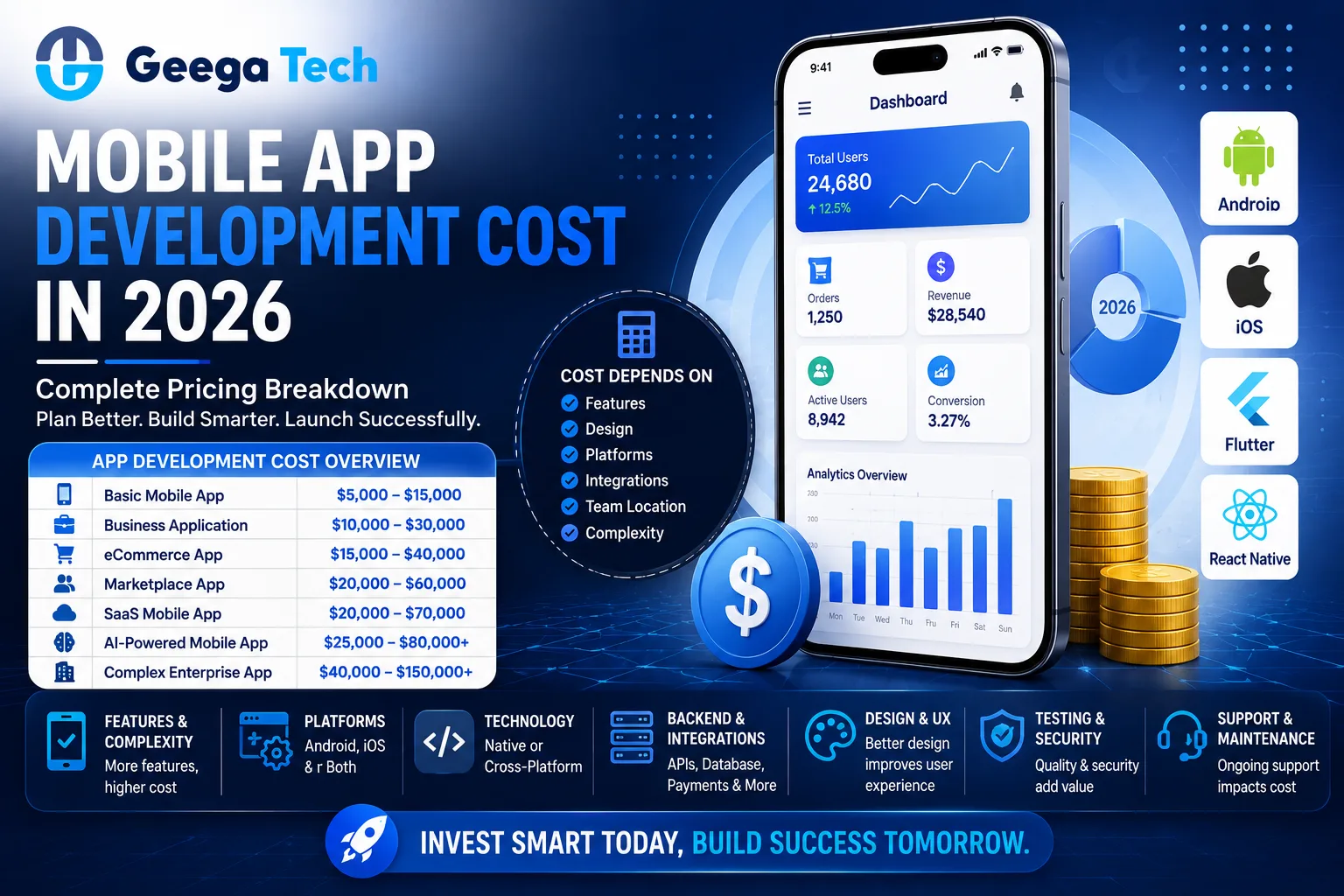
Mobile app development cost and pricing breakdown for 2026

How Much Does Mobile App Development Cost in 2026?

One of the first questions businesses ask before starting a mobile application project is:

How much does mobile app development cost in 2026?

The answer depends on what you are building.

A simple business application with basic features may require a relatively small budget, while a complex marketplace, healthcare platform, fintech application, or AI-powered mobile app can require a much larger investment.

Factors such as features, design, backend development, Android and iOS support, integrations, security, and development-team location all influence the final mobile app development cost.

This guide provides a practical breakdown to help businesses estimate their mobile app development budget.


Mobile App Development Cost Overview

A general planning range for mobile application development can look like this:

App Type Estimated Cost
Basic Mobile App $5,000 – $15,000
Business Application $10,000 – $30,000
eCommerce App $15,000 – $40,000
Marketplace App $20,000 – $60,000
SaaS Mobile App $20,000 – $70,000
AI-Powered Mobile App $25,000 – $80,000+
Complex Enterprise App $40,000 – $150,000+

These are broad planning estimates.

The actual cost depends on your application’s requirements, development approach, integrations, security, and complexity.


What Factors Affect Mobile App Development Cost?

1. App Complexity

Application complexity is one of the biggest cost factors.

Simple App

May include:

  • Registration
  • Login
  • User profile
  • Basic content
  • Contact forms
  • Notifications

Medium-Complexity App

May include:

  • Payment gateway
  • Admin panel
  • User roles
  • APIs
  • Location services
  • Analytics
  • Real-time notifications

Complex App

May include:

  • AI features
  • Real-time communication
  • Advanced dashboards
  • Multiple user roles
  • Complex workflows
  • Third-party integrations
  • Large databases
  • Advanced security

More features usually mean more design, development, testing, and maintenance work.


2. Android vs iOS Development

Platform selection directly affects development cost.

Businesses can build:

Android Only

iOS Only

or

Android + iOS

Building separate native applications for both platforms generally requires more development effort.

Native Android development may use technologies such as Kotlin, while native iOS development commonly uses Swift.

If your target customers use both platforms, you should account for both in your development budget.


3. Native vs Cross-Platform Development

The technology approach also affects cost.

Native Development

Separate applications are developed specifically for Android and iOS.

Advantages can include:

  • Strong performance
  • Platform-specific optimization
  • Deep device integration

However, maintaining separate codebases can increase development effort.

Cross-Platform Development

Frameworks such as React Native and Flutter allow developers to share significant portions of application code.

This can reduce development time for many types of business applications.

The right choice depends on performance requirements, features, budget, and long-term product strategy.


4. UI/UX Design

Mobile application design includes much more than choosing colors.

A professional UI/UX process may include:

  • User flows
  • Wireframes
  • Screen design
  • Navigation
  • Prototypes
  • Responsive layouts
  • Design systems
  • Usability improvements

A basic application with 10 screens will usually cost less to design than an application containing 50+ complex screens and multiple user journeys.


5. Backend Development

Many mobile applications require a backend system.

The backend may manage:

  • Users
  • Authentication
  • Business logic
  • Database
  • Payments
  • Notifications
  • Files
  • Orders
  • Reports
  • APIs

For example:

Mobile App → API → Backend → Database

Applications with complex backend workflows generally require a larger development budget than simple standalone apps.


6. Admin Panel Development

Many businesses forget to include the admin panel when estimating app development costs.

An admin dashboard may be required to:

  • Manage users
  • Manage products
  • Process orders
  • Manage subscriptions
  • Review payments
  • Send notifications
  • Manage content
  • View reports
  • Configure application settings

A complex admin panel can become a significant part of the overall project.


7. Third-Party Integrations

Mobile applications frequently connect with external services.

Examples include:

  • Payment gateways
  • Maps
  • SMS services
  • Email platforms
  • Analytics
  • Social login
  • CRM software
  • Cloud storage
  • Video calling
  • AI services

Each integration requires implementation and testing.

Some third-party services may also have recurring usage fees.


8. Mobile App Security

Security should be part of the initial development budget.

Important security requirements may include:

  • Secure authentication
  • Role-based access
  • Data encryption
  • API security
  • Secure token storage
  • Input validation
  • Session management
  • Audit logging
  • Secure backend infrastructure

Applications handling financial, healthcare, or other sensitive information may require additional security and compliance work.


Mobile App Development Cost by Features

Different features require different levels of development effort.

Feature Relative Complexity
Login / Registration Low
User Profile Low
Push Notifications Low–Medium
Payment Gateway Medium
GPS / Maps Medium
Chat Medium–High
Video Calling High
Marketplace High
AI Integration Medium–High
Real-Time Tracking High
Advanced Analytics High

The final budget depends on how these features interact rather than simply the number of features.


Mobile App Development Cost: India vs USA

Development location can have a major impact on pricing.

Typical hourly development ranges can vary approximately as follows:

Region Typical Hourly Range
India $20 – $60+
Eastern Europe $35 – $80+
Western Europe $60 – $150+
USA $80 – $200+

These are broad market ranges and actual pricing varies by company, expertise, technology, and project complexity.

For global businesses, development teams in India can provide access to experienced developers at a lower cost than many US-based teams.

However, businesses should evaluate more than hourly pricing.

Important factors include:

Experience + Communication + Code Quality + Security + Support + Delivery Capability


How Long Does Mobile App Development Take?

Development time depends on complexity.

App Type Approximate Timeline
Simple App 1–2 months
Business App 2–4 months
eCommerce App 3–5 months
Marketplace App 4–7 months
SaaS Mobile App 4–8 months
Enterprise App 6–12+ months

Complex integrations, custom design, security requirements, and changing requirements can extend these timelines.


Hidden Mobile App Development Costs

The initial development quotation is not the only expense.

Businesses should also plan for:

Cloud Hosting

Backend servers, databases, storage, and bandwidth may create recurring costs.

Third-Party Services

SMS, maps, payment services, AI tools, and other APIs may charge based on usage.

App Store Costs

Publishing and maintaining developer accounts may involve platform fees.

Maintenance

Applications require ongoing bug fixes, security updates, and compatibility improvements.

Feature Updates

Customer requirements change over time, which may require additional development.

Monitoring

Production applications should be monitored for errors, performance, and infrastructure usage.


How Much Does App Maintenance Cost?

A common planning approach is to reserve approximately 15–25% of the initial development cost annually for maintenance and ongoing improvements.

However, actual maintenance costs depend heavily on:

  • Application complexity
  • Number of users
  • Infrastructure
  • Integrations
  • Update frequency
  • New features
  • Security requirements

A stable basic application may require relatively little maintenance, while a rapidly growing SaaS or marketplace product may require continuous development.


How to Reduce Mobile App Development Cost

Start With an MVP

Instead of building every feature immediately, focus on the core problem.

For example:

Phase 1: Core App

Phase 2: User Feedback

Phase 3: Additional Features

Phase 4: Scaling

This helps businesses validate the product before making a larger investment.


Prioritize Features

Separate requirements into:

Must Have

and

Nice to Have

Build essential functionality first.


Consider Cross-Platform Development

When appropriate, React Native or Flutter can help reduce duplicated development effort across Android and iOS.


Use Existing Services

Businesses do not need to build everything from scratch.

Reliable existing services can sometimes be used for:

  • Authentication
  • Payments
  • Notifications
  • Cloud storage
  • Analytics

Plan Before Development

Poorly defined requirements frequently cause unnecessary redevelopment.

A clear project scope should define:

  • Features
  • User roles
  • Screens
  • Workflows
  • Integrations
  • Admin requirements
  • Security requirements

Good planning can reduce development delays and unexpected costs.


How to Estimate Your Mobile App Budget

Before contacting a development company, prepare answers to these questions:

  1. What problem will the app solve?
  2. Who are the users?
  3. Do you need Android, iOS, or both?
  4. What are the core features?
  5. Do you need an admin panel?
  6. Are payments required?
  7. Does the app need maps or location tracking?
  8. Are third-party integrations required?
  9. Will the app include AI?
  10. What is your expected launch timeline?

A clear requirement document allows development teams to provide a more accurate estimate.


Is Mobile App Development Worth the Investment?

A mobile application can create business value when it solves a genuine customer or operational problem.

Depending on the business model, an app may help:

  • Improve customer engagement
  • Generate digital revenue
  • Automate operations
  • Provide customer self-service
  • Build a subscription business
  • Improve service delivery
  • Support field employees
  • Create a new digital product

The investment should therefore be evaluated against expected business outcomes rather than development cost alone.


Why Choose Geega Technologies for Mobile App Development?

At Geega Technologies, we help startups and enterprises design and develop secure, scalable mobile applications.

Our capabilities include:

  • Mobile App Development
  • Android App Development
  • iOS App Development
  • Native App Development
  • Hybrid App Development
  • React Native Development
  • Custom Backend Development
  • Admin Panel & Dashboard Development
  • API Development & Integration
  • Cloud Application Development
  • App Maintenance & Scaling
  • AI Integration

We help businesses select the right development approach based on features, budget, timeline, scalability, security, and long-term requirements.


Final Thoughts

The mobile app development cost in 2026 depends on much more than the number of screens in an application.

The final budget is influenced by:

Features + Platforms + Design + Backend + Admin Panel + Integrations + Security + Development Team

A basic application may start at a few thousand dollars, while complex SaaS, marketplace, AI-powered, or enterprise applications can require significantly larger investments.

For many businesses, the most practical approach is to start with a well-defined MVP and expand based on real customer feedback.

Get in touch with us

Looking for a certified tech partner? Contact Geega Technologies today.

Native vs Hybrid Mobile Apps: Choosing the Right Approach in 2026

Home » Native vs Hybrid Mobile Apps: Choosing the Right Approach in 2026


Native vs Hybrid Mobile Apps: Choosing the Right Approach in 2026

Building a mobile application starts with an important technical decision: Should you build a native app or a hybrid app?

Both approaches can create successful mobile applications, but they differ in performance, development cost, user experience, platform support, and maintenance requirements.

Native apps are developed specifically for platforms such as Android or iOS, while hybrid apps use a shared technology approach to target multiple platforms.

When comparing native vs hybrid apps, there is no universal winner.

The right choice depends on your product requirements, budget, timeline, performance expectations, and long-term business strategy.

This guide explains the major differences to help businesses choose the right mobile app development approach in 2026.

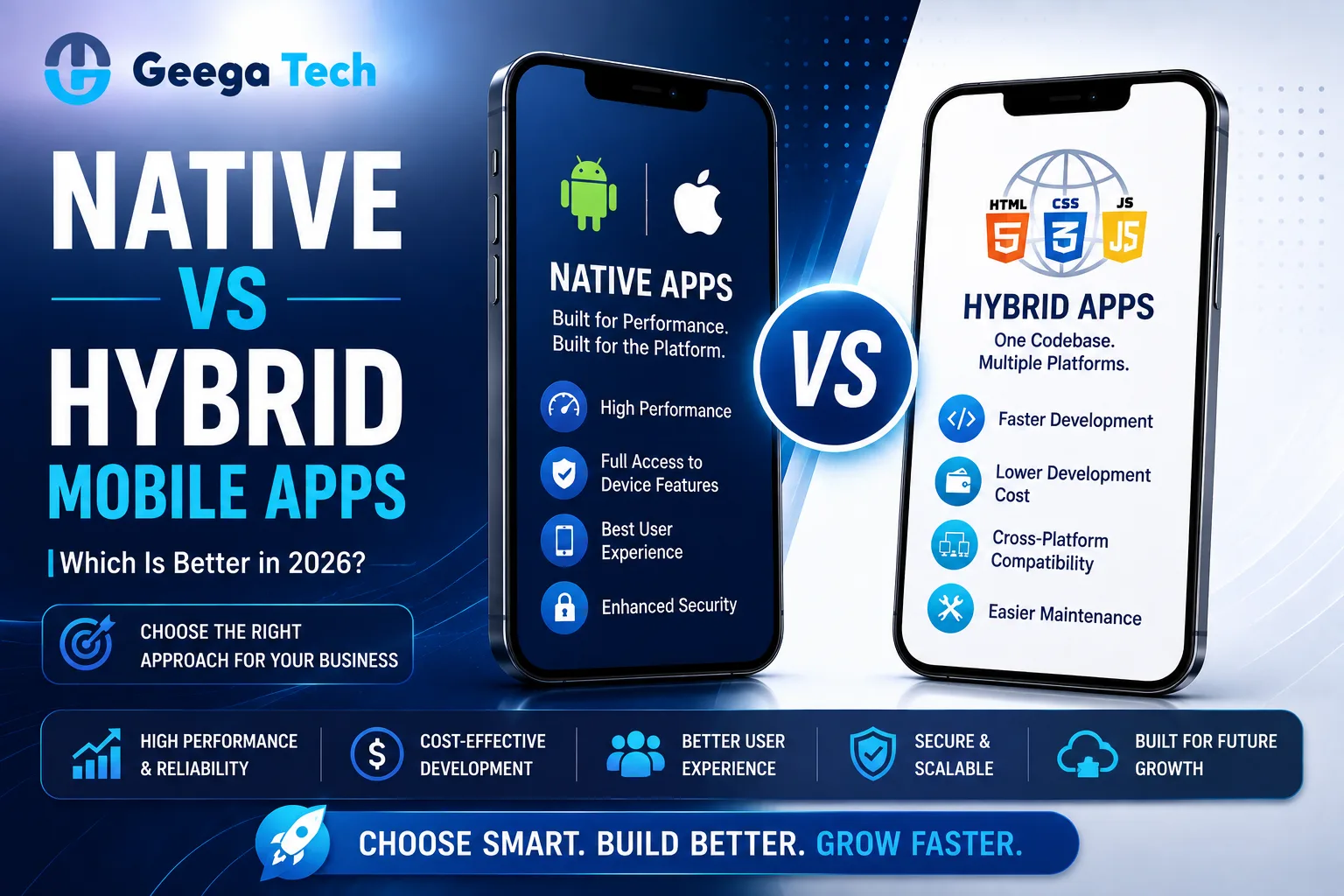
Native vs hybrid apps comparison for mobile app development in 2026

Native vs Hybrid Mobile Apps: Which Is Better in 2026?

Building a mobile application starts with an important technical decision: Should you build a native app or a hybrid app?

Both approaches can create successful mobile applications, but they differ in performance, development cost, user experience, platform support, and maintenance requirements.

Native apps are developed specifically for platforms such as Android or iOS, while hybrid apps use a shared technology approach to target multiple platforms.

When comparing native vs hybrid apps, there is no universal winner.

The right choice depends on your product requirements, budget, timeline, performance expectations, and long-term business strategy.

This guide explains the major differences to help businesses choose the right mobile app development approach in 2026.


What Is a Native Mobile App?

A native mobile app is developed specifically for a particular operating system.

For example:

Android → Kotlin / Java

iOS → Swift

Because the application is developed specifically for the target platform, developers can take advantage of platform-specific APIs, features, and user-interface components.

Native development is commonly used for applications where performance, device integration, security, or platform-specific user experience is especially important.

Examples can include:

  • Banking applications
  • Gaming applications
  • Healthcare apps
  • Navigation apps
  • Media applications
  • Complex enterprise apps

What Is a Hybrid Mobile App?

A hybrid application uses web technologies such as HTML, CSS, and JavaScript while running inside a native application container.

Hybrid frameworks allow developers to build much of the application from a shared codebase and deploy it across multiple platforms.

A simplified architecture looks like:

Shared Application Code

Hybrid Framework

Android + iOS

This can reduce development time when businesses need applications for multiple platforms.


Native vs Hybrid Apps: Key Differences

Factor Native Apps Hybrid Apps
Codebase Separate per platform Mostly shared
Performance Excellent Good for many apps
Development Speed Usually slower Usually faster
Initial Cost Often higher Often lower
Platform Features Direct access Framework/plugin dependent
User Experience Highly platform-specific More consistent cross-platform
Maintenance Multiple codebases Shared maintenance
Complex Animations Strong Depends on framework
Best For Performance-heavy apps Faster multi-platform delivery

These differences should be evaluated according to the actual application requirements.


Benefits of Native App Development

1. High Performance

Native applications are designed specifically for the operating system.

This can provide strong performance for applications involving:

  • Complex animations
  • Real-time processing
  • Large amounts of data
  • Camera functionality
  • Location tracking
  • Background processes
  • Hardware integrations

Performance differences may be particularly noticeable in technically demanding applications.


2. Better Platform Integration

Native applications have direct access to platform capabilities.

These can include:

  • Camera
  • GPS
  • Bluetooth
  • Microphone
  • Biometrics
  • Push notifications
  • Local storage
  • Sensors

This makes native development attractive for applications that depend heavily on device hardware.


3. Platform-Specific User Experience

Android and iOS have different design conventions.

Native development allows developers to create interfaces that closely follow the standards of each platform.

This can provide a familiar experience for users.


4. Greater Control

Native development gives teams greater control over platform-specific behavior, optimization, integrations, and features.

This can be important for complex products with long-term development roadmaps.


Limitations of Native Apps

Native development also has disadvantages.

Higher Development Cost

Building separate Android and iOS applications may require additional development effort.

Businesses may need:

  • Android developers
  • iOS developers
  • Platform-specific testing
  • Separate maintenance

This can increase development costs.


Longer Development Timeline

Features may need to be implemented and tested separately for each platform.

This can make simultaneous Android and iOS releases more difficult for smaller teams.


More Maintenance

When separate codebases are maintained, updates and bug fixes may require work on both platforms.


Benefits of Hybrid App Development

1. Faster Development

A shared codebase can reduce duplicated development effort.

Teams can develop features once and deploy them across multiple platforms.

This can be especially useful for startups that need to launch quickly.


2. Lower Initial Development Cost

Because much of the code can be shared, hybrid development may require fewer resources than separate native applications.

This can make it attractive for:

  • Startups
  • MVPs
  • Internal business applications
  • Content-focused applications

3. Easier Maintenance

A shared codebase can simplify bug fixes and feature updates.

Instead of changing the same functionality separately for Android and iOS, developers can often update common application logic once.


4. Faster Cross-Platform Launch

Businesses can launch Android and iOS versions closer together.

This can reduce time-to-market when both audiences are important.


Limitations of Hybrid Apps

Performance Limitations

For standard business applications, hybrid performance may be sufficient.

However, applications requiring advanced graphics, complex animations, or intensive real-time processing may benefit from native development.


Plugin Dependency

Access to certain device capabilities may depend on plugins or framework support.

If a specific platform feature is not supported, additional native development may be required.


Platform-Specific Issues

Although much of the code is shared, developers may still need platform-specific fixes for Android and iOS.

Therefore, hybrid does not always mean writing the application once with zero platform-specific work.


Native vs Hybrid Apps: Development Cost

Cost is an important consideration.

Native Development

Businesses may need to develop and maintain:

Android Application + iOS Application

This can increase development effort.

Hybrid Development

A large portion of the application can use:

One Shared Codebase → Android + iOS

This can reduce initial development time and cost.

However, actual cost depends on:

  • Features
  • UI complexity
  • Backend requirements
  • Integrations
  • Security
  • Testing
  • Admin panel
  • Infrastructure

The technology choice is only one factor affecting total mobile app development cost.


Native vs Hybrid Apps: Performance

Native applications generally provide the greatest control over performance.

For applications involving:

  • Gaming
  • Video processing
  • AR/VR
  • Advanced animations
  • Real-time hardware communication

native development may be preferable.

For applications such as:

  • eCommerce
  • Booking
  • Business management
  • Customer portals
  • Content applications
  • Basic marketplaces

a properly developed hybrid application may provide sufficient performance.


Native vs Hybrid Apps for Startups

Startups often need to balance:

Development Speed + Budget + Product Quality

For an early-stage MVP, hybrid development may allow a company to test its idea across Android and iOS without maintaining two completely separate applications.

However, native development may be more suitable when the core product depends heavily on device capabilities or demanding performance.

The decision should be based on product requirements rather than simply choosing the cheapest development option.


What About React Native and Flutter?

React Native and Flutter are generally categorized as cross-platform mobile development frameworks, rather than traditional web-view-based hybrid frameworks.

They allow developers to share significant portions of application code between Android and iOS while delivering more native-like experiences.

This gives businesses another option:

Native Development

vs

Traditional Hybrid Development

vs

Modern Cross-Platform Development

For many business applications in 2026, modern cross-platform frameworks can provide a useful balance between development speed and application performance.


When Should You Choose Native Development?

Native app development may be the better option when:

  • Maximum performance is required.
  • The application uses advanced device functionality.
  • Platform-specific UX is important.
  • Complex animations are required.
  • The application has extensive background processing.
  • Long-term platform-specific optimization is important.

Native development is often suitable for complex applications where technical performance is a core product requirement.


When Should You Choose Hybrid Development?

Hybrid development may be appropriate when:

  • Budget is limited.
  • Faster development is important.
  • Android and iOS need to launch together.
  • The application has relatively standard functionality.
  • You are building an MVP.
  • Most functionality can be shared between platforms.

It can provide a practical route for businesses that need multi-platform availability without maintaining fully separate codebases.


Security Considerations

Both native and hybrid applications can be built securely.

Important mobile security practices include:

  • Secure authentication
  • Data encryption
  • API security
  • Secure token storage
  • Role-based access
  • Input validation
  • Certificate and network security
  • Secure backend infrastructure
  • Dependency updates

Security depends more on architecture and implementation quality than simply whether the application is native or hybrid.


Native vs Hybrid: How to Choose

Before making a decision, ask:

What Is Our Budget?

If budget is limited, shared-code approaches may reduce initial costs.

How Quickly Do We Need to Launch?

Hybrid or cross-platform development can potentially reduce development time.

How Important Is Performance?

Performance-intensive applications may benefit from native development.

Which Device Features Do We Need?

Evaluate whether the selected framework supports required hardware capabilities.

What Is Our Long-Term Roadmap?

Consider future features, scalability, maintenance, and platform requirements.


Native vs Hybrid vs Cross-Platform

A practical comparison looks like this:

Requirement Native Hybrid Modern Cross-Platform
Performance Excellent Good Very Good
Shared Code Low High High
Development Speed Moderate Fast Fast
Platform Control Excellent Moderate High
MVP Development Good Excellent Excellent
Complex Apps Excellent Moderate Very Good
Cost Efficiency Moderate High High

The best option still depends on the application’s requirements.


Why Choose Geega Technologies for Mobile App Development?

At Geega Technologies, we help startups and enterprises design and develop mobile applications around their business requirements.

Our capabilities include:

  • Native App Development
  • Hybrid App Development
  • Android App Development
  • iOS App Development
  • React Native Development
  • Mobile App Development
  • Custom Backend Development
  • API Development & Integration
  • Admin Panel Development
  • Cloud Application Development
  • App Maintenance & Scaling

Our approach focuses on selecting technology based on performance, budget, user experience, scalability, security, and long-term product requirements.


Final Thoughts

The native vs hybrid apps decision does not have a single answer for every business.

Native development can provide maximum performance, platform control, and deep device integration.

Hybrid development can provide faster multi-platform development and lower initial development effort.

Modern cross-platform technologies such as React Native and Flutter also provide another strong option for many applications.

Businesses should evaluate:

Performance + Budget + Timeline + Features + Maintenance + Long-Term Growth

Choosing the right architecture at the beginning can help reduce unnecessary redevelopment as your mobile product grows.

Get in touch with us

Looking for a certified tech partner? Contact Geega Technologies today.

Scalable Application Architecture: Principles Every Founder Should Know

Home » Scalable Application Architecture: Principles Every Founder Should Know


Scalable Application Architecture: Principles Every Founder Should Know

A software product may work perfectly with 100 users but struggle when that number grows to 10,000 or 100,000.

Slow response times, server crashes, database bottlenecks, failed transactions, and rising infrastructure costs can quickly become serious business problems.

This is why scalable application architecture should be considered early when building a digital product.

Scalable architecture allows an application to handle increasing users, data, transactions, and features without requiring the entire system to be rebuilt.

For founders, understanding the basics of scalability can help avoid expensive technical problems as the business grows.

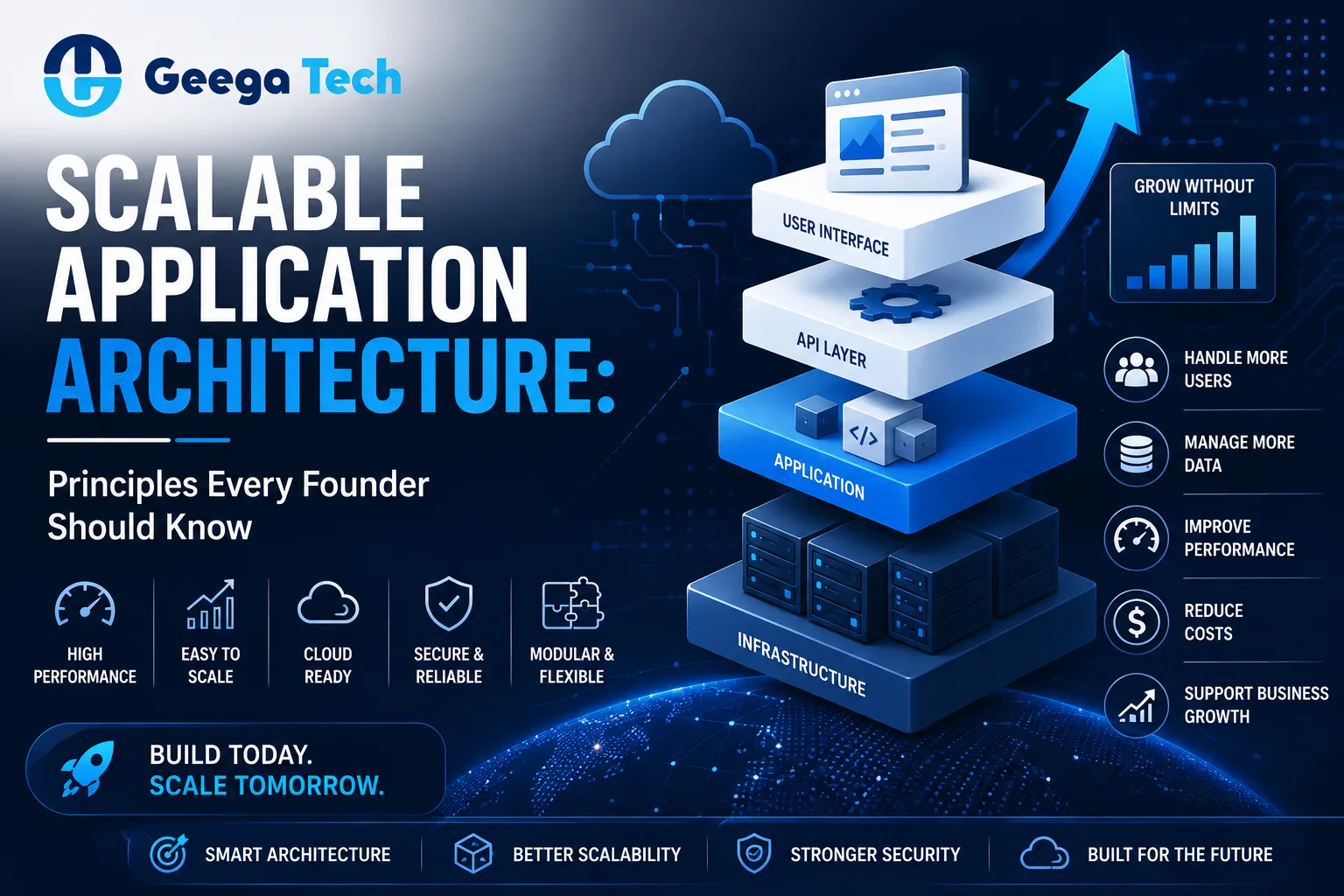
Scalable application architecture principles for growing businesses

Scalable Application Architecture: Principles Every Founder Should Know

A software product may work perfectly with 100 users but struggle when that number grows to 10,000 or 100,000.

Slow response times, server crashes, database bottlenecks, failed transactions, and rising infrastructure costs can quickly become serious business problems.

This is why scalable application architecture should be considered early when building a digital product.

Scalable architecture allows an application to handle increasing users, data, transactions, and features without requiring the entire system to be rebuilt.

For founders, understanding the basics of scalability can help avoid expensive technical problems as the business grows.


What Is Scalable Application Architecture?

Scalable application architecture is a software design approach that allows an application to support increasing demand while maintaining acceptable performance and reliability.

Growth may include:

  • More users
  • More API requests
  • Higher transaction volumes
  • More stored data
  • New features
  • Additional locations
  • More integrations

For example, imagine a SaaS application grows from:

1,000 users → 10,000 users → 100,000 users

A scalable architecture should allow infrastructure and application components to expand without requiring a complete redevelopment.


Why Scalability Matters for Startups

Early-stage startups often focus heavily on launching quickly.

That makes sense.

However, ignoring architecture completely can create problems when the product starts growing.

Poor scalability may result in:

  • Slow applications
  • Frequent downtime
  • Database overload
  • Difficult deployments
  • Higher infrastructure costs
  • Complicated feature development
  • Poor customer experience

The goal is not to build infrastructure for millions of users on day one.

Instead, founders should build a simple architecture that has a practical path to scale.


Scalability vs Performance

Scalability and performance are related but different.

Performance refers to how efficiently an application operates under a particular workload.

Scalability refers to how effectively the application handles increasing workload.

For example, an application may perform well with 500 users but become extremely slow with 5,000 users.

That application has good performance at low traffic but poor scalability.

A strong system should consider both.


1. Start With a Simple Architecture

One common mistake startups make is overengineering their first product.

Founders hear about:

  • Microservices
  • Kubernetes
  • Event-driven architecture
  • Distributed databases
  • Complex cloud infrastructure

and assume these technologies are required immediately.

They often are not.

For an MVP or early-stage SaaS application, a well-designed modular application can be easier to:

  • Develop
  • Test
  • Deploy
  • Monitor
  • Maintain

Complex architecture should be introduced when the product actually requires it.


2. Design Modular Applications

Application components should have clear responsibilities.

For example:

Authentication

Users

Orders

Payments

Notifications

Reports

Separating application logic into modules makes the software easier to maintain and scale.

If one area becomes significantly more complex later, it may be possible to separate that module without redesigning the entire application.


3. Build APIs With Scalability in Mind

APIs are the communication layer between many modern systems.

A SaaS product may have:

Web App → API → Backend → Database

and:

Mobile App → API → Backend → Database

Well-designed APIs make it easier to connect new applications and services later.

Important API considerations include:

  • Authentication
  • Authorization
  • Validation
  • Pagination
  • Rate limiting
  • Error handling
  • Versioning
  • Monitoring

Poorly designed APIs can become bottlenecks as application usage increases.


4. Choose the Right Database Architecture

Databases are frequently one of the first scalability challenges.

Applications may need to handle millions of records involving:

  • Users
  • Transactions
  • Orders
  • Messages
  • Logs
  • Products

Good database design should consider:

  • Proper indexing
  • Query optimization
  • Data relationships
  • Connection management
  • Backups
  • Replication when needed
  • Read/write patterns

Developers should also avoid retrieving unnecessary amounts of data.

For example, if a dashboard needs 20 records, the application should not load 100,000 records and filter them afterward.


5. Use Caching Strategically

Applications often repeatedly request the same information.

Instead of generating or retrieving that information every time, frequently used data can sometimes be cached.

A simplified flow could be:

User Request → Cache → Response

If the data is unavailable:

User Request → Database → Cache → Response

Caching can reduce database load and improve response times.

However, developers need a clear strategy for when cached information should expire or update.


6. Use Load Balancing

As application traffic increases, one server may no longer be sufficient.

A load balancer can distribute incoming requests across multiple application servers.

For example:

Users

Load Balancer

Server 1 | Server 2 | Server 3

This can improve availability and allow additional servers to be introduced as demand grows.


7. Horizontal vs Vertical Scaling

There are two common ways to increase computing capacity.

Vertical Scaling

Increase the resources of an existing server.

For example:

4 GB RAM → 16 GB RAM

This is simple but eventually reaches hardware or cost limits.

Horizontal Scaling

Add more servers.

For example:

1 Server → 3 Servers → 10 Servers

Cloud-native applications often use horizontal scaling because resources can be added or removed based on demand.


8. Use Asynchronous Processing

Not every operation needs to happen immediately during a user request.

Suppose a user uploads a large report.

The system may need to:

  1. Store the file.
  2. Analyze the data.
  3. Generate a report.
  4. Send a notification.

Making the user wait for every operation can create a poor experience.

Instead:

User Request → Queue → Background Worker → Processing → Notification

Asynchronous processing can be useful for:

  • Email delivery
  • File processing
  • Report generation
  • Image processing
  • Notifications
  • Large imports
  • AI processing

9. Use Cloud Infrastructure Wisely

Cloud platforms make scalable infrastructure easier to build.

Businesses can use cloud services for:

  • Application hosting
  • Databases
  • File storage
  • Content delivery
  • Monitoring
  • Backups
  • Auto-scaling
  • Queues

However, cloud infrastructure should be designed carefully.

Poor architecture can create unnecessary costs even if the application scales technically.


10. Use a CDN for Static Content

Applications serving users across multiple locations may benefit from a Content Delivery Network.

A CDN can distribute static content such as:

  • Images
  • JavaScript
  • CSS
  • Videos
  • Downloadable files

closer to users.

This can reduce load on the main server and improve delivery speed.


Microservices: Do You Need Them?

Microservices divide an application into independently operating services.

For example:

User Service

Payment Service

Order Service

Notification Service

Analytics Service

This can provide benefits for large and complex platforms.

However, microservices also introduce:

  • Deployment complexity
  • Network communication
  • Monitoring requirements
  • Infrastructure overhead
  • Data-consistency challenges

For many startups, beginning with a modular monolith can be more practical.

Microservices should solve a real scalability or organizational problem rather than being adopted simply because they are popular.


Scalability for SaaS Applications

SaaS platforms have additional scalability requirements because many customers may use the same application.

Important considerations include:

  • Multi-tenant architecture
  • User isolation
  • Subscription management
  • Usage tracking
  • Database performance
  • Background processing
  • API limits
  • Cloud scaling
  • Monitoring

A SaaS architecture should also consider what happens when one customer generates significantly more traffic than others.


Don’t Forget Security While Scaling

Scaling an application should never weaken security.

Growing applications should maintain:

  • Secure authentication
  • Role-based access control
  • API security
  • Data encryption
  • Rate limiting
  • Audit logs
  • Secure secrets management
  • Dependency updates
  • Infrastructure monitoring

As the application grows, its attack surface can also increase.

Security should therefore evolve with the architecture.


Monitoring Is Essential

You cannot scale an application effectively without understanding what is happening inside it.

Teams should monitor areas such as:

  • CPU usage
  • Memory usage
  • API response times
  • Database performance
  • Error rates
  • Request volume
  • Background jobs
  • Infrastructure cost

Monitoring helps identify bottlenecks before they become serious customer problems.


Common Scalability Mistakes

Overengineering Too Early

Building extremely complex architecture before product-market fit can waste development time and money.

Ignoring Database Performance

Adding servers will not solve every problem if inefficient database queries remain the bottleneck.

Scaling Without Monitoring

Teams need data to understand what actually needs scaling.

Ignoring Cloud Costs

An application can scale technically while becoming financially inefficient.

No Load Testing

Teams should test how applications behave under realistic traffic levels.

Ignoring Failure Scenarios

Applications should be designed to handle service failures gracefully.


How Founders Should Approach Scalability

A practical roadmap can look like:

Stage 1 — MVP

Build a simple, modular application focused on validating the product.

Stage 2 — Early Growth

Improve database queries, caching, monitoring, and application performance.

Stage 3 — Growing Traffic

Introduce load balancing, background processing, and horizontal scaling where needed.

Stage 4 — Large Scale

Evaluate service separation, advanced cloud architecture, distributed systems, and regional infrastructure based on actual requirements.

This approach allows architecture to evolve with the business.


Why Choose Geega Technologies for Scalable Application Development?

At Geega Technologies, we help startups and enterprises design applications that can evolve with their business.

Our development capabilities include:

  • Custom Software Development
  • SaaS Application Development
  • Web Application Development
  • Mobile App Development
  • Enterprise Software Development
  • MERN Stack Development
  • MEAN Stack Development
  • API Development & Integration
  • Cloud Application Development
  • Admin Panel & Dashboard Development
  • Application Modernization
  • DevOps & CI/CD

Our approach focuses on balancing performance, scalability, development speed, security, and infrastructure cost.


Final Thoughts

Building scalable application architecture does not mean designing the most complicated system possible.

It means creating software that can evolve as demand grows.

Founders should focus on:

Simple Architecture + Modular Design + Efficient Database + APIs + Caching + Cloud Infrastructure + Monitoring

Start with what the product needs today while maintaining a clear path for tomorrow.

That approach can reduce unnecessary development complexity while preparing the application for sustainable growth.

Get in touch with us

Looking for a certified tech partner? Contact Geega Technologies today.

How to Build a Secure Software Development Process in 2026

Home » How to Build a Secure Software Development Process in 2026


How to Build a Secure Software Development Process in 2026

Modern businesses depend on software for customer data, payments, internal operations, communication, analytics, and many other critical processes.

As software becomes more connected, security can no longer be something teams consider only before deployment.

A secure software development process integrates security throughout the entire software development lifecycle—from planning and architecture to coding, testing, deployment, and maintenance.

Instead of finding vulnerabilities after an application reaches production, development teams can identify and reduce security risks much earlier.

In this guide, we’ll explore how businesses can build a practical secure software development process in 2026.

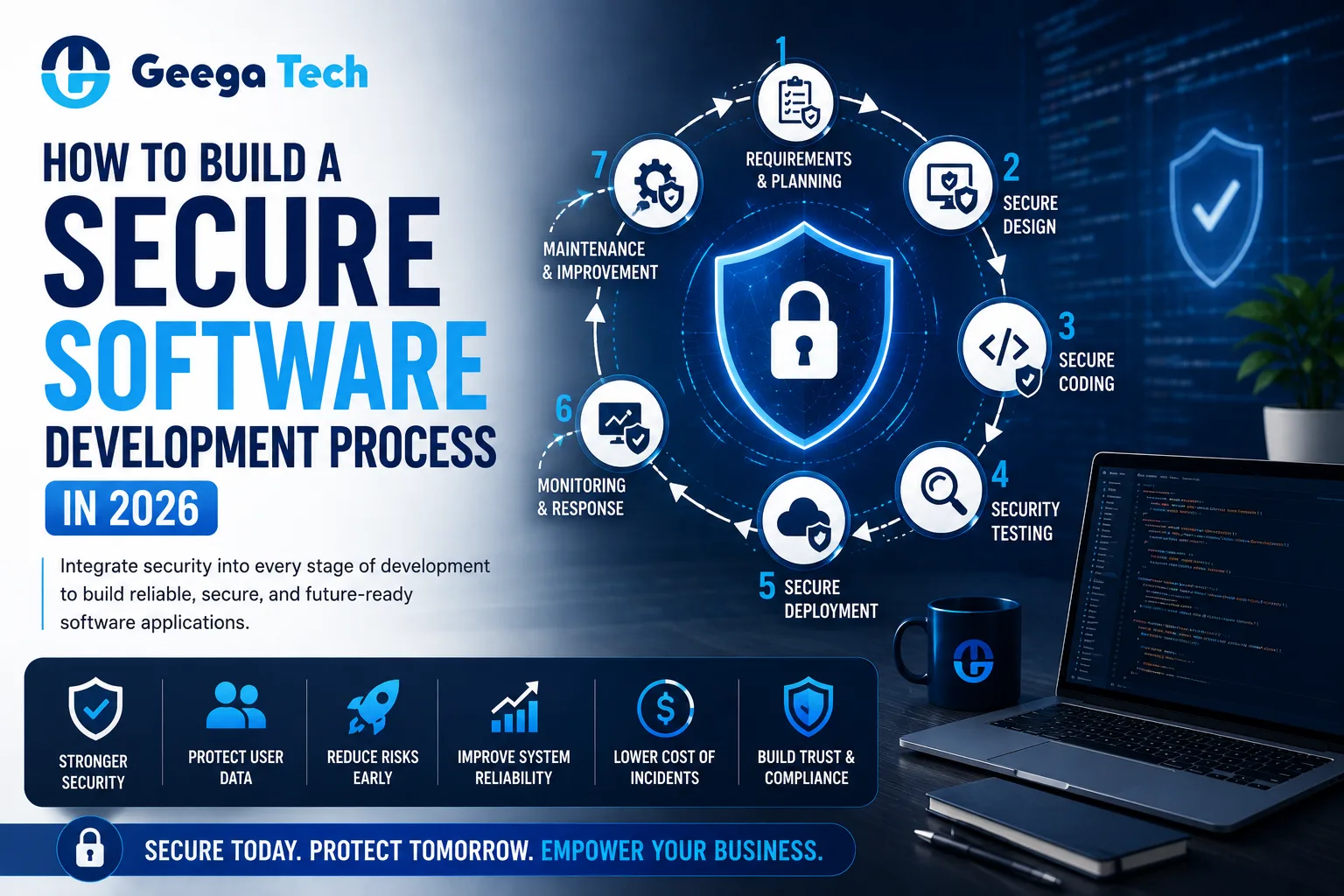
Secure software development process and Secure SDLC in 2026

How to Build a Secure Software Development Process

Modern businesses depend on software for customer data, payments, internal operations, communication, analytics, and many other critical processes.

As software becomes more connected, security can no longer be something teams consider only before deployment.

A secure software development process integrates security throughout the entire software development lifecycle—from planning and architecture to coding, testing, deployment, and maintenance.

Instead of finding vulnerabilities after an application reaches production, development teams can identify and reduce security risks much earlier.

In this guide, we’ll explore how businesses can build a practical secure software development process in 2026.


What Is Secure Software Development?

Secure software development is an approach where security practices are integrated into every stage of building and maintaining software.

A traditional development process might look like:

Plan → Design → Develop → Test → Deploy

A secure development process adds security throughout:

Plan → Security Requirements → Secure Design → Secure Coding → Security Testing → Secure Deployment → Monitoring

This approach is commonly associated with a Secure Software Development Lifecycle (Secure SDLC).

The objective is to reduce vulnerabilities before they become production security problems.


Why Is Secure Software Development Important?

Modern applications frequently handle sensitive information such as:

  • Customer data
  • Employee information
  • Login credentials
  • Financial information
  • Business documents
  • API credentials
  • Payment information
  • Internal company data

A security vulnerability can potentially lead to data exposure, operational disruption, financial losses, or reputational damage.

Building security into development can help organizations reduce these risks.


Secure SDLC vs Traditional SDLC

Traditional SDLC Secure SDLC
Security often checked later Security starts during planning
Functional requirements first Functional + security requirements
Standard coding Secure coding practices
Functional testing Functional + security testing
Basic deployment Hardened deployment
Reactive security Continuous security

The major difference is that security becomes part of development rather than a final checkpoint.


Step 1: Define Security Requirements

Security planning should begin before developers start writing code.

Teams should identify:

  • What data the application will store
  • Who can access the system
  • What user roles are required
  • Which APIs will be exposed
  • Whether payments are involved
  • Which third-party services are required
  • Regulatory or contractual requirements
  • Backup and recovery requirements

For example, an application storing customer financial information may require stronger security controls than a basic public marketing website.


Step 2: Design Secure Architecture

Application architecture has a major impact on security.

Development teams should consider:

  • Authentication
  • Authorization
  • Database security
  • API security
  • Network architecture
  • Cloud configuration
  • Data encryption
  • Session management
  • Logging
  • Backup strategy

Security weaknesses introduced during architecture can become expensive to fix later.


Step 3: Implement Strong Authentication

Authentication confirms the identity of users accessing an application.

Modern applications should consider controls such as:

  • Strong password requirements
  • Secure password hashing
  • Multi-factor authentication
  • Session expiration
  • Secure password reset
  • Login-attempt protection

Administrative accounts should receive particularly strong protection because they often have access to sensitive application functionality.


Step 4: Use Role-Based Access Control

Authentication answers:

“Who is this user?”

Authorization answers:

“What is this user allowed to do?”

A secure application should clearly define permissions.

For example:

Admin → Manage Users + Reports + Settings

Manager → View Reports + Manage Assigned Operations

Employee → Access Assigned Features

Users should receive only the permissions required for their responsibilities.

This principle is commonly known as least privilege.


Step 5: Follow Secure Coding Practices

Developers should follow secure coding standards throughout implementation.

Important practices include:

  • Validate user input
  • Sanitize data where appropriate
  • Use parameterized database queries
  • Protect sensitive configuration
  • Handle errors securely
  • Avoid exposing internal system details
  • Review file uploads
  • Secure API endpoints
  • Keep dependencies updated

Security should be part of code review rather than something developers handle separately.


Step 6: Protect APIs

Modern applications rely heavily on APIs.

Web applications, mobile apps, SaaS platforms, and enterprise software frequently communicate through APIs.

API security should include:

  • Authentication
  • Authorization
  • Request validation
  • Rate limiting
  • Secure tokens
  • HTTPS
  • Appropriate error responses
  • Logging and monitoring

Every API endpoint should verify whether the requesting user or service is authorized to perform the requested action.


Step 7: Protect Sensitive Data

Businesses should identify sensitive information and determine how it should be protected.

This may include:

  • Personal information
  • Financial information
  • Authentication credentials
  • API keys
  • Business records
  • Confidential documents

Common protection measures include:

Encryption in Transit

Use secure communication protocols such as HTTPS/TLS.

Encryption at Rest

Sensitive stored data may require appropriate encryption.

Secrets Management

Passwords, API keys, and credentials should not be hard-coded into application source code.


Step 8: Manage Third-Party Dependencies

Modern applications often depend on open-source packages and third-party libraries.

These dependencies can introduce vulnerabilities.

Development teams should:

  • Track dependencies
  • Remove unused packages
  • Update vulnerable packages
  • Review security advisories
  • Use dependency-scanning tools
  • Avoid unsupported libraries

Dependency security should continue after the application is deployed.


Step 9: Perform Security Testing

Security testing should happen throughout development.

Important testing activities can include:

Static Application Security Testing

Analyze source code for potential security weaknesses.

Dynamic Application Security Testing

Test the running application for vulnerabilities.

Dependency Scanning

Identify known vulnerabilities in third-party packages.

API Security Testing

Test authentication, authorization, input validation, and endpoint behavior.

Penetration Testing

Simulate real-world attack scenarios to identify weaknesses before attackers do.

Security testing should complement normal functional and performance testing.


Step 10: Integrate Security Into CI/CD

Modern development teams frequently use Continuous Integration and Continuous Delivery.

Security checks can be included directly in the development pipeline.

A simplified workflow might look like:

Developer Commit

Build

Automated Tests

Dependency Scan

Security Checks

Code Review

Deployment

This approach is commonly associated with DevSecOps.

It helps teams identify security issues earlier and more consistently.


Secure Cloud Deployment

Application security does not stop at the source code.

Cloud infrastructure also needs protection.

Teams should review:

  • Server configuration
  • Network rules
  • Database access
  • Storage permissions
  • Identity and access management
  • Environment variables
  • Backups
  • Monitoring
  • Logging

A secure application deployed on poorly configured infrastructure can still create serious security risks.


Logging and Monitoring

Security monitoring helps organizations identify suspicious activity after deployment.

Applications may log events such as:

  • Failed login attempts
  • Administrative actions
  • Permission changes
  • Sensitive account updates
  • API failures
  • Security-related errors

Logs should be protected from unauthorized modification and should avoid unnecessarily storing sensitive information.


Security for AI-Powered Applications

AI applications introduce additional security considerations.

Businesses developing AI software should evaluate:

  • What data the AI can access
  • Which tools AI agents can use
  • Prompt and input manipulation risks
  • Data privacy
  • Output validation
  • API permissions
  • Human approval requirements
  • AI action logging

AI agents should not automatically receive unrestricted access to business systems.

Sensitive actions should require appropriate validation or human approval.


Common Secure Development Mistakes

Businesses should avoid several common mistakes.

Adding Security at the End

Security issues become more expensive to fix after development is complete.

Giving Users Excessive Permissions

Apply least-privilege access.

Hard-Coding Credentials

Secrets should be stored using appropriate secure configuration or secrets-management systems.

Ignoring Dependencies

Outdated libraries can create vulnerabilities even when custom application code is secure.

Skipping Security Testing

Functional testing alone does not identify all security weaknesses.

Ignoring Production Monitoring

Security should continue after deployment.


Secure Software Development Checklist

A practical security checklist should include:

  • Security requirements defined
  • Secure architecture reviewed
  • Authentication implemented
  • Role-based permissions configured
  • User input validated
  • APIs protected
  • Sensitive data encrypted
  • Secrets stored securely
  • Dependencies monitored
  • Security tests performed
  • CI/CD security checks configured
  • Cloud permissions reviewed
  • Backups configured
  • Logging enabled
  • Production monitoring active
  • Incident response process documented

Benefits of Secure Software Development

A strong secure software development process can help businesses achieve:

  • Reduced security risk
  • Earlier vulnerability detection
  • Better data protection
  • Stronger application reliability
  • Safer API integrations
  • Improved customer trust
  • Easier security maintenance
  • Better preparation for compliance requirements

Security becomes significantly more manageable when it is integrated throughout development.


Why Choose Geega Technologies for Secure Software Development?

At Geega Technologies, we help startups and enterprises build secure, scalable, and reliable digital products.

Our development capabilities include:

  • Custom Software Development
  • Enterprise Software Development
  • AI Software Development
  • SaaS Development
  • Web Application Development
  • Mobile App Development
  • API Development & Integration
  • Cloud Application Development
  • Application Modernization
  • Software Testing & Quality Assurance
  • DevOps & CI/CD
  • Digital Transformation

Our development approach considers security throughout architecture, development, testing, deployment, and ongoing application maintenance.


Final Thoughts

Secure software development is not a single security test performed before launching an application.

It is a continuous process.

Businesses should integrate security throughout:

Planning → Architecture → Development → Testing → Deployment → Monitoring

By identifying security risks earlier, organizations can reduce vulnerabilities, protect sensitive information, and build more reliable applications.

As software becomes increasingly connected to cloud platforms, APIs, mobile applications, and AI systems, secure development practices will continue to become even more important.

Get in touch with us

Looking for a certified tech partner? Contact Geega Technologies today.

Legacy System Modernization: A Step-by-Step Roadmap for 2026

Home » Legacy System Modernization: A Step-by-Step Roadmap for 2026


Legacy System Modernization: A Step-by-Step Roadmap for 2026

Many businesses still depend on software systems that were built years ago.

These applications may continue to support important operations, but over time they can become difficult to maintain, expensive to scale, harder to integrate, and increasingly risky from a security perspective.

Replacing everything at once is rarely the best solution.

This is where legacy system modernization becomes important.

Legacy system modernization is the process of upgrading, improving, re-architecting, migrating, or replacing older software so that it can better support current business requirements.

In this guide, we’ll explain why modernization matters and provide a practical roadmap businesses can follow in 2026.

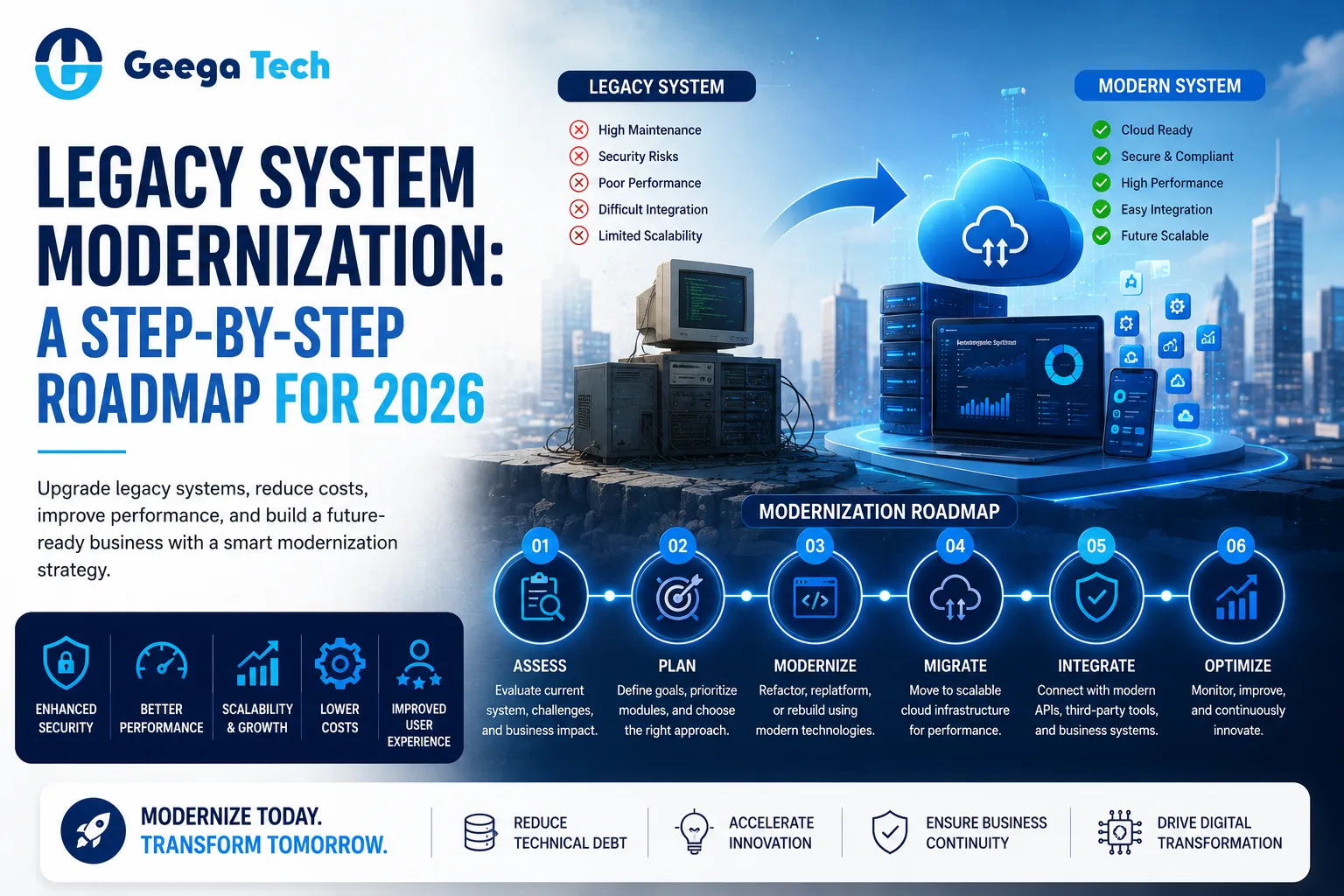
Legacy system modernization roadmap for businesses in 2026

Legacy System Modernization: A Step-by-Step Roadmap for 2026

Many businesses still depend on software systems that were built years ago.

These applications may continue to support important operations, but over time they can become difficult to maintain, expensive to scale, harder to integrate, and increasingly risky from a security perspective.

Replacing everything at once is rarely the best solution.

This is where legacy system modernization becomes important.

Legacy system modernization is the process of upgrading, improving, re-architecting, migrating, or replacing older software so that it can better support current business requirements.

In this guide, we’ll explain why modernization matters and provide a practical roadmap businesses can follow in 2026.


What Is a Legacy System?

A legacy system is an older software application, technology platform, or infrastructure environment that an organization continues to use despite technical or operational limitations.

A legacy application may:

  • Use outdated technologies
  • Run on old infrastructure
  • Be difficult to update
  • Have limited documentation
  • Lack modern APIs
  • Require manual processes
  • Have security limitations
  • Be expensive to maintain

A system does not automatically become a legacy application simply because it is old.

It becomes a problem when it starts limiting the organization’s ability to operate, integrate, innovate, or scale.


What Is Legacy System Modernization?

Legacy system modernization means improving an existing application or technology environment to meet modern business and technical requirements.

Modernization can involve:

  • Updating the user interface
  • Rebuilding parts of an application
  • Migrating infrastructure to the cloud
  • Creating APIs
  • Replacing outdated technologies
  • Improving database architecture
  • Adding automation
  • Improving security
  • Breaking large applications into modular services
  • Integrating modern AI capabilities

The goal is not always to rebuild the entire application.

Sometimes modernizing the most problematic parts can provide better business value.


Why Do Businesses Modernize Legacy Systems?

1. High Maintenance Costs

Older applications can become expensive to maintain because they may require specialized developers, outdated infrastructure, or frequent manual fixes.

Modernization can reduce some of this technical overhead.


2. Security Risks

Legacy systems may rely on outdated frameworks, libraries, operating systems, or authentication methods.

This can create security vulnerabilities.

Modern applications can implement controls such as:

  • Modern authentication
  • Role-based access
  • Data encryption
  • API security
  • Audit logging
  • Multi-factor authentication

3. Poor Scalability

A legacy application designed for hundreds of users may struggle when the business grows to thousands or millions of transactions.

Modernization can improve architecture and infrastructure to support higher workloads.


4. Integration Problems

Modern businesses use CRM systems, payment gateways, cloud platforms, analytics tools, mobile applications, and third-party services.

Older software may not have APIs required to connect with these systems.

Modernization can introduce an API layer and improve integration capabilities.


5. Poor User Experience

Older applications may have:

  • Complicated navigation
  • Outdated interfaces
  • Slow workflows
  • Poor mobile support
  • Too many manual steps

Modern UI/UX can improve employee and customer experience.


Signs Your Legacy System Needs Modernization

Businesses should consider modernization when they regularly experience:

  • Frequent system downtime
  • Slow application performance
  • High maintenance costs
  • Security concerns
  • Difficult integrations
  • Limited scalability
  • Poor mobile compatibility
  • Outdated UI/UX
  • Manual data entry
  • Difficulty adding new features
  • Dependence on outdated technologies
  • Lack of technical documentation

Multiple issues occurring together can indicate that modernization should become a strategic priority.


Legacy System Modernization Approaches

There is no single modernization strategy suitable for every application.

Rehost

Move the existing application to modern infrastructure with minimal code changes.

Often called lift and shift.

Replatform

Move the application to a newer platform while making limited improvements.

Refactor

Improve the existing code and architecture without completely rebuilding the application.

Rearchitect

Change major parts of the system architecture to improve scalability, flexibility, or maintainability.

Rebuild

Develop the application again using modern technologies while preserving important business functionality.

Replace

Replace the legacy application with a new custom or ready-made software solution.

The right strategy depends on cost, technical debt, business requirements, and application complexity.


Step-by-Step Legacy System Modernization Roadmap

Step 1: Assess the Existing System

Before changing anything, understand the current application.

Evaluate:

  • Technology stack
  • Infrastructure
  • Database
  • Application architecture
  • Security
  • Integrations
  • Performance
  • User experience
  • Maintenance costs
  • Existing technical debt

This creates a clear picture of the system’s current condition.


Step 2: Identify Business Problems

Modernization should solve business problems rather than simply replace old technology.

Ask questions such as:

  • What is slowing employees down?
  • Which processes require manual work?
  • Which features are difficult to maintain?
  • Where are customers experiencing problems?
  • What integrations are missing?
  • What prevents the business from scaling?

These answers help establish modernization priorities.


Step 3: Define Modernization Goals

Set clear objectives.

For example:

Current problem: Application becomes slow during peak traffic.

Goal: Improve scalability and application performance.

Or:

Current problem: Employees manually move data between applications.

Goal: Introduce APIs and automated integrations.

Clear goals make it easier to measure modernization success.


Step 4: Choose the Right Modernization Strategy

Decide whether the application should be:

  • Rehosted
  • Replatformed
  • Refactored
  • Rearchitected
  • Rebuilt
  • Replaced

Not every legacy system needs a complete rebuild.

A phased approach can often reduce cost and risk.


Step 5: Modernize the Architecture

Legacy applications are often tightly connected, making changes difficult.

Modern architectures may use:

  • Modular application design
  • APIs
  • Cloud infrastructure
  • Containers
  • Managed databases
  • Microservices where appropriate
  • CI/CD pipelines

The architecture should match the actual scale and complexity of the business.


Step 6: Plan Data Migration

Data is one of the most critical parts of modernization.

Businesses should identify:

  • What data needs migration
  • Data quality issues
  • Duplicate information
  • Data dependencies
  • Backup requirements
  • Migration validation

Always create reliable backups before major migration activities.


Step 7: Improve Security

Security modernization should include reviewing:

  • Authentication
  • Authorization
  • Password policies
  • API security
  • Data encryption
  • User permissions
  • Audit logs
  • Dependency vulnerabilities
  • Infrastructure security

Security should be integrated throughout development rather than added only before launch.


Step 8: Modernize the User Experience

Improving the interface can create immediate benefits for users.

Modern applications should consider:

  • Responsive design
  • Clear navigation
  • Faster workflows
  • Accessible interfaces
  • Mobile compatibility
  • Simplified forms
  • Better dashboards

The objective is to reduce unnecessary steps while making important information easier to access.


Step 9: Test the Modernized System

Modernization can affect critical business workflows.

Testing should include:

  • Functional testing
  • Regression testing
  • Integration testing
  • Performance testing
  • Security testing
  • API testing
  • User acceptance testing

Existing business functionality should continue to work correctly after modernization.


Step 10: Migrate Gradually

Moving the entire organization to a new system in one step can create unnecessary risk.

A phased rollout may look like:

Development → Internal Testing → Pilot Users → Limited Rollout → Full Migration

This gives teams time to identify issues before complete deployment.


Step 11: Monitor After Deployment

Modernization does not end when the application goes live.

Monitor:

  • Application performance
  • Server resources
  • Error rates
  • API performance
  • Security events
  • User feedback
  • Infrastructure costs

Continuous monitoring helps identify problems early.


Cloud Migration and Legacy Modernization

Cloud adoption is often part of modernization.

Moving appropriate workloads to cloud infrastructure can provide:

  • Flexible scalability
  • Managed services
  • Easier deployment
  • Backup capabilities
  • Improved monitoring
  • Global infrastructure options

However, simply moving an outdated application to the cloud does not automatically modernize its architecture.

Businesses should evaluate whether code, databases, integrations, and workflows also need improvement.


Adding AI to Legacy Applications

Modernization can also create opportunities to introduce AI capabilities.

For example:

  • AI customer support
  • Intelligent document processing
  • AI-powered search
  • Reporting assistance
  • AI agents
  • Predictive analytics
  • Workflow automation

A legacy application may not need to be completely rebuilt to introduce AI.

Modern APIs can sometimes connect existing systems with new AI services while core business functionality remains unchanged.


Common Legacy Modernization Mistakes

Rebuilding Everything at Once

Large rewrites can increase cost and project risk.

Ignoring Business Requirements

Modern technology does not automatically solve business problems.

Poor Data Migration Planning

Incorrect migration can create serious operational problems.

Ignoring Security

Modernization should improve security, not simply change technologies.

Overengineering the Architecture

Not every application needs microservices or a highly complex cloud architecture.

Skipping User Feedback

Employees who use the application every day can provide valuable information about workflow problems.


Benefits of Successful Legacy Modernization

A well-planned modernization project can help businesses achieve:

  • Better application performance
  • Improved scalability
  • Stronger security
  • Easier integrations
  • Reduced technical debt
  • Better user experience
  • Faster feature development
  • Improved automation
  • Better cloud readiness
  • Greater flexibility for future growth

The actual benefits depend on the problems addressed and the modernization strategy selected.


Why Choose Geega Technologies for Legacy System Modernization?

At Geega Technologies, we help businesses modernize existing applications and build scalable digital platforms.

Our capabilities include:

  • Legacy Application Modernization
  • Application Re-engineering
  • Custom Software Development
  • Cloud Application Development
  • API Development & Integration
  • Database Modernization
  • UI/UX Modernization
  • Enterprise Software Development
  • Web Application Development
  • Mobile App Development
  • AI Integration
  • Digital Transformation

Our approach begins by understanding the existing system, identifying technical and business limitations, and selecting a modernization strategy based on actual requirements.


Final Thoughts

Legacy system modernization is not simply about replacing old technology.

It is about improving software so that it can support current operations and future business growth.

A successful modernization strategy should balance:

Business Requirements + Technology + Security + Cost + Scalability

Instead of rebuilding everything immediately, organizations can assess their existing systems, prioritize high-value improvements, modernize gradually, and measure the results.

Get in touch with us

Looking for a certified tech partner? Contact Geega Technologies today.

Custom Software Development vs Off-the-Shelf Software: Which Should You Choose?

Home » Custom Software Development vs Off-the-Shelf Software: Which Should You Choose?


Custom Software Development vs Off-the-Shelf Software: Which Should You Choose?

Choosing the right software is an important decision for any growing business.

Some companies need a quick solution for common tasks such as accounting, CRM, project management, or communication. Others have unique processes that standard software cannot handle effectively.

This leads to an important decision:

Should you build custom software or choose an off-the-shelf solution?

Both approaches have advantages.

Off-the-shelf software can provide faster deployment and lower initial costs, while custom software gives businesses greater control over features, integrations, scalability, and workflows.

In this guide, we’ll compare custom software vs off-the-shelf software to help you decide which approach is right for your business.

Custom software vs off-the-shelf software comparison for businesses

Custom Software vs Off-the-Shelf Software

Choosing the right software is an important decision for any growing business.

Some companies need a quick solution for common tasks such as accounting, CRM, project management, or communication. Others have unique processes that standard software cannot handle effectively.

This leads to an important decision:

Should you build custom software or choose an off-the-shelf solution?

Both approaches have advantages.

Off-the-shelf software can provide faster deployment and lower initial costs, while custom software gives businesses greater control over features, integrations, scalability, and workflows.

In this guide, we’ll compare custom software vs off-the-shelf software to help you decide which approach is right for your business.


What Is Custom Software?

Custom software is an application designed and developed specifically around the requirements of a particular business or organization.

Instead of adjusting your business processes to fit existing software, custom development allows the software to be designed around your workflows.

Custom software can include:

  • CRM systems
  • ERP platforms
  • Admin dashboards
  • Customer portals
  • SaaS applications
  • Inventory systems
  • Workflow automation
  • Mobile applications
  • Reporting systems
  • AI-powered applications

For example, a logistics company may require a custom platform combining fleet tracking, driver management, route planning, billing, and analytics.

A generic application may not provide all these capabilities in one system.


What Is Off-the-Shelf Software?

Off-the-shelf software is a ready-made product developed for a broad range of users.

Businesses can purchase or subscribe to the software and begin using its existing features.

Common categories include:

  • CRM software
  • Accounting software
  • Project management tools
  • Email marketing platforms
  • HR software
  • Communication tools
  • Helpdesk systems

These solutions are usually designed around common business requirements rather than the unique workflow of one organization.


Custom Software vs Off-the-Shelf Software: Key Differences

Factor Custom Software Off-the-Shelf Software
Development Built specifically for you Already developed
Initial Cost Usually higher Usually lower
Deployment Takes development time Faster
Customization Very high Limited
Scalability Designed around requirements Depends on vendor
Integrations Custom integrations possible Limited to supported options
Ownership Depends on agreement Vendor-owned
Maintenance Your team/development partner Vendor-managed
Workflow Fit Built around your process Business adapts to software
Long-Term Control Higher Lower

The right choice depends on your requirements, budget, timeline, and long-term strategy.


Benefits of Custom Software Development

1. Built Around Your Business

The biggest advantage of custom software is that it can be designed around your actual workflow.

Instead of changing how your company operates, the application supports the processes you already use.


2. Greater Customization

Businesses can decide which features are included.

For example:

  • User roles
  • Dashboards
  • Reports
  • Approval workflows
  • Notifications
  • Automation
  • Customer portals
  • Mobile applications

Features can also be expanded as requirements change.


3. Better Integration

Modern organizations use several business systems.

Custom software can be designed to integrate with:

  • CRM platforms
  • ERP systems
  • Payment gateways
  • Accounting software
  • APIs
  • Databases
  • Cloud services
  • Existing internal applications

This can reduce manual data entry between systems.


4. Scalability

Custom applications can be designed with future growth in mind.

As your organization grows, the software can potentially support:

  • More users
  • Additional locations
  • Higher transaction volumes
  • New modules
  • New integrations
  • Additional automation

This makes custom software attractive for businesses with long-term growth plans.


5. Greater Control

With custom software, businesses can have greater control over:

  • Features
  • Development roadmap
  • Integrations
  • User experience
  • Data architecture
  • Security requirements

You are less dependent on the product decisions of an external software vendor.


Challenges of Custom Software

Custom development also has some disadvantages.

Higher Initial Investment

Building an application from scratch generally requires a larger upfront budget.

Longer Development Time

A custom application may require weeks or months to design, develop, test, and deploy.

Maintenance Responsibility

The application needs ongoing:

  • Security updates
  • Bug fixes
  • Performance monitoring
  • Infrastructure management
  • Feature improvements

These requirements should be included in long-term planning.


Benefits of Off-the-Shelf Software

1. Faster Deployment

Ready-made software can often be implemented quickly.

Businesses may only need to:

Subscribe → Configure → Add Users → Start Using

This makes it useful when a solution is required immediately.


2. Lower Initial Cost

Subscription-based software usually requires a smaller initial investment than developing a custom application.

This can be useful for startups and small businesses.


3. Vendor-Managed Maintenance

The software provider typically manages:

  • Updates
  • Infrastructure
  • Bug fixes
  • New releases
  • General maintenance

This reduces the technical responsibility for the customer.


4. Proven Features

Popular off-the-shelf applications are often used by many organizations.

Businesses can access established features without developing them from scratch.


Limitations of Off-the-Shelf Software

Ready-made software may become limiting as a business grows.

Limited Customization

The software may not support your exact workflow.

Unnecessary Features

Businesses may pay for features they never use.

Vendor Dependency

Your organization depends on the vendor for:

  • Pricing
  • Features
  • Updates
  • Product availability
  • Integrations

Integration Limitations

The software may not integrate easily with internal or specialized business systems.

Increasing Subscription Costs

As users, storage, features, or locations increase, recurring costs may also grow.


Cost Comparison

The cost structure is different for both approaches.

Off-the-Shelf Software

Typical expenses may include:

  • Monthly subscription
  • Per-user fees
  • Premium features
  • Additional storage
  • Integration fees
  • Setup costs

Custom Software

Typical expenses may include:

  • UI/UX design
  • Development
  • Testing
  • Cloud infrastructure
  • Security
  • Maintenance
  • Future enhancements

Off-the-shelf software usually costs less initially.

However, businesses should evaluate the total cost of ownership over several years rather than only comparing initial prices.


When Should You Choose Off-the-Shelf Software?

Ready-made software can be a good option when:

  • Your requirements are standard.
  • You need software quickly.
  • Your initial budget is limited.
  • Existing products already solve the problem.
  • You don’t require significant customization.
  • Vendor-supported integrations are sufficient.

For example, a small company needing basic project management may not need to build a custom project-management application.


When Should You Choose Custom Software?

Custom development may be more appropriate when:

  • Your workflows are unique.
  • Existing software requires too many compromises.
  • You need custom integrations.
  • Your organization has complex user roles.
  • You need specialized reporting.
  • You want greater control over the product.
  • You expect significant business growth.
  • Software is central to your competitive advantage.

For example, a company managing complex operations across multiple locations may benefit from a custom platform that combines several processes into one system.


Can You Combine Both Approaches?

Yes.

Businesses do not always need to choose only one.

A hybrid strategy can combine existing software with custom development.

For example:

Existing CRM + Custom Dashboard + Internal Application + API Integration

This allows the organization to continue using proven software while developing custom functionality for unique requirements.

In many cases, this can provide a practical balance between development cost and customization.


How to Make the Right Decision

Before choosing between custom and off-the-shelf software, ask these questions:

1. Are Our Requirements Unique?

If standard software already handles most requirements, custom development may not be necessary.

2. How Important Is the Software to Our Business?

If software directly supports your competitive advantage, greater control may be valuable.

3. Do We Need Custom Integrations?

Complex integrations can make custom development more attractive.

4. How Fast Do We Need the Solution?

If deployment is urgent, off-the-shelf software may be more practical.

5. What Is Our Long-Term Budget?

Compare several years of subscription costs against development and maintenance expenses.

6. Will Our Requirements Change?

Growing businesses should consider whether the selected solution can scale with future requirements.


Security Considerations

Security should be evaluated for both approaches.

For off-the-shelf software, businesses should review:

  • Vendor security practices
  • Data storage
  • Access controls
  • Backup policies
  • Compliance requirements

For custom software, security can be designed around the organization’s specific requirements.

This may include:

  • Role-based access control
  • Multi-factor authentication
  • Data encryption
  • API security
  • Audit logs
  • Secure cloud deployment

Neither approach is automatically more secure. Security depends on how the system is designed, implemented, maintained, and used.


Why Choose Geega Technologies for Custom Software Development?

At Geega Technologies, we help startups and enterprises design and develop software solutions around their specific business requirements.

Our development capabilities include:

  • Custom Software Development
  • Enterprise Software Development
  • SaaS Development
  • Web Application Development
  • Mobile App Development
  • AI Software Development
  • Admin Panel & Dashboard Development
  • API Development & Integration
  • Cloud Application Development
  • Application Modernization
  • Digital Transformation

We focus on understanding the business workflow before recommending technology.

If an existing product can solve the problem effectively, businesses should consider it. When standard software becomes a limitation, custom development can provide greater flexibility and control.


Final Thoughts

The custom software vs off-the-shelf software decision depends on your business requirements.

Off-the-shelf software is often ideal when you need a proven solution quickly and your requirements are relatively standard.

Custom software becomes more valuable when your workflows are unique, integrations are complex, or software plays an important role in your long-term growth.

The best decision is not necessarily the cheapest option today.

It is the solution that delivers the best combination of:

Functionality + Cost + Scalability + Control + Long-Term Business Value

Get in touch with us

Looking for a certified tech partner? Contact Geega Technologies today.

Generative AI for Business: Real Use Cases Beyond Chatbots

Home » Generative AI for Business: Real Use Cases Beyond Chatbots


Generative AI for Business: Real Use Cases Beyond Chatbots

When most people think about Generative AI, chatbots are usually the first thing that comes to mind.

But in 2026, Generative AI for business goes far beyond answering customer questions.

Businesses are using generative AI to analyze documents, assist employees, generate reports, support software development, automate workflows, analyze customer feedback, improve sales operations, and manage organizational knowledge.

For business leaders, the real opportunity is not simply adding a chatbot to a website.

It is identifying where generative AI can reduce repetitive work, improve productivity, and create measurable business value.

Let’s explore some of the most practical generative AI use cases for modern businesses.

Generative AI for business use cases beyond chatbots in 2026

Generative AI for Business: Real Use Cases Beyond Chatbots

When most people think about Generative AI, chatbots are usually the first thing that comes to mind.

But in 2026, Generative AI for business goes far beyond answering customer questions.

Businesses are using generative AI to analyze documents, assist employees, generate reports, support software development, automate workflows, analyze customer feedback, improve sales operations, and manage organizational knowledge.

For business leaders, the real opportunity is not simply adding a chatbot to a website.

It is identifying where generative AI can reduce repetitive work, improve productivity, and create measurable business value.

Let’s explore some of the most practical generative AI use cases for modern businesses.


What Is Generative AI?

Generative AI refers to artificial intelligence systems capable of generating or transforming content based on instructions and available information.

Depending on the system, generative AI can work with:

  • Text
  • Images
  • Code
  • Documents
  • Audio
  • Structured data
  • Business information

A business AI system might receive:

Customer Data + Business Rules + User Request

and generate:

Summary → Recommendation → Report → Suggested Action

This makes generative AI useful for many knowledge-intensive business processes.


Generative AI vs Traditional Automation

Traditional automation follows predefined rules.

For example:

Payment Successful → Generate Invoice → Send Email

Generative AI is useful when the task requires understanding or creating information.

For example:

Customer Feedback → AI Analysis → Key Issues → Summary → Recommended Actions

Traditional Automation Generative AI
Rule-based Context-aware
Fixed output Generated output
Structured data Structured + unstructured data
Repetitive processes Knowledge-based tasks
Limited language understanding Advanced language processing
Predictable workflows More dynamic workflows

In many applications, businesses can combine both technologies.


1. Document Processing

Organizations process large numbers of documents every day.

These may include:

  • Contracts
  • Reports
  • Invoices
  • Proposals
  • Policies
  • Product documents
  • Support documents
  • Internal documentation

Generative AI can help employees summarize documents, extract important information, compare content, and identify relevant sections.

For example:

50-page Report → AI Analysis → Key Findings → Executive Summary

This can significantly reduce the time employees spend manually reviewing information.


2. Enterprise Knowledge Assistants

Employees often spend considerable time searching for information.

Important knowledge may be distributed across:

  • Internal documents
  • Company policies
  • Databases
  • Knowledge bases
  • Product documentation
  • Training materials

A generative AI knowledge assistant can help employees search approved organizational information using natural language.

For example:

Employee: “What is our process for approving a customer refund?”

The AI assistant can search authorized company information and provide a relevant response based on available documentation.

This can improve access to internal knowledge.


3. AI-Powered Customer Support

Chatbots remain an important generative AI use case, but modern AI customer-support systems can do much more than provide basic answers.

AI can assist with:

  • Understanding customer intent
  • Summarizing conversations
  • Searching knowledge bases
  • Drafting responses
  • Categorizing tickets
  • Identifying urgency
  • Creating case summaries
  • Escalating complex requests

Instead of replacing support employees, AI can act as an assistant that helps teams respond more efficiently.


4. Sales Assistance

Sales representatives often spend significant time researching prospects and updating CRM systems.

Generative AI can assist with:

  • Lead research
  • Customer summaries
  • Meeting preparation
  • Follow-up emails
  • Proposal drafts
  • CRM notes
  • Opportunity summaries
  • Sales-report generation

For example:

CRM Data + Previous Conversations + Customer Information → AI Account Summary

This allows sales teams to spend more time communicating with customers and less time performing administrative work.


5. Marketing Content & Research

Marketing is one of the most widely recognized applications of generative AI.

AI can assist marketing teams with:

  • Blog outlines
  • Social media drafts
  • Email campaigns
  • Product descriptions
  • Advertising ideas
  • Market research summaries
  • SEO research
  • Campaign variations

However, businesses should maintain human review for brand accuracy, factual correctness, and quality.

Generative AI should support marketing teams rather than automatically publish everything it creates.


6. Customer Feedback Analysis

Businesses receive customer feedback from many channels.

This can include:

  • Reviews
  • Support tickets
  • Surveys
  • Emails
  • Social media
  • Customer interviews

Analyzing thousands of individual responses manually can be difficult.

Generative AI can help identify:

  • Common complaints
  • Frequently requested features
  • Customer sentiment
  • Recurring product issues
  • Service-quality concerns
  • Emerging trends

Businesses can then use these insights to improve products and customer experiences.


7. Generative AI for Software Development

Software development teams are increasingly using AI throughout the development lifecycle.

Generative AI can assist developers with:

  • Code suggestions
  • Code explanations
  • Documentation
  • Test-case generation
  • Debugging assistance
  • API documentation
  • Code review
  • Refactoring suggestions

For example:

Requirement → AI-Assisted Code Draft → Developer Review → Testing → Production Code

Human developers remain responsible for architecture, security, testing, and final implementation.


8. AI-Powered Reporting

Creating recurring business reports can consume significant employee time.

Generative AI can assist with:

  • Sales summaries
  • Operational reports
  • Performance summaries
  • Management reports
  • KPI explanations
  • Financial-report commentary

For example:

Dashboard Data → AI Analysis → Management Summary

Instead of only seeing numbers, managers can receive a written explanation of important changes and trends.


9. Generative AI for HR

Human-resource teams handle large amounts of employee information and documentation.

AI can assist with:

  • Job-description drafts
  • Employee FAQs
  • Policy summaries
  • Onboarding materials
  • Training content
  • Internal communications
  • Document organization

Sensitive employee information should always be handled with appropriate privacy and access controls.


10. Generative AI for Product Teams

Product teams need to process large amounts of customer and market information.

AI can help summarize:

  • Customer interviews
  • Feature requests
  • Product feedback
  • Support conversations
  • Research documents

For example:

1,000 Customer Comments → AI Analysis → Top Requested Features

Product managers can use this information as one input when prioritizing future improvements.


Generative AI + Business Automation

One of the most powerful applications of generative AI is combining it with traditional automation.

Consider a customer complaint.

Customer Email

Generative AI Understands Request

AI Extracts Important Information

Business Rules Determine Workflow

Automation Updates CRM

AI Prepares Response

Human Approval if Required

This combines AI’s ability to understand information with the reliability of traditional software automation.


Benefits of Generative AI for Business

Businesses can gain several benefits from properly implemented generative AI.

Improved Productivity

AI can reduce time spent on repetitive knowledge work.

Faster Information Processing

Large documents and datasets can be summarized more quickly.

Better Customer Service

Support teams can receive faster access to relevant information.

Improved Knowledge Access

Employees can find organizational information using natural-language queries.

Scalable Operations

AI-assisted workflows can help businesses manage increasing workloads.

Faster Software Development

Development teams can use AI to assist with coding, documentation, testing, and debugging.


Risks and Challenges of Generative AI

Businesses should also understand the limitations.

Incorrect Information

Generative AI can produce inaccurate or unsupported information.

Data Privacy

Sensitive company or customer data requires appropriate protection.

Security

AI applications connected to business systems need strong access controls.

Output Quality

AI-generated content should be reviewed when accuracy or brand quality matters.

Integration Complexity

Connecting AI with existing business applications may require custom software development.

Cost Management

AI usage, cloud infrastructure, storage, integrations, and monitoring can create ongoing costs.


How to Implement Generative AI in Your Business

A practical implementation strategy can follow these steps.

Step 1: Identify the Problem

Find repetitive knowledge-based tasks consuming employee time.

Step 2: Choose a High-Value Use Case

Start with areas such as:

  • Customer support
  • Document processing
  • Internal knowledge search
  • Reporting
  • Sales assistance

Step 3: Identify Required Data

Determine which business information the AI system needs.

Step 4: Define Security Controls

Specify:

  • Who can use the system
  • What data it can access
  • Which actions are allowed
  • Which actions require approval

Step 5: Build a Pilot

Start with a controlled implementation rather than organization-wide deployment.

Step 6: Measure Results

Track:

  • Time saved
  • Response time
  • Accuracy
  • Employee adoption
  • Cost per task
  • Customer satisfaction

Step 7: Scale Gradually

Expand successful workflows after testing and validation.


Generative AI Security Best Practices

Businesses implementing generative AI should consider:

  • Role-based access control
  • Secure authentication
  • Data encryption
  • API security
  • Audit logging
  • Input validation
  • Output validation
  • Human approval
  • Continuous monitoring

AI systems should only receive the data and permissions required for their intended purpose.


Future of Generative AI for Business

Generative AI is likely to become increasingly integrated into everyday business applications.

Instead of employees using AI as a separate tool, AI capabilities may increasingly appear directly inside:

  • CRM platforms
  • ERP software
  • Business dashboards
  • Customer portals
  • SaaS applications
  • Internal enterprise software

The future may involve a combination of:

Generative AI + AI Agents + Business Automation + Human Expertise

This can allow businesses to automate more complex workflows while maintaining appropriate human control.


Why Choose Geega Technologies for Generative AI Development?

At Geega Technologies, we help businesses build secure, scalable, and practical AI-powered software solutions.

Our development capabilities include:

  • Generative AI Development
  • AI Agent Development
  • AI Software Development
  • Custom Software Development
  • Enterprise AI Solutions
  • SaaS Development
  • Business Process Automation
  • Web Application Development
  • Mobile App Development
  • API Development & Integration
  • Cloud Application Development
  • Digital Transformation

We focus on building AI solutions around real business requirements rather than adding AI without a measurable purpose.


Final Thoughts

Generative AI for business has evolved far beyond basic chatbots.

Businesses can use generative AI for document processing, internal knowledge management, customer support, sales assistance, reporting, software development, product research, and business automation.

However, successful implementation requires more than simply connecting an AI model.

Businesses need the right data, integrations, security controls, testing, and human oversight.

The strongest strategy is to start with a clear business problem, measure the results, and expand AI adoption gradually.

Get in touch with us

Looking for a certified tech partner? Contact Geega Technologies today.

How Much Does AI Software Development Cost in 2026?

Home » How Much Does AI Software Development Cost in 2026?


How Much Does AI Software Development Cost in 2026?

Artificial Intelligence is becoming an important part of modern software development. Businesses are building AI-powered customer support systems, automation platforms, recommendation engines, intelligent dashboards, AI agents, and custom enterprise applications.

But before starting an AI project, one of the first questions businesses ask is:

How much does AI software development cost in 2026?

There is no single fixed price.

The cost depends on the complexity of the AI solution, features, integrations, data requirements, development team, infrastructure, security, and the type of AI technology being used.

A simple AI-powered feature may require a relatively small investment, while a custom enterprise AI platform can require a significantly larger budget.

Let’s understand the major factors that determine AI development cost.

AI development cost and software pricing guide for 2026

How Much Does AI Software Development Cost in 2026?

Artificial Intelligence is becoming an important part of modern software development. Businesses are building AI-powered customer support systems, automation platforms, recommendation engines, intelligent dashboards, AI agents, and custom enterprise applications.

But before starting an AI project, one of the first questions businesses ask is:

How much does AI software development cost in 2026?

There is no single fixed price.

The cost depends on the complexity of the AI solution, features, integrations, data requirements, development team, infrastructure, security, and the type of AI technology being used.

A simple AI-powered feature may require a relatively small investment, while a custom enterprise AI platform can require a significantly larger budget.

Let’s understand the major factors that determine AI development cost.


AI Software Development Cost Overview

A practical project-level estimate can look like this:

AI Project Type Estimated Development Cost
Basic AI Feature / Prototype $5,000 – $15,000
AI Chatbot / Assistant $8,000 – $25,000
AI-Powered Web Application $15,000 – $50,000
Custom AI Agent $20,000 – $60,000+
AI SaaS Platform $30,000 – $100,000+
Enterprise AI Solution $50,000 – $200,000+

These are broad planning estimates rather than fixed quotations.

The actual AI development cost depends on the requirements and architecture of the project.


What Determines AI Development Cost?

Several factors influence the final development budget.

1. Project Complexity

A simple AI feature that summarizes documents will usually cost less than an AI system that needs to:

  • Connect with multiple databases
  • Use several APIs
  • Manage different user roles
  • Perform complex workflows
  • Generate analytics
  • Handle large amounts of data
  • Integrate with existing enterprise software

More complexity means more development, testing, infrastructure, and security work.


2. Type of AI Solution

Different AI applications require different levels of engineering.

Businesses may build:

  • AI chatbots
  • AI agents
  • Recommendation systems
  • Document-processing systems
  • Predictive analytics platforms
  • AI customer-support systems
  • AI-powered SaaS products
  • Intelligent dashboards
  • Computer vision applications
  • Natural language processing systems

A simple chatbot and an autonomous enterprise AI agent have very different development requirements.


AI Chatbot Development Cost

AI chatbots are among the most common AI applications.

A basic chatbot may answer frequently asked questions using an approved knowledge base.

More advanced systems may include:

  • Customer account integration
  • CRM connectivity
  • Conversation history
  • Document search
  • Multilingual support
  • Human escalation
  • Analytics
  • Admin dashboard

A basic implementation may cost around $8,000–$15,000, while more advanced business chatbots may reach $25,000 or more, depending on requirements.


AI Agent Development Cost

AI agents are more complex because they may interact with business tools and perform multi-step workflows.

For example, a sales AI agent might:

  1. Analyze a new lead.
  2. Review CRM information.
  3. Research available account data.
  4. Prepare a summary.
  5. Recommend the next action.
  6. Update approved CRM fields.
  7. Create a follow-up task.

Developing such systems requires more than connecting an AI model.

Businesses need:

  • Agent architecture
  • Tool integrations
  • Permission controls
  • Business rules
  • Monitoring
  • Error handling
  • Testing
  • Human approval workflows

As a result, custom AI-agent development may start around $20,000 and increase significantly for complex enterprise implementations.


AI SaaS Development Cost

Building an AI-powered SaaS platform requires both AI functionality and a complete software product.

The application may require:

  • User registration
  • Authentication
  • Subscription management
  • Payment integration
  • Admin dashboard
  • User dashboard
  • AI features
  • APIs
  • Database architecture
  • Notifications
  • Analytics
  • Cloud deployment
  • Security

A custom AI SaaS product may cost approximately $30,000–$100,000+, depending on its scope.

Starting with an MVP can help reduce initial development costs.


Custom AI Model vs Existing AI Model

Another major cost factor is whether the project requires a custom AI model.

Existing Models

Using existing models can reduce:

  • Initial development time
  • Infrastructure requirements
  • Model-training costs

This approach works for many AI applications.

Custom Models

Custom AI models may require:

  • Large datasets
  • Data preparation
  • Model training
  • GPU infrastructure
  • AI/ML engineers
  • Model evaluation
  • Continuous optimization

This can significantly increase the overall project budget.

Businesses should only invest in custom model development when there is a clear business reason.


Data Preparation Cost

AI applications depend heavily on data quality.

Business data may need to be:

  • Collected
  • Cleaned
  • Organized
  • Categorized
  • Converted
  • Validated
  • Secured

If an organization has large amounts of poorly structured information, preparing that data can become an important part of the development project.


Integration Costs

AI applications rarely operate completely independently.

They may need to integrate with:

  • CRM systems
  • ERP software
  • Payment gateways
  • Business databases
  • Cloud storage
  • Email systems
  • Internal APIs
  • Analytics platforms
  • Third-party applications

Every integration requires development and testing.

Projects involving several legacy systems can therefore cost more than standalone AI applications.


AI Software Security Cost

Security should be included in the AI development budget from the beginning.

Important areas include:

  • Authentication
  • Role-based access control
  • Data encryption
  • API security
  • AI tool permissions
  • Audit logging
  • Secure cloud infrastructure
  • Data privacy
  • Input/output validation

AI agents require additional attention because they may be capable of performing actions inside connected systems.

Sensitive actions should have clearly defined permission and approval controls.


AI Development Cost: India vs USA

Development location can significantly affect project cost.

Development Market Typical Hourly Range
India $20 – $60+
Eastern Europe $35 – $80+
UK / Western Europe $60 – $150+
USA $80 – $200+

These ranges vary substantially based on company size, specialization, experience, project complexity, and engagement model.

For global businesses, working with an experienced development team in India can provide access to strong technical talent at a lower development cost than many US-based teams.

However, businesses should evaluate quality, communication, security, experience, and delivery capability rather than selecting a development partner based only on hourly rates.


Hidden Costs of AI Software Development

The initial development budget is not the only expense.

Businesses should also consider ongoing costs such as:

Cloud Infrastructure

AI applications may require cloud servers, databases, storage, and computing resources.

AI Model Usage

Some AI models charge based on usage.

Higher application activity can increase operational costs.

Maintenance

AI software requires:

  • Bug fixes
  • Security updates
  • Feature improvements
  • Integration updates
  • Performance optimization

Monitoring

AI systems should be monitored for reliability, cost, errors, and unexpected behavior.

Model Improvement

AI workflows may need continuous evaluation and optimization as business requirements change.


How to Reduce AI Development Cost

Businesses can control development costs through careful planning.

1. Start With an MVP

Do not build every possible feature in the first version.

Start with the core business problem.

2. Use Existing AI Models When Appropriate

Training a custom model is unnecessary for many applications.

3. Prioritize Important Integrations

Integrate only the systems required for the initial workflow.

4. Use Scalable Architecture

A well-designed architecture can reduce expensive redevelopment later.

5. Build in Phases

A practical development roadmap may look like:

MVP → User Testing → Improvement → Additional AI Features → Scale

This allows businesses to validate their idea before making a larger investment.


How Long Does AI Software Development Take?

Development timelines also vary by complexity.

Project Approximate Timeline
AI Prototype 3–6 weeks
AI Chatbot 4–10 weeks
AI Web Application 2–4 months
AI Agent 2–5 months
AI SaaS MVP 3–6 months
Enterprise AI Platform 6–12+ months

Projects involving custom models, complex integrations, large datasets, or strict compliance requirements may require additional time.


Is AI Software Development Worth the Cost?

AI development should be evaluated based on business value rather than technology trends.

A useful AI solution may help businesses:

  • Reduce repetitive work
  • Improve customer response times
  • Process information faster
  • Improve employee productivity
  • Automate business workflows
  • Scale operations
  • Improve decision support

Before investing, businesses should estimate:

Development Cost vs Expected Business Value

A clearly defined AI use case with measurable outcomes is more likely to deliver meaningful ROI.


Why Choose Geega Technologies for AI Software Development?

At Geega Technologies, we help startups and enterprises design and build scalable AI-powered software solutions.

Our development capabilities include:

  • AI Software Development
  • AI Agent Development
  • Custom Software Development
  • AI Application Development
  • SaaS Product Development
  • Web Application Development
  • Mobile App Development
  • Enterprise Software Development
  • API Development & Integration
  • Cloud Application Development
  • Business Process Automation
  • Application Modernization

Our approach focuses on understanding the business requirement first and selecting an architecture that balances functionality, scalability, security, and development cost.


Final Thoughts

The AI development cost in 2026 depends on what your business is trying to build.

A basic AI feature may require a relatively small budget, while an enterprise AI platform with custom integrations, security controls, and complex workflows can require a significantly larger investment.

Businesses can control costs by starting with an MVP, prioritizing essential features, using existing AI technologies where appropriate, and scaling gradually.

The most important question isn’t:

“How cheap can we build AI?”

It is:

“What AI investment can create measurable value for the business?”

Get in touch with us

Looking for a certified tech partner? Contact Geega Technologies today.

How AI Automation Is Reducing Business Costs in 2026

Home » How AI Automation Is Reducing Business Costs in 2026


How AI Automation Is Reducing Business Costs in 2026

Every business wants the same three things—lower operational costs, higher productivity, and faster growth. In 2026, AI automation has become one of the most effective ways to achieve all three.

Unlike traditional automation that follows fixed rules, AI-powered automation understands data, learns from patterns, and continuously improves business processes. From handling customer support to processing invoices and generating reports, AI is helping businesses eliminate repetitive work and focus on innovation.

Businesses that adopt AI automation are not only saving money but also gaining a competitive advantage in today’s digital economy.

AI Business Automation helping businesses reduce operational costs through intelligent workflow automation and AI-powered software solutions.

What Is AI Business Automation?

AI Business Automation combines Artificial Intelligence, Machine Learning, Natural Language Processing (NLP), and workflow automation to perform tasks that previously required human effort.

Instead of simply following predefined instructions, AI systems can:

  • Understand documents
  • Analyze customer conversations
  • Generate reports
  • Predict outcomes
  • Automate approvals
  • Learn from historical data
  • Make intelligent recommendations

This allows businesses to automate both simple and complex operations.


Why Businesses Are Investing in AI Automation

Organizations worldwide are increasing their AI investments because automation delivers measurable business value.

Some key benefits include:

  • Lower operational costs
  • Improved employee productivity
  • Faster customer response times
  • Reduced manual errors
  • Better decision-making
  • Higher business efficiency
  • Scalable operations
  • 24×7 availability

Top Areas Where AI Saves Money

Customer Support

AI chatbots and virtual assistants can resolve common customer queries instantly, reducing support costs while improving response times.

Business Benefits

  • Faster resolutions
  • Lower support expenses
  • Higher customer satisfaction
  • 24/7 assistance

Sales & Lead Management

AI automatically qualifies leads, scores prospects, sends personalized emails, and schedules meetings.

Cost Savings

  • Reduced manual follow-ups
  • Higher conversion rates
  • Increased sales productivity

Finance & Accounting

AI automates:

  • Invoice processing
  • Expense management
  • Financial reporting
  • Fraud detection
  • Payment reconciliation

Benefits

  • Faster financial operations
  • Reduced accounting errors
  • Lower processing costs

Human Resources

AI simplifies HR by automating:

  • Resume screening
  • Candidate shortlisting
  • Interview scheduling
  • Employee onboarding
  • HR support queries

This significantly reduces hiring time and administrative workload.


Manufacturing

Manufacturers use AI for:

  • Predictive maintenance
  • Quality inspection
  • Inventory optimization
  • Demand forecasting
  • Production planning

These improvements reduce downtime and operational costs.


AI Automation vs Traditional Automation

Traditional Automation AI Automation
Rule-Based Intelligent
Static Processes Adaptive Workflows
Manual Updates Self-Learning
Limited Decision Making Context-Aware Decisions
Handles Repetitive Tasks Handles Complex Tasks
Fixed Logic Continuous Improvement

Real Cost Savings Businesses Experience

Companies implementing AI automation commonly see:

  • 30–60% reduction in repetitive manual work
  • Faster customer response times
  • Reduced operational expenses
  • Higher employee productivity
  • Better business insights through AI-driven analytics
  • Improved customer retention

The exact savings depend on the industry, processes, and scale of implementation.


Industries Benefiting from AI Automation

AI automation is transforming:

  • Healthcare
  • Banking & Finance
  • Retail & E-commerce
  • Manufacturing
  • Logistics
  • Education
  • Real Estate
  • Insurance
  • Hospitality
  • SaaS & Technology

Organizations in these sectors are leveraging AI to automate operations, improve customer experiences, and enhance overall efficiency.


Challenges Businesses Should Consider

Successful AI adoption requires planning.

Key considerations include:

  • Data quality
  • Cyber security
  • Privacy compliance
  • Employee training
  • System integration
  • AI governance
  • Human oversight

Businesses that combine AI with strong governance achieve the best long-term outcomes.


Why Choose Geega Technologies for AI Automation?

Geega Technologies helps businesses accelerate digital transformation with intelligent AI solutions tailored to their unique needs.

Our AI Services

  • AI Business Automation
  • Custom AI Software Development
  • AI Agents Development
  • Enterprise Workflow Automation
  • AI Chatbot Development
  • Cloud Application Development
  • API Integration
  • Business Process Automation
  • Mobile & Web App Development
  • AI Consulting

Whether you’re a startup or an enterprise, we build secure, scalable, and future-ready AI solutions that deliver measurable business results.


Final Thoughts

AI automation is no longer optional—it’s becoming a core strategy for businesses that want to reduce costs, improve efficiency, and stay competitive.

Organizations investing in AI today are preparing themselves for a smarter, more automated future. The sooner businesses embrace AI automation, the greater the long-term return on investment.

Get in touch with us

Looking for a certified tech partner? Contact Geega Technologies today.

Looking for Custom Software, AI Integration or Infrastructure Retainers?