Home » Building Admin Panels & Dashboards That Scale With Your Business
As a business grows, managing users, transactions, products, employees, reports, and operations becomes increasingly complex.
Spreadsheets and disconnected tools may work initially, but eventually businesses need a centralized system to monitor and control their operations.
This is where admin panel dashboard development becomes important.
A well-designed admin panel allows businesses to manage operations from one centralized interface, while dashboards transform raw business data into useful insights.
However, an admin dashboard should not only solve today’s requirements. It should also be designed to support new users, features, data, and business processes as the organization grows.
In this guide, we’ll explore how businesses can build secure, scalable, and user-friendly admin panels and dashboards.
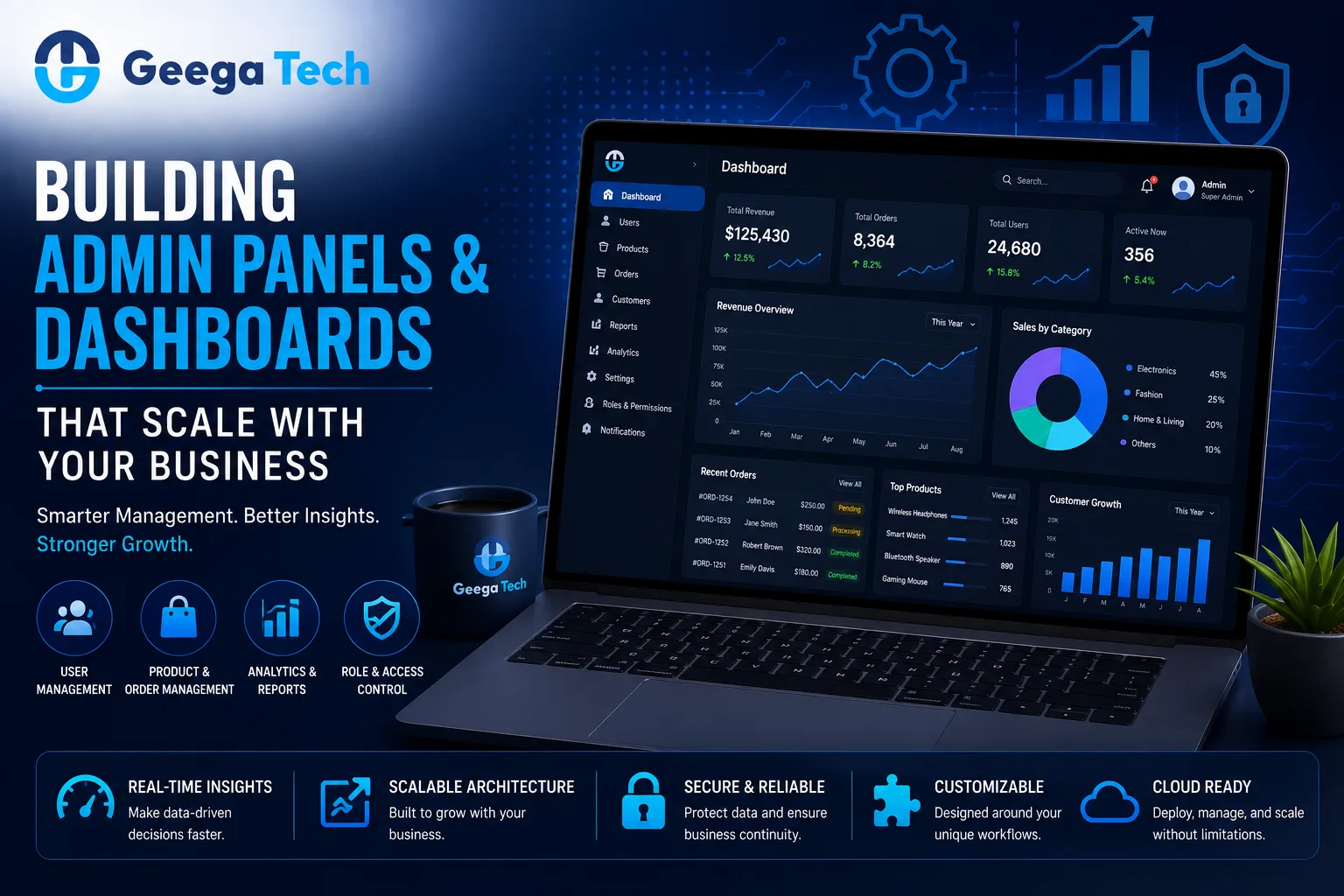
As a business grows, managing users, transactions, products, employees, reports, and operations becomes increasingly complex.
Spreadsheets and disconnected tools may work initially, but eventually businesses need a centralized system to monitor and control their operations.
This is where admin panel dashboard development becomes important.
A well-designed admin panel allows businesses to manage operations from one centralized interface, while dashboards transform raw business data into useful insights.
However, an admin dashboard should not only solve today’s requirements. It should also be designed to support new users, features, data, and business processes as the organization grows.
In this guide, we’ll explore how businesses can build secure, scalable, and user-friendly admin panels and dashboards.
An admin panel is a secure interface used by authorized users to manage an application or business platform.
Depending on the system, administrators may use it to manage:
For example:
Customer Application → Backend → Admin Panel
The customer interacts with the application, while administrators manage operations through the admin panel.
A dashboard provides a visual overview of important business information.
Instead of manually reviewing thousands of records, managers can monitor key metrics through:
For example, a sales dashboard might display:
Total Revenue | New Customers | Orders | Conversion Rate
This makes important information easier to understand and act on.
Although the terms are sometimes used interchangeably, they serve different purposes.
| Feature | Admin Panel | Dashboard |
|---|---|---|
| Primary Purpose | Manage operations | Monitor performance |
| User Management | Yes | Usually limited |
| CRUD Operations | Yes | Limited |
| Reports | Yes | Yes |
| Charts & KPIs | Sometimes | Core feature |
| Permissions | Important | Important |
| Settings | Usually included | Usually limited |
| Data Visualization | Moderate | High |
Many modern business systems combine both into a single platform.
Generic software may not always match specific business processes.
A custom admin panel can be designed around the organization’s actual workflow.
For example, a logistics company might need:
Drivers → Vehicles → Trips → Tracking → Payments → Reports
A healthcare platform might require:
Patients → Doctors → Appointments → Payments → Reports
An eCommerce business may need:
Products → Orders → Customers → Inventory → Payments
Custom development allows the system to reflect these workflows directly.
Not every employee should have access to everything.
A scalable admin panel should support role-based access control.
For example:
Full platform access.
Manage teams and review reports.
Access invoices, payments, and financial reports.
Access customer requests and support-related information.
The system should enforce permissions on both the frontend and backend.
This improves security and makes the interface easier for individual users.
One common dashboard mistake is displaying too much information.
A dashboard should focus on information users actually need.
Instead of showing 30 metrics on one screen, prioritize key indicators such as:
Revenue
Active Users
Orders
Conversion Rate
Pending Tasks
Additional information can be available through detailed reports.
Good dashboard design helps users identify important information quickly.
Large admin panels often contain repeated interface elements.
Examples include:
Reusable components reduce duplicated development work.
For example:
Reusable Table Component
can be used for:
Users | Orders | Products | Payments
This makes the application easier to maintain as new modules are added.
Admin panels often communicate with backend APIs.
A simplified architecture looks like:
Admin Dashboard
↓
API Layer
↓
Business Logic
↓
Database
APIs should be designed to handle increasing data and user activity.
Important considerations include:
The frontend should not request thousands of unnecessary records when only a small number are needed.
Admin panels frequently contain large datasets.
For example:
100 Users → 10,000 Users → 1,000,000 Users
Loading all records simultaneously can cause serious performance problems.
Instead, use techniques such as:
This keeps dashboards responsive even as business data grows.
Filters are essential when users work with large amounts of information.
Common filters include:
For example:
Date: August 2026
Status: Completed
Location: Delhi
The backend should process complex filtering efficiently rather than forcing the browser to load the entire dataset first.
Some dashboards require real-time information.
Examples include:
Technologies such as WebSockets can provide real-time updates.
However, not every metric needs to update every second.
For example, a monthly revenue report may not require real-time communication.
Using real-time technology only where necessary can reduce infrastructure complexity.
Business users often need data outside the dashboard.
Useful export formats may include:
Reports might include:
Advanced systems can also automate scheduled reports.
For example:
Monthly Report → Generated Automatically → Sent to Management
Admin panels are high-value targets because they can provide access to critical business operations.
Important security measures include:
Administrative accounts should receive stronger protection than ordinary user accounts.
Businesses should know who performed important actions.
For example:
User: Admin01
Action: Updated Customer
Time: 10:42 AM
IP / Device: Logged where appropriate
Audit logs can track activities such as:
This is particularly useful for enterprise applications.
A scalable dashboard architecture might look like:
Admin Users
↓
React / Next.js Dashboard
↓
Secure APIs
↓
Node.js / Backend Services
↓
Database + Cache
↓
Cloud Infrastructure
Additional services can support:
Notifications | Reports | File Storage | Analytics
The exact architecture should depend on application requirements rather than following one fixed template.
React and Next.js can both be used for modern admin-panel development.
React works well for highly interactive interfaces containing:
Next.js can provide additional application structure and server-side capabilities.
The right choice depends on the overall platform architecture and backend requirements.
Business users increasingly access dashboards from tablets and smartphones.
Admin panels should therefore be responsive.
Important mobile considerations include:
However, extremely complex administrative workflows may still be designed primarily for desktop use while supporting essential mobile actions.
As dashboards grow, performance can become a challenge.
Common optimization techniques include:
Load smaller sets of records.
Avoid repeatedly calculating or requesting unchanged information.
Improve frequently used database queries.
Load certain components only when required.
Return only the data the frontend needs.
Generate complex reports without making users wait.
These improvements can significantly improve the experience of large business dashboards.
Modern dashboards can also integrate AI features.
Examples include:
For example, instead of manually reviewing several reports, a manager could ask:
“Summarize this month’s sales performance.”
The system could analyze authorized business data and provide a concise summary.
AI should complement reliable reporting rather than replace accurate underlying data.
More data does not automatically create a better dashboard.
Users should only access information relevant to their role.
Large datasets require pagination and optimized queries.
Critical administrative actions should be traceable.
Important dashboard functions should remain usable across appropriate devices.
Finding information becomes difficult as data grows.
Architecture should support increasing users, data, and modules.
The cost of admin panel dashboard development depends on functionality and complexity.
A broad planning range may look like:
| Admin Panel Type | Approximate Cost |
|---|---|
| Basic Admin Panel | $2,000 – $5,000 |
| Business Dashboard | $4,000 – $10,000 |
| Advanced Admin Panel | $8,000 – $20,000 |
| Enterprise Dashboard | $15,000 – $50,000+ |
These are general planning estimates rather than fixed prices.
Actual cost depends on:
A detailed requirement analysis is needed for an accurate estimate.
At Geega Technologies, we design and develop custom admin panels and business dashboards for startups and enterprises.
Our capabilities include:
Our focus is on creating dashboards that are easy to use today while remaining maintainable as business requirements grow.
Effective admin panel dashboard development is about more than displaying charts and tables.
A scalable dashboard should provide:
Clear Data + Fast Performance + Strong Security + Role-Based Access + Useful Reports + Scalable Architecture
Businesses should design admin platforms around real workflows rather than trying to display every available metric.
When built correctly, an admin panel can become the operational center of a digital business.


Speak directly with our engineering team to audit your requirements, architecture, and timeline.