AI Agents for Business in 2026: How Intelligent Automation Is Transforming Every Industry

Home » AI Agents for Business in 2026: How Intelligent Automation Is Transforming Every Industry


AI Agents for Business in 2026: How Intelligent Automation Is Transforming Every Industry

Artificial Intelligence has evolved beyond simple chatbots. In 2026, businesses are adopting AI Agents that can analyze information, make decisions, automate workflows, and collaborate with employees to complete complex tasks.

Organizations across healthcare, finance, manufacturing, retail, logistics, education, and real estate are investing in AI-powered automation to improve productivity, reduce operational costs, and deliver better customer experiences.

If your business is still relying on manual processes, now is the right time to understand how AI Agents can transform your operations.

AI Agents for Business in 2026 by Geega Technologies - Intelligent Business Automation Solutions

What Are AI Agents?

AI Agents are intelligent software systems capable of performing tasks with minimal human intervention. Unlike traditional automation, AI Agents can understand context, make decisions, communicate with different applications, and continuously improve through learning.

They can:

  • Answer customer queries
  • Process documents
  • Generate reports
  • Automate repetitive tasks
  • Analyze business data
  • Schedule meetings
  • Manage workflows
  • Assist employees
  • Connect multiple software systems

Instead of simply following fixed rules, AI Agents adapt to changing business requirements.

Why Businesses Are Investing in AI Agents

Companies are rapidly moving from AI experimentation to production-ready AI systems because they offer measurable business benefits.

Increased Productivity

Employees spend less time on repetitive work and more time solving business problems.

Reduced Operational Costs

Automation reduces manual effort, minimizes errors, and lowers long-term operational expenses.

Faster Decision Making

AI analyzes thousands of data points within seconds, enabling businesses to make informed decisions quickly.

24/7 Business Operations

AI Agents never sleep. They continue processing requests, answering customer queries, and monitoring business systems around the clock.

Better Customer Experience

Customers receive instant responses, personalized recommendations, and faster issue resolution.

Industries Benefiting from AI Agents

Healthcare

  • Appointment scheduling
  • Patient support
  • Medical documentation
  • Insurance processing
  • Hospital workflow automation

Finance

  • Fraud detection
  • Loan processing
  • Customer verification
  • Financial reporting
  • Risk analysis

Manufacturing

  • Predictive maintenance
  • Inventory optimization
  • Production monitoring
  • Supply chain automation

Retail & E-commerce

  • Personalized recommendations
  • Customer support
  • Order tracking
  • Inventory management
  • Sales forecasting

Logistics

  • Route optimization
  • Shipment tracking
  • Warehouse automation
  • Delivery planning

Education

  • Student assistance
  • Admission automation
  • Learning recommendations
  • Administrative workflow automation

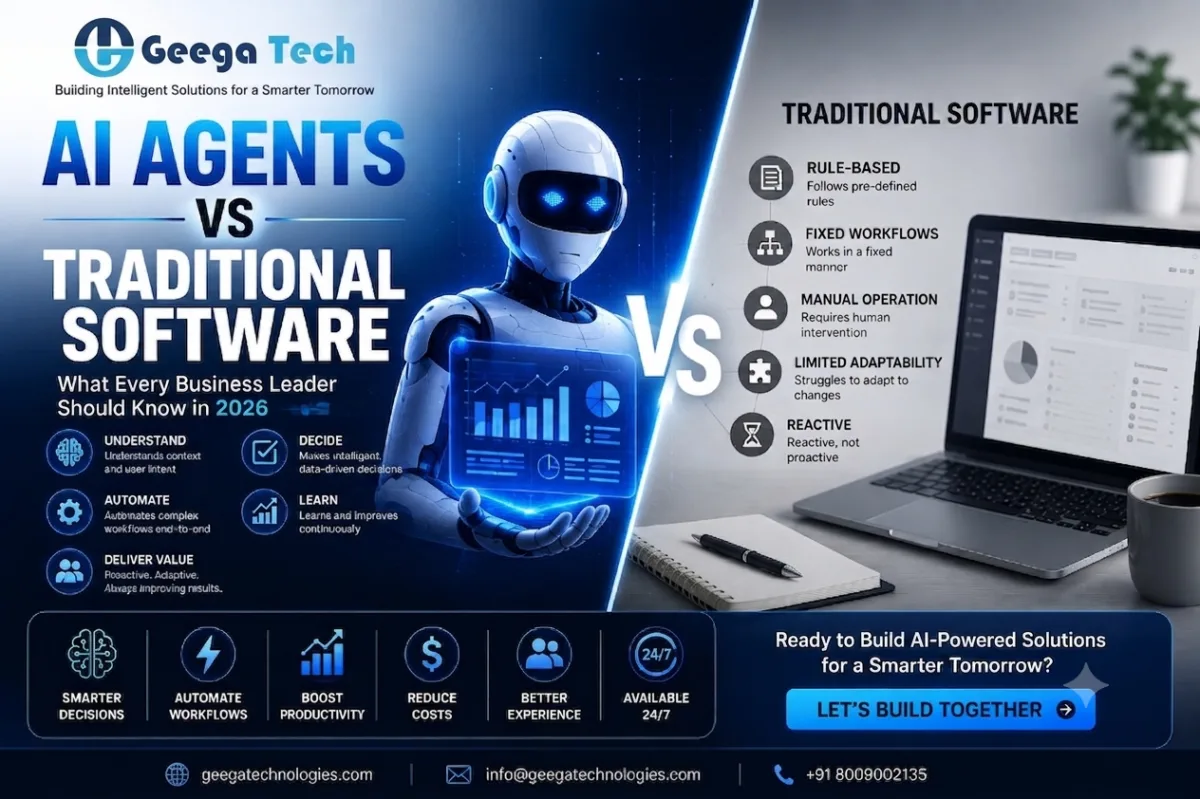
AI Agents vs Traditional Software

Traditional software follows predefined instructions and requires manual input for most processes.

AI Agents, on the other hand:

  • Understand natural language
  • Learn from business data
  • Adapt to changing situations
  • Connect multiple business tools
  • Make intelligent recommendations
  • Automate complete workflows

This makes AI Agents significantly more valuable for modern enterprises.

Common Business Use Cases

Organizations are using AI Agents for:

  • HR automation
  • Customer support
  • Sales assistance
  • Lead qualification
  • Invoice processing
  • CRM automation
  • ERP integration
  • Marketing automation
  • Email management
  • Knowledge management
  • Internal employee assistants

Why Custom AI Solutions Matter

Every business has unique workflows.

Off-the-shelf AI tools often cannot integrate deeply with existing software or support specific business processes.

Custom AI solutions provide:

  • Tailored automation
  • Better security
  • Integration with ERP and CRM systems
  • Industry-specific workflows
  • Scalable architecture
  • Higher long-term ROI

Future of AI Agents

Industry experts expect AI Agents to become digital coworkers rather than simple software tools. Businesses are increasingly integrating agentic AI into enterprise workflows, moving beyond isolated pilots toward organization-wide automation.

Companies adopting AI today are likely to gain a competitive advantage through faster operations, improved efficiency, and better customer experiences.

Why Choose Geega Technologies?

At Geega Technologies, we help businesses build intelligent AI-powered solutions tailored to their unique requirements.

Our expertise includes:

  • AI Agent Development
  • Custom Software Development
  • Business Process Automation
  • CRM & ERP Solutions
  • AI Workflow Automation
  • Mobile App Development
  • Web Development
  • Enterprise Software Solutions
  • Cloud Integration
  • API Development

Whether you want to automate customer support, optimize internal operations, or build enterprise-grade AI applications, our team delivers scalable, secure, and future-ready solutions.

Conclusion

AI Agents are no longer a concept for the future—they are transforming businesses today. Organizations that adopt intelligent automation early can reduce costs, improve efficiency, and stay ahead of the competition.

If you’re planning to implement AI-powered automation, now is the perfect time to invest in custom AI solutions that align with your business goals.

Ready to transform your business with AI Agents?

Contact Geega Technologies today and discover how intelligent automation can accelerate your digital transformation journey.

Get in touch with us

Looking for a certified tech partner? Contact Geega Technologies today.

How to Choose an Offshore Software Development Company in India: A Buyer's Checklist (2026 Guide)

Home » How to Choose an Offshore Software Development Company in India: A Buyer’s Checklist (2026 Guide)


How to Choose an Offshore Software Development Company in India: A Buyer's Checklist

Finding the right offshore software development company can be the difference between launching a successful digital product and struggling with missed deadlines, poor code quality, and unexpected costs.

India has become one of the world’s leading destinations for offshore software development, serving startups, SMEs, and Fortune 500 companies alike. Thousands of companies offer software development services, making the selection process overwhelming for businesses looking for a reliable technology partner.

So how do you separate experienced software development companies from those that simply promise results?

This comprehensive buyer’s checklist will help you evaluate offshore software development companies in India and choose the right long-term technology partner for your business.

How to Choose an Offshore Software Development Company in India – Complete Buyer's Checklist for Businesses in 2026

Why Businesses Choose Offshore Software Development in India

India has built a strong reputation in global software development because of its combination of technical expertise, scalable teams, cost efficiency, and mature development processes.

Companies choose Indian software development firms because they offer:

  • Highly skilled developers
  • Cost-effective development
  • Faster project execution
  • Modern technology expertise
  • Flexible engagement models
  • Strong English communication
  • Large talent pool
  • Experience across global industries

Whether you’re building a startup MVP, enterprise platform, SaaS application, healthcare solution, fintech product, or AI-powered software, Indian development companies provide access to experienced engineering teams.

Step 1: Clearly Define Your Project Requirements

Before contacting any offshore software development company, define your project internally.

Ask yourself:

  • What problem are you solving?
  • Who are your users?
  • What features are essential?
  • Do you need Web, Mobile, or both?
  • What integrations are required?
  • What’s your expected timeline?
  • What’s your approximate budget?
  • Will you require long-term maintenance?

The clearer your requirements, the easier it becomes to compare proposals from different vendors.

Step 2: Evaluate Technical Expertise

Not every software company specializes in the same technologies.

Choose a company with proven experience in technologies relevant to your project.

Backend Technologies

  • Node.js
  • Java
  • Python
  • .NET
  • PHP
  • Go

Frontend Technologies

  • React
  • Angular
  • Vue.js
  • Next.js

Mobile Development

  • Flutter
  • React Native
  • Kotlin
  • Swift

Database Expertise

  • PostgreSQL
  • MongoDB
  • MySQL
  • SQL Server

Cloud Platforms

  • AWS
  • Microsoft Azure
  • Google Cloud

Modern Capabilities

  • Artificial Intelligence
  • Machine Learning
  • Cloud Architecture
  • DevOps
  • Microservices
  • API Development
  • Automation

Always verify whether the company has delivered projects using these technologies rather than simply listing them on its website.

Step 3: Review Their Portfolio

A strong portfolio demonstrates practical experience.

Look for projects similar to yours.

Evaluate:

  • UI/UX quality
  • Performance
  • Industry relevance
  • Complexity
  • Product maturity
  • Innovation

If you’re building:

  • Healthcare software
  • CRM systems
  • SaaS products
  • ERP solutions
  • E-commerce platforms
  • Marketplace applications

Ask for relevant case studies.

Step 4: Check Client Reviews and Testimonials

Reliable software companies have positive feedback from previous clients.

Look for reviews on:

  • Google
  • Clutch
  • LinkedIn
  • GoodFirms

Pay attention to comments about:

  • Communication
  • Code quality
  • Timely delivery
  • Project management
  • Support
  • Long-term partnership

Consistent positive feedback usually indicates a dependable development partner.

Step 5: Understand Their Development Process

Professional software companies follow structured development methodologies.

Ask questions like:

  • Do they use Agile?
  • How are sprints managed?
  • How often are updates shared?
  • How are milestones tracked?
  • What tools do they use?

A transparent process reduces misunderstandings and keeps projects on schedule.

Step 6: Evaluate Communication Standards

Poor communication causes many offshore projects to fail.

Ask about:

  • Project managers
  • Daily or weekly meetings
  • Reporting frequency
  • Collaboration tools

Popular tools include:

  • Slack
  • Microsoft Teams
  • Jira
  • Trello
  • ClickUp
  • Asana

A responsive communication process ensures faster decision-making.

Step 7: Assess Team Structure

Ask who will actually work on your project.

A professional software company typically includes:

Role Responsibility
Project Manager Project planning and communication
UI/UX Designer User experience and interface design
Frontend Developer Client-side development
Backend Developer APIs and server-side logic
QA Engineer Testing and quality assurance
DevOps Engineer Deployment and infrastructure
Business Analyst Requirement gathering

Knowing the team structure helps you understand how responsibilities are managed throughout the project.

Step 8: Verify Quality Assurance Practices

Quality shouldn’t be an afterthought.

Ask whether they perform:

  • Functional Testing
  • API Testing
  • Performance Testing
  • Security Testing
  • Regression Testing
  • Cross-browser Testing
  • Mobile Testing

Reliable companies integrate testing throughout the development lifecycle instead of leaving it until the end.

Step 9: Understand Security Standards

Your software may contain sensitive business or customer data.

Discuss:

  • NDA agreements
  • Source code ownership
  • Access control
  • Secure coding practices
  • Data encryption
  • Compliance requirements
  • Backup strategy

Security should be built into the project from the beginning.

Step 10: Check Scalability

Your business will grow.

Your software partner should be able to scale with you.

Ask whether they can:

  • Add developers quickly
  • Expand dedicated teams
  • Build new modules
  • Maintain existing systems
  • Support future upgrades

Long-term scalability reduces the need to change vendors later.

Step 11: Compare Pricing Models

Different companies offer different engagement models.

Common options include:

Fixed Price

Best for:

  • Clearly defined projects
  • MVPs
  • Small business applications

Dedicated Team

Ideal for:

  • Long-term development
  • Product companies
  • SaaS businesses

Time & Material

Suitable for:

  • Evolving requirements
  • Agile development
  • Enterprise software

Choose the model that matches your project goals and flexibility needs.

Step 12: Review Post-Launch Support

Software development doesn’t end after deployment.

Ask about:

  • Bug fixes
  • Performance monitoring
  • Feature enhancements
  • Security updates
  • Server maintenance
  • Version upgrades
  • Technical support

Reliable maintenance keeps your application secure, stable, and up to date.

Step 13: Evaluate Their Industry Experience

Industry knowledge reduces onboarding time.

Choose a company with experience in your domain, such as:

  • Healthcare
  • Education
  • FinTech
  • Manufacturing
  • Logistics
  • Retail
  • Real Estate
  • HRTech
  • Travel
  • Hospitality

Domain expertise leads to faster development and better product decisions.

Step 14: Ask About AI and Automation Capabilities

Modern software increasingly incorporates AI-driven features.

Ask whether the company has experience with:

  • AI Chatbots
  • Workflow Automation
  • Recommendation Engines
  • Predictive Analytics
  • OCR
  • Voice Assistants
  • Generative AI Integration
  • Intelligent Search

Even if AI isn’t part of your initial scope, future-ready expertise can be valuable as your product evolves.

Offshore Software Development Company Evaluation Checklist

Checklist Item Verified
Clear communication process
Relevant technology expertise
Strong client reviews
Similar project portfolio
Agile development process
Experienced developers
Transparent pricing
QA and testing practices
Security measures
Post-launch support
Scalable development team
Domain expertise
AI and cloud capabilities
Long-term partnership approach

Save this checklist and use it while comparing software development companies.

Common Mistakes Buyers Should Avoid

Many businesses choose the wrong software partner because they:

  • Select the cheapest proposal without evaluating quality.
  • Ignore communication practices.
  • Skip reviewing previous work.
  • Fail to define project requirements.
  • Overlook maintenance and support.
  • Don’t verify security standards.
  • Assume every company has the same technical expertise.

Avoiding these mistakes can save significant time, money, and effort.

Questions to Ask Before Signing a Contract

Before finalizing an offshore software development company, ask:

  • Can you share similar project case studies?
  • Who will be assigned to my project?
  • What is your development methodology?
  • How do you ensure code quality?
  • How do you manage project communication?
  • What security measures do you follow?
  • Who owns the source code?
  • What happens after project delivery?
  • How are change requests handled?
  • Can your team scale as my business grows?

The answers to these questions provide valuable insight into the company’s professionalism and long-term reliability.

Why India Continues to Lead Offshore Software Development

India remains a preferred destination for offshore software development because it combines technical excellence with business value. Companies benefit from a vast pool of skilled engineers, experience across industries, strong communication practices, and the ability to deliver scalable, high-quality software at competitive costs.

By following a structured evaluation process, businesses can confidently choose a development partner that aligns with their technical needs, budget, and long-term growth strategy.

Final Thoughts

Choosing an offshore software development company in India is a strategic decision that goes beyond comparing prices. The right partner should understand your business goals, communicate transparently, follow proven development practices, and deliver secure, scalable software that supports future growth.

Use this buyer’s checklist to evaluate potential vendors, ask the right questions, and make an informed decision. A reliable offshore development partner can help you accelerate innovation, reduce development risks, and build software that creates lasting value for your business.

Get in touch with us

Looking for a certified tech partner? Contact Geega Technologies today.

React Native vs. Flutter in 2026: Which Should You Choose for Your App?

Home » React Native vs. Flutter in 2026: Which Should You Choose for Your App?


React Native vs. Flutter in 2026: Which Should You Choose for Your App?

Building a mobile application in 2026 is no longer just about creating an Android or iOS app. Businesses now expect a single codebase that delivers excellent performance, faster development, reduced costs, and a seamless user experience across multiple platforms.

This is where React Native and Flutter dominate the cross-platform app development landscape.

Both frameworks have matured significantly over the past few years, powering thousands of enterprise applications, startup products, fintech platforms, healthcare apps, eCommerce solutions, logistics systems, and AI-powered mobile experiences.

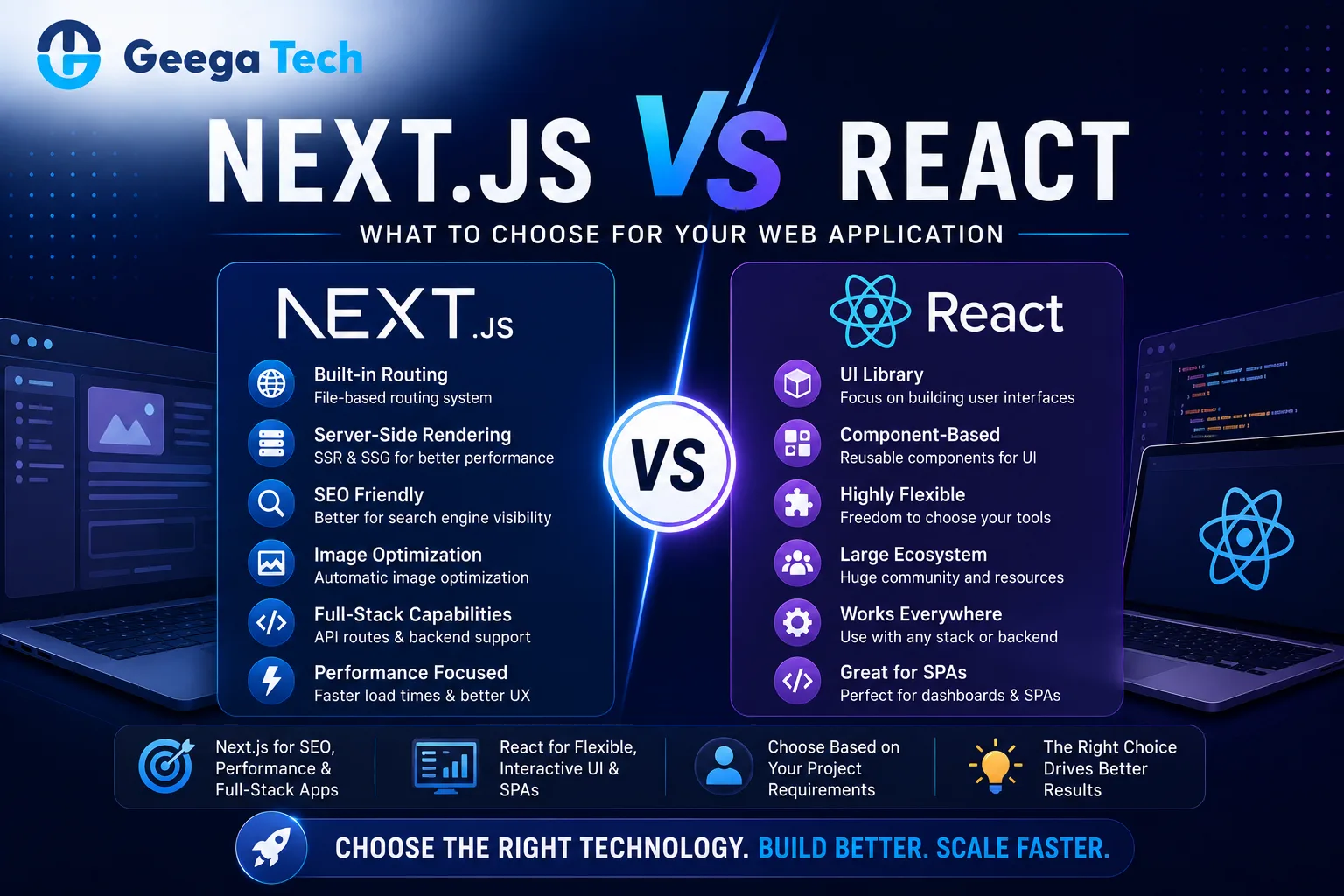
React Native vs Flutter in 2026 comparison showing performance, UI, development speed, scalability, and cross-platform mobile app development frameworks.

React Native vs. Flutter in 2026: Which Should You Choose for Your App?

Building a mobile application in 2026 is no longer just about creating an Android or iOS app. Businesses now expect a single codebase that delivers excellent performance, faster development, reduced costs, and a seamless user experience across multiple platforms.

This is where React Native and Flutter dominate the cross-platform app development landscape.

Both frameworks have matured significantly over the past few years, powering thousands of enterprise applications, startup products, fintech platforms, healthcare apps, eCommerce solutions, logistics systems, and AI-powered mobile experiences.

However, the biggest question remains:

Which framework should you choose in 2026?

The answer depends on your business goals, existing technology stack, scalability requirements, UI expectations, and long-term maintenance strategy.

In this guide, we’ll compare React Native and Flutter from a business and technical perspective to help you make an informed decision.

Why Cross-Platform Development Continues to Grow

Companies want to launch products faster without maintaining separate Android and iOS teams.

Modern cross-platform frameworks allow businesses to:

  • Launch faster
  • Reduce development costs
  • Share business logic
  • Simplify maintenance
  • Speed up feature releases
  • Reach both Android and iOS users simultaneously

For startups and growing businesses, this significantly reduces time-to-market while maximizing ROI.

What is React Native?

React Native is an open-source framework developed by Meta that enables developers to build native mobile applications using JavaScript and React.

Instead of creating separate Android and iOS apps, developers write most of the code once and deploy it across both platforms.

React Native has become one of the most widely adopted mobile frameworks because of its mature ecosystem and extensive community support.

What is Flutter?

Flutter is Google’s UI toolkit for building beautiful, high-performance applications from a single codebase.

Unlike React Native, Flutter renders its own UI components instead of relying primarily on native components.

This gives Flutter greater control over visuals and enables highly consistent interfaces across different devices.

React Native vs Flutter: Quick Comparison

Feature React Native Flutter
Programming Language JavaScript / TypeScript Dart
Developed By Meta Google
Performance Excellent Excellent
UI Flexibility High Extremely High
Learning Curve Easier for web developers Moderate
Community Very Large Large & Growing
Third-party Libraries Massive ecosystem Strong ecosystem
Hot Reload Yes Yes
Development Speed Fast Fast
Enterprise Adoption Very High Very High

1. Performance Comparison

Performance has improved dramatically for both frameworks in recent years.

For most business applications—including healthcare, CRM, ERP, booking systems, fintech dashboards, educational platforms, and marketplaces—both frameworks deliver excellent user experiences.

React Native performs well for:

  • Business apps
  • CRM software
  • Marketplace apps
  • Healthcare platforms
  • Social applications
  • SaaS products

Flutter performs well for:

  • Animation-heavy apps
  • Custom UI applications
  • Gaming interfaces
  • Rich dashboards
  • High-end visual experiences

For the majority of business applications, users are unlikely to notice a significant difference.

2. Development Speed

Both frameworks significantly reduce development time compared to building separate native applications.

Shared code allows teams to:

  • Build features once
  • Fix bugs faster
  • Release updates simultaneously
  • Reduce QA effort
  • Improve collaboration

React Native often offers an advantage for teams already experienced with React development, while Flutter provides a highly integrated development experience with consistent tooling.

3. User Interface (UI)

UI quality plays a major role in customer satisfaction.

React Native

React Native leverages native UI components, giving apps a familiar platform-specific look and feel.

Advantages include:

  • Native appearance
  • Smooth platform integration
  • Easier adoption of platform conventions

Flutter

Flutter draws every UI element itself.

Advantages include:

  • Pixel-perfect designs
  • Highly customized interfaces
  • Consistent appearance across devices
  • Excellent animation capabilities

If branding and visual uniqueness are central to your product, Flutter offers exceptional flexibility.

4. Developer Ecosystem

React Native benefits from the broader JavaScript ecosystem.

Benefits include:

  • Huge developer community
  • Thousands of libraries
  • Easier hiring
  • Extensive documentation
  • Mature debugging tools

Flutter’s ecosystem has grown rapidly and now offers strong support for most common development needs.

5. Learning Curve

React Native

Ideal if your team already knows:

  • JavaScript
  • React
  • TypeScript

The transition from web development is relatively smooth.

Flutter

Flutter requires learning Dart.

Although Dart is straightforward, teams new to the language may experience a short learning period before becoming fully productive.

6. Maintenance

Long-term maintenance affects the total cost of ownership.

Both frameworks provide:

  • Shared codebase
  • Easier updates
  • Faster bug fixes
  • Reduced maintenance costs
  • Continuous ecosystem improvements

The best choice often depends on your team’s existing expertise and long-term roadmap.

7. Cost of Development

Cross-platform development generally costs less than maintaining separate native apps.

Savings come from:

  • One development team
  • One codebase
  • Shared testing
  • Shared business logic
  • Simultaneous releases

The overall project cost is usually influenced more by app complexity than by the choice between React Native and Flutter.

8. Scalability

Modern businesses need applications that can evolve over time.

Both frameworks support:

  • API integrations
  • Cloud infrastructure
  • AI features
  • Authentication systems
  • Payment gateways
  • Push notifications
  • Analytics
  • Real-time communication

With proper architecture, either framework can scale to support growing user bases and expanding feature sets.

Which Framework is Better for Startups?

Startups typically prioritize:

  • Faster launch
  • Lower development costs
  • MVP validation
  • Rapid iteration
  • Easy maintenance

Both React Native and Flutter are excellent options for MVPs and early-stage products.

The choice often comes down to your team’s skills and the specific user experience you want to deliver.

Which Framework is Better for Enterprises?

Enterprise applications demand:

  • Security
  • Performance
  • Long-term maintenance
  • Integration capabilities
  • Stable architecture
  • Scalable codebase

Both frameworks have proven themselves in enterprise environments when implemented with sound engineering practices.

When Should You Choose React Native?

React Native is a strong choice if you:

  • Already have React or JavaScript developers
  • Need faster onboarding for web teams
  • Prefer leveraging native UI components
  • Want access to a mature JavaScript ecosystem
  • Plan to share knowledge across web and mobile teams

When Should You Choose Flutter?

Flutter is well-suited if you:

  • Want highly customized UI
  • Need consistent visuals across platforms
  • Build animation-rich applications
  • Prioritize complete control over the user interface
  • Value a unified rendering approach

Business Considerations Beyond the Framework

Choosing a framework is only one part of a successful mobile strategy.

Also consider:

  • Product planning
  • UI/UX design
  • Backend architecture
  • Cloud infrastructure
  • API design
  • Security
  • Testing
  • CI/CD pipelines
  • App Store and Play Store deployment
  • Ongoing maintenance

A well-planned architecture often has a greater impact on long-term success than the framework itself.

Future Outlook for 2026

Both React Native and Flutter continue to evolve with strong backing from their respective organizations and active developer communities.

Businesses can confidently build long-term mobile applications on either platform, provided the framework aligns with project goals, team expertise, and product requirements.

Final Thoughts

There is no universal winner in the React Native vs Flutter debate.

The right framework depends on your business objectives, development team, design expectations, and long-term product vision.

If your priority is leveraging JavaScript expertise and integrating closely with an existing React ecosystem, React Native is an excellent choice.

If your focus is on creating highly customized interfaces with consistent visuals across platforms, Flutter provides a compelling solution.

Ultimately, the most successful mobile apps are built not just with the right framework, but with thoughtful planning, scalable architecture, and a clear understanding of user needs.

Get in touch with us

Looking for a certified tech partner? Contact Geega Technologies today.

AI in Healthcare Software: Real Use Cases Beyond the Hype

Home » AI in Healthcare Software: Real Use Cases Beyond the Hype


AI in Healthcare Software: Real Use Cases Beyond the Hype

Artificial Intelligence (AI) has become one of the most discussed technologies in healthcare. Every day, new headlines promise AI-powered hospitals, virtual doctors, robotic surgeries, and fully automated healthcare systems. While these innovations sound exciting, many healthcare organizations are asking an important question:

What practical value does AI actually deliver today?

The answer is simple: AI is already transforming healthcare—but not in the futuristic ways many people imagine. Instead, it is quietly improving clinical workflows, reducing administrative burdens, supporting medical professionals, enhancing patient care, and helping healthcare organizations make smarter decisions.

In this guide, we’ll explore the real-world applications of AI in healthcare software, separating genuine business value from marketing hype.

AI in Healthcare Software showing real-world use cases including AI diagnostics, telemedicine, EHR automation, predictive analytics, remote patient monitoring, medical imaging, and hospital management solutions.

What is AI in Healthcare Software?

AI in healthcare software refers to the integration of intelligent algorithms and machine learning models into digital healthcare platforms to automate repetitive tasks, analyze medical data, assist healthcare professionals, and improve patient outcomes.

Unlike traditional software that simply stores or displays information, AI-enabled healthcare software can:

  • Learn from historical data
  • Recognize complex patterns
  • Predict future outcomes
  • Support clinical decision-making
  • Automate administrative work
  • Personalize patient experiences

Rather than replacing doctors, AI works as an intelligent assistant that helps medical professionals deliver faster, safer, and more efficient care.

Why Healthcare Needs AI More Than Ever

Healthcare systems across the world are facing common challenges:

  • Increasing patient volumes
  • Staff shortages
  • Rising operational costs
  • Administrative overload
  • Growing medical data
  • Demand for personalized care
  • Longer waiting times

AI helps healthcare providers address these challenges by automating repetitive processes while enabling clinicians to focus more on patient care.

Real AI Use Cases That Are Already Transforming Healthcare

1. Intelligent Patient Appointment Scheduling

Scheduling appointments manually consumes valuable administrative time.

AI-powered scheduling systems can:

  • Match patients with available specialists
  • Reduce appointment conflicts
  • Predict cancellations
  • Automatically send reminders
  • Optimize physician schedules

This improves both operational efficiency and patient satisfaction.

2. AI-Powered Medical Chatbots

Healthcare organizations receive thousands of routine patient queries every day.

AI chatbots can instantly answer questions related to:

  • Appointment booking
  • Hospital departments
  • Medication instructions
  • Insurance information
  • Lab report availability
  • Follow-up guidance

Patients receive immediate assistance while hospital staff can focus on more critical responsibilities.

3. Clinical Decision Support Systems

Doctors make hundreds of critical decisions every day.

AI-powered clinical decision support systems analyze:

  • Patient history
  • Symptoms
  • Laboratory reports
  • Medical imaging
  • Treatment guidelines

The software provides evidence-based recommendations that help physicians make informed decisions while maintaining complete clinical control.

4. Medical Imaging Analysis

Medical imaging generates enormous amounts of diagnostic data.

AI assists radiologists by identifying patterns in:

  • X-rays
  • CT scans
  • MRI scans
  • Mammograms
  • Ultrasounds

AI highlights suspicious regions that may require further evaluation, helping improve efficiency and reducing diagnostic delays.

5. Predictive Healthcare Analytics

Hospitals collect millions of patient records every year.

AI analyzes historical and real-time data to predict:

  • Patient deterioration
  • ICU admission risks
  • Readmission probability
  • Disease progression
  • Resource requirements

Predictive analytics allows healthcare providers to intervene earlier and improve patient outcomes.

6. Personalized Treatment Recommendations

Every patient responds differently to treatment.

AI can analyze:

  • Medical history
  • Lifestyle
  • Existing conditions
  • Lab results
  • Previous treatments

Based on these factors, healthcare software can recommend more personalized care plans that support better clinical outcomes.

7. AI for Electronic Health Records (EHR)

Healthcare professionals spend a significant portion of their time documenting patient information.

AI helps by:

  • Summarizing patient history
  • Extracting important clinical notes
  • Organizing records automatically
  • Identifying missing information
  • Reducing documentation workload

This saves valuable clinical time and improves data quality.

8. Voice Recognition for Medical Documentation

Doctors often spend hours typing consultation notes.

AI-powered voice recognition software can:

  • Convert speech into structured clinical documentation
  • Generate consultation summaries
  • Update electronic medical records
  • Reduce paperwork

This allows physicians to spend more time interacting with patients instead of computers.

9. Remote Patient Monitoring

Wearable devices continuously generate health data.

AI analyzes information such as:

  • Heart rate
  • Blood pressure
  • Blood glucose
  • Oxygen levels
  • Sleep patterns

If abnormal trends are detected, healthcare providers can be alerted for timely intervention.

10. Hospital Operations Optimization

AI doesn’t only help patients—it also improves hospital management.

AI systems can optimize:

  • Bed allocation
  • Staff scheduling
  • Emergency room capacity
  • Equipment utilization
  • Inventory management

This leads to smoother operations and reduced operational costs.

AI in Telemedicine Platforms

Telemedicine has grown rapidly in recent years.

AI enhances virtual healthcare through:

  • Smart symptom assessment
  • Automated patient triage
  • Consultation summaries
  • Real-time language translation
  • Intelligent appointment routing
  • Virtual health assistants

These features improve both patient experience and clinician efficiency.

AI in Healthcare Billing and Insurance

Administrative tasks consume a large portion of healthcare resources.

AI automates:

  • Medical coding
  • Insurance verification
  • Claims processing
  • Fraud detection
  • Billing validation

Automation reduces errors, accelerates reimbursements, and improves revenue cycle management.

AI in Drug Discovery and Research

Developing new medicines traditionally requires years of research.

AI accelerates pharmaceutical innovation by:

  • Analyzing molecular structures
  • Identifying potential drug candidates
  • Predicting compound interactions
  • Supporting clinical trial analysis

While human expertise remains essential, AI significantly speeds up the research process.

AI-Powered Patient Engagement

Modern patients expect digital healthcare experiences.

AI-powered healthcare applications can provide:

  • Medication reminders
  • Personalized wellness recommendations
  • Follow-up notifications
  • Preventive healthcare tips
  • Lifestyle coaching

This keeps patients engaged throughout their healthcare journey.

Benefits of AI in Healthcare Software

Benefit Business Impact
Faster Diagnosis Reduced waiting time
Better Clinical Decisions Improved patient outcomes
Lower Administrative Work Higher staff productivity
Predictive Analytics Early disease intervention
Personalized Care Better patient satisfaction
Workflow Automation Reduced operational costs
Improved Documentation Greater clinical efficiency
Smarter Resource Planning Better hospital management

Common Myths About AI in Healthcare

Myth 1: AI Will Replace Doctors

Reality: AI supports healthcare professionals by handling repetitive tasks and providing data-driven insights. Final clinical decisions remain with qualified medical practitioners.

Myth 2: AI Works Without Human Supervision

Reality: AI systems require human oversight to validate recommendations, ensure patient safety, and maintain ethical standards.

Myth 3: AI Delivers Instant Results

Reality: Successful AI implementation requires quality data, careful planning, system integration, testing, and continuous optimization.

Myth 4: AI Is Only for Large Hospitals

Reality: Today, AI-powered solutions are accessible to hospitals, clinics, diagnostic centers, telemedicine providers, and healthcare startups of various sizes.

Challenges of AI Implementation

Healthcare organizations should consider:

  • Data privacy and security
  • Regulatory compliance
  • Integration with existing systems
  • Data quality
  • Staff training
  • Ethical AI usage
  • Ongoing monitoring and maintenance

A thoughtful implementation strategy is essential to realize the full benefits of AI.

Future of AI in Healthcare

The next generation of healthcare software will increasingly incorporate AI capabilities such as:

  • Intelligent clinical assistants
  • Predictive population health management
  • AI-assisted diagnostics
  • Automated hospital operations
  • Personalized medicine
  • Advanced medical research support
  • AI-driven patient engagement

As AI technologies continue to evolve, they will become an integral part of everyday healthcare operations, enhancing—not replacing—the expertise of medical professionals.

Conclusion

AI in healthcare is no longer just a concept—it is delivering measurable improvements across patient care, clinical workflows, diagnostics, administrative efficiency, and hospital operations. The most successful implementations focus on solving real problems, integrating seamlessly with existing systems, and empowering healthcare professionals rather than replacing them.

Organizations that adopt AI thoughtfully can improve efficiency, reduce costs, enhance patient experiences, and build more resilient healthcare systems for the future.

Whether you’re a hospital, clinic, healthcare startup, or digital health provider, investing in practical AI solutions today can create a strong foundation for tomorrow’s healthcare landscape.

Why Choose Geega Technologies for AI Healthcare Solutions?

At Geega Technologies, we build secure, scalable, and AI-powered healthcare software tailored to the unique needs of hospitals, clinics, telemedicine providers, diagnostic centers, and healthcare startups.

Our expertise includes:

  • AI-Powered Healthcare Software Development
  • Electronic Health Record (EHR) Systems
  • Hospital Management Systems (HMS)
  • Telemedicine Platforms
  • AI Chatbots & Virtual Health Assistants
  • Predictive Analytics Dashboards
  • Healthcare Mobile App Development
  • HIPAA & Healthcare Data Security Best Practices
  • Cloud-Based Healthcare Solutions
  • Ongoing Support & Product Scaling

If you’re planning to modernize your healthcare operations with AI, our team can help you design, develop, and scale intelligent healthcare solutions that deliver real business value.

Get in touch with us

Looking for a certified tech partner? Contact Geega Technologies today.

Why CMMI Level 3 Certification Matters When Choosing a Software Development Partner

Home » Geegatech: AI-Powered Software Vs Traditional Software with CMMI Level 3 Expertise in Indore

Why CMMI Level 3 Certification Matters When Choosing a Software Development Partner

Choosing a software development partner is one of the most important business decisions you’ll make. Whether you’re building a SaaS platform, mobile app, enterprise software, AI solution, or digital product, your project’s success depends on the expertise, reliability, and development process of your technology partner.

While many software companies promise quality and innovation, very few follow internationally recognized standards that ensure consistency, transparency, and continuous improvement.

One of the strongest indicators of a mature software development organization is CMMI Level 3 Certification.

In this guide, you’ll learn what CMMI Level 3 means, why it matters, and how it benefits businesses looking for a trusted software development partner.

CMMI Level 3 certified software development company delivering high-quality custom software, predictable project delivery, risk management, and scalable software solutions.

What is CMMI?

Capability Maturity Model Integration (CMMI) is an internationally recognized framework that helps organizations improve the quality, consistency, and efficiency of their software development and business processes.

Rather than focusing only on technical skills, CMMI evaluates how consistently an organization plans, develops, tests, manages, and delivers projects.

The framework was originally developed to improve software engineering practices and has become one of the world’s most respected quality standards for software companies.


What Does CMMI Level 3 Mean?

A company with CMMI Level 3 Certification has established standardized and documented software development processes that are followed consistently across projects.

Instead of relying on individual developers or ad hoc workflows, every project follows proven methodologies for:

  • Requirements gathering
  • Project planning
  • Risk management
  • Software architecture
  • Development
  • Code review
  • Quality assurance
  • Testing
  • Release management
  • Maintenance
  • Continuous improvement

This creates predictable, repeatable, and high-quality outcomes for clients.


Why CMMI Level 3 Matters for Your Business

1. Higher Software Quality

A structured development process significantly reduces coding errors, missed requirements, and production issues.

With standardized quality assurance practices, businesses receive software that is:

  • More stable
  • Better tested
  • Easier to maintain
  • Built for long-term scalability

2. Predictable Project Delivery

Many software projects fail because timelines continuously shift.

CMMI Level 3 organizations follow documented planning and project management practices that improve:

  • Sprint planning
  • Resource allocation
  • Milestone tracking
  • Progress reporting
  • Delivery consistency

This helps clients avoid unnecessary delays.


3. Better Risk Management

Every software project carries risks.

Examples include:

  • Changing requirements
  • Scope creep
  • Integration issues
  • Security vulnerabilities
  • Performance bottlenecks

CMMI Level 3 companies proactively identify and manage these risks throughout the project lifecycle instead of reacting after problems occur.


4. Improved Communication

One common reason software projects fail is poor communication between clients and development teams.

CMMI Level 3 emphasizes:

  • Requirement documentation
  • Change management
  • Regular status updates
  • Transparent reporting
  • Stakeholder collaboration

This keeps everyone aligned from project kickoff to deployment.


5. Consistent Development Process

Without standardized processes, project quality often depends on individual developers.

A CMMI-certified company follows consistent workflows regardless of project size or team members.

This ensures:

  • Consistent coding standards
  • Documentation
  • Testing procedures
  • Version control
  • Deployment practices

6. Better Quality Assurance

Testing isn’t just something performed at the end of development.

CMMI Level 3 integrates quality throughout the software development lifecycle.

This includes:

  • Unit testing
  • Integration testing
  • System testing
  • User Acceptance Testing (UAT)
  • Regression testing
  • Performance testing

The result is fewer bugs after launch.


7. Scalable Development Practices

As software grows, development becomes more complex.

CMMI Level 3 organizations are better equipped to handle:

  • Large enterprise applications
  • Multi-team development
  • Long-term maintenance
  • Continuous feature releases
  • Cloud-native architectures

Benefits of Working with a CMMI Level 3 Certified Software Company

Business Need How CMMI Level 3 Helps
Faster project execution Standardized development workflows
Better quality Defined QA and testing processes
Lower project risk Formal risk management
Better communication Documented project governance
Easier scaling Mature engineering practices
Long-term support Process-driven maintenance
Greater transparency Regular reporting and documentation
Improved client confidence Internationally recognized quality standards

Industries That Benefit from CMMI Level 3 Development

Organizations across industries benefit from working with process-driven software partners.

Examples include:

  • Healthcare
  • FinTech
  • Banking
  • Insurance
  • Manufacturing
  • Logistics
  • Retail
  • Education
  • Real Estate
  • Government
  • Telecommunications
  • SaaS Startups
  • Enterprise Software

Questions to Ask Before Hiring a Software Development Company

Before selecting a development partner, consider asking:

  • Do you follow standardized software development processes?
  • How do you manage project risks?
  • How do you ensure software quality?
  • What testing practices do you follow?
  • How do you handle requirement changes?
  • How often do you communicate project progress?
  • What documentation will be provided?
  • Do you follow Agile methodologies?
  • What happens after deployment?

These questions help evaluate the maturity of a company’s development process.


Why Process Matters More Than Price

Choosing a software partner based only on cost can lead to:

  • Missed deadlines
  • Poor code quality
  • Higher maintenance costs
  • Security issues
  • Unclear documentation
  • Difficult future upgrades

A company with mature development practices focuses on delivering long-term value rather than just completing a project.


Why Businesses Choose Geega Technologies

At Geega Technologies, we follow structured software engineering practices that prioritize quality, transparency, and continuous improvement.

As a CMMI Level 3 certified software development company, we help startups, SMEs, and enterprises build scalable digital solutions with confidence.

Our expertise includes:

  • Technology Consulting
  • Custom Software Development
  • AI-Powered Solutions
  • Web Application Development
  • Mobile App Development
  • Cloud Application Development
  • SaaS Development
  • Enterprise Software
  • API Development & Integration
  • Software Maintenance & Support

We combine Agile development with proven engineering processes to deliver software that is reliable, scalable, and aligned with business goals.


Conclusion

Selecting the right software development partner is about more than technical expertise—it’s about choosing a team with proven processes that consistently deliver quality results.

A CMMI Level 3 certified company provides structured project management, standardized development workflows, comprehensive quality assurance, and effective risk management. These practices help reduce uncertainty, improve collaboration, and increase the likelihood of successful software delivery.

If you’re planning to build a digital product or modernize your existing systems, partnering with a process-driven software development company can make a significant difference in your project’s success.

What is CMMI Level 3 Certification?

CMMI Level 3 is an internationally recognized maturity level indicating that an organization follows well-defined, standardized, and consistently applied processes for software development and project management.

Is CMMI Level 3 better than non-certified software companies?

While certification alone doesn't guarantee success, it demonstrates that the company has established mature processes that support consistent quality, effective risk management, and reliable project delivery.

Does CMMI Level 3 improve software quality?

Yes. Standardized development, testing, documentation, and quality assurance practices help reduce defects and improve overall software reliability.

Which businesses should work with a CMMI Level 3 company?

Startups, SMEs, enterprises, healthcare organizations, fintech companies, manufacturers, logistics firms, and businesses developing mission-critical software can all benefit from working with a process-driven development partner.

Is CMMI Level 3 only for large enterprise projects?

No. The structured practices encouraged by CMMI Level 3 can benefit projects of all sizes, from startup MVPs to complex enterprise software systems.

Get in touch with us

Looking for a certified tech partner? Contact Geega Technologies today.

5 Signs Your Business Needs a Custom Software Solution (Not an Off-the-Shelf Tool)

Home » Geegatech: AI-Powered Software Vs Traditional Software with CMMI Level 3 Expertise in Indore

5 Signs Your Business Needs a Custom Software Solution (Not an Off-the-Shelf Tool)

Every growing business reaches a point where generic software starts creating more problems than it solves. While off-the-shelf tools are affordable and easy to implement, they are designed for thousands of businesses—not specifically for yours.

As your operations become more complex, relying on multiple disconnected tools can reduce productivity, increase manual work, and limit growth.

If you’ve been wondering whether it’s time to invest in custom software, these five signs can help you make the right decision.

Business owner choosing between off-the-shelf software and custom software solution

What is Off-the-Shelf Software?

Off-the-shelf software refers to ready-made applications built for a broad audience.

Examples include:

  • CRM platforms
  • Accounting software
  • HR management tools
  • Project management applications
  • Inventory management systems

These solutions work well for standard business processes but often struggle when unique workflows or advanced integrations are required.


What is a Custom Software Solution?

Custom software is designed specifically for your organization’s processes, goals, and future growth.

Instead of adapting your business to software limitations, the software adapts to your business.

It can include:

  • Custom dashboards
  • CRM systems
  • ERP software
  • AI-powered automation
  • Customer portals
  • Mobile applications
  • Internal management systems

Sign 1: Your Team Uses Multiple Tools That Don’t Work Together

Many businesses end up using:

  • Excel
  • Email
  • CRM
  • Accounting software
  • Inventory tools
  • WhatsApp
  • Slack

Since these systems don’t communicate properly, employees spend hours manually transferring information.

Common problems include:

  • Duplicate data
  • Human errors
  • Delayed reporting
  • Lost customer information

A custom software solution connects all departments into one centralized platform.


Sign 2: Your Employees Spend Too Much Time on Repetitive Tasks

If your team repeatedly performs tasks like:

  • Copying data
  • Creating invoices
  • Sending follow-up emails
  • Updating spreadsheets
  • Generating reports

your business is losing valuable productivity.

Custom software can automate repetitive workflows, allowing employees to focus on higher-value work.

Automation also reduces mistakes and improves consistency.


Sign 3: Your Current Software Can’t Scale with Your Business

Software that worked for a small team may become a bottleneck as your business grows.

Warning signs include:

  • Slow performance
  • User limitations
  • Feature restrictions
  • Expensive add-ons
  • Complex workarounds

Custom software is built with scalability in mind, making it easier to support more users, larger datasets, and new business requirements.


Sign 4: You’re Paying for Features You Never Use

Many subscription-based software products include hundreds of features that businesses rarely need.

At the same time, the one feature you actually require may be missing.

This often results in:

  • Higher monthly subscription costs
  • Lower productivity
  • Complicated interfaces
  • Employee frustration

Custom software focuses only on the features your business truly needs.


Sign 5: Your Customers Expect a Better Digital Experience

Modern customers expect:

  • Faster response times
  • Personalized services
  • Self-service portals
  • Real-time updates
  • Mobile accessibility

Generic software may not provide the flexibility required to deliver these experiences.

A custom solution can create a seamless customer journey while improving operational efficiency behind the scenes.


Off-the-Shelf Software vs Custom Software

Feature Off-the-Shelf Software Custom Software
Built For General businesses Your business only
Customization Limited Unlimited
Scalability Moderate High
Integrations Limited Fully customizable
Automation Basic Advanced
Ownership Vendor controls Your business owns it
Long-Term Flexibility Limited Excellent

Benefits of Choosing Custom Software

Businesses that invest in custom software often experience:

  • Improved operational efficiency
  • Faster workflows
  • Better customer experiences
  • Stronger security
  • Easier integrations
  • Reduced manual work
  • Greater scalability
  • Long-term cost savings

Instead of managing multiple disconnected systems, everything works together within one platform.


Is Custom Software Right for Every Business?

Not always.

Off-the-shelf software is still a good option if your business:

  • Has simple workflows
  • Needs a quick implementation
  • Has a limited budget
  • Doesn’t require unique functionality

However, if your company has outgrown generic tools, custom software can provide a significant competitive advantage.


How Geega Technologies Helps Businesses Build Custom Software

At Geega Technologies, we help startups, SMEs, and enterprises transform their operations with tailored software solutions.

Our expertise includes:

  • Custom Software Development
  • AI Automation
  • Cloud Applications
  • CRM & ERP Systems
  • Web Applications
  • Mobile Apps
  • API Integrations
  • Technology Consulting

Every solution is designed around your business goals, ensuring long-term scalability, security, and performance.


Final Thoughts

Generic software can help businesses get started, but long-term growth often requires technology that aligns with unique business processes.

If your team is relying on workarounds, juggling multiple tools, or struggling with inefficiencies, it may be time to consider a custom software solution.

Investing in software built specifically for your business can improve productivity, reduce operational costs, and create a better experience for both employees and customers.

What is a custom software solution?

A custom software solution is a business application designed specifically for your organization's workflows, requirements, and long-term goals.

Is custom software better than off-the-shelf software?

It depends on your business. Companies with unique processes or growth plans often benefit more from custom software due to its flexibility and scalability.

Can custom software integrate with existing tools?

Yes. Custom software can integrate with CRMs, ERPs, payment gateways, accounting platforms, cloud services, and many other business applications.

Is custom software secure?

Yes. Custom solutions can be built with advanced security measures tailored to your business needs, reducing risks associated with generic platforms.

How do I know if my business needs custom software?

If you're using multiple disconnected tools, performing repetitive manual tasks, facing software limitations, or struggling to scale, custom software may be the right choice.

Get in touch with us

Looking for a certified tech partner? Contact Geega Technologies today.

MVP Development Cost & Timeline for Startups: A Realistic Breakdown

Home » Geegatech: AI-Powered Software Vs Traditional Software with CMMI Level 3 Expertise in Indore

MVP Development Cost & Timeline for Startups: A Realistic Breakdown

Every successful startup begins with an idea, but turning that idea into a successful product requires validation before investing heavily in full-scale development.

This is where an MVP (Minimum Viable Product) becomes essential.

The truth is that MVP development is not about building a perfect product. It is about building the smallest version of a product that solves a real problem and allows startups to gather user feedback quickly.

In this guide, we’ll break down the factors that influence MVP costs, realistic development timelines, and strategies startups can use to launch successfully.

MVP Development Cost and Timeline for Startups showing MVP product planning, development stages, cost factors, and launch roadmap.

What is MVP Development?

A Minimum Viable Product (MVP) is the first functional version of a software product that includes only the essential features needed to solve a core problem for early users.

Instead of investing significant time and resources into building a complete product, startups use MVPs to validate ideas, gather user feedback, and reduce development risk.

Many successful companies, including Airbnb, Dropbox, Uber, and Instagram, began with MVPs before scaling into global platforms.

Why Startups Build MVPs Before Full Product Development

Launching a full-scale product without validating market demand can be expensive and risky.

An MVP helps startups:

  • Validate business ideas
  • Test product-market fit
  • Gather real user feedback
  • Reduce development costs
  • Accelerate time-to-market
  • Attract investors
  • Minimize business risks

By focusing only on essential functionality, startups can make informed product decisions based on actual user behavior rather than assumptions.

Key Components of a Successful MVP

Core Feature Set

The MVP should solve one primary problem effectively.

Examples:

  • User Registration & Login
  • Profile Management
  • Dashboard
  • Search Functionality
  • Basic Notifications
  • Payment Integration

Simple User Experience

A clean and intuitive interface improves adoption and helps collect meaningful feedback.

Scalability Foundation

Although MVPs are simplified products, the architecture should support future growth and feature expansion.

Factors That Influence MVP Development Cost

Several factors determine the overall effort required to build an MVP.

Product Complexity

Low Complexity MVP

Examples:

  • Appointment Booking Platform
  • Event Management App
  • Business Directory
  • Portfolio Marketplace

Medium Complexity MVP

Examples:

  • CRM Software
  • SaaS Platforms
  • Learning Management Systems
  • Multi-Vendor Marketplaces

High Complexity MVP

Examples:

  • FinTech Applications
  • Healthcare Platforms
  • AI-Powered Products
  • Real-Time Collaboration Tools

Number of Features

The more features included, the higher the development effort.

Successful startups focus only on features required to validate their idea.

Platform Selection

Web Application MVP

Suitable for faster market validation.

Mobile Application MVP

Designed for Android, iOS, or Cross-Platform deployment.

Web + Mobile MVP

Provides broader reach but requires additional development effort.

UI/UX Design Requirements

Simple interfaces generally require less effort than highly customized experiences.

The focus should remain on usability rather than visual complexity.

Third-Party Integrations

Examples include:

  • Payment Gateways
  • CRM Systems
  • Maps APIs
  • Messaging Services
  • Analytics Platforms
  • Cloud Storage Solutions

AI and Automation Features

Modern startups increasingly incorporate:

  • AI Chatbots
  • Recommendation Engines
  • Predictive Analytics
  • Intelligent Search
  • Workflow Automation

AI integrations add additional planning, testing, and optimization requirements.

Typical MVP Development Timeline

Discovery & Planning

1–2 Weeks

Activities:

  • Business Analysis
  • Competitor Research
  • Requirement Gathering
  • Feature Prioritization
  • Technical Planning

UI/UX Design

1–3 Weeks

Activities:

  • Wireframes
  • User Flows
  • Interactive Prototypes
  • Design Systems

Development Phase

4–12 Weeks

Activities:

  • Frontend Development
  • Backend Development
  • Database Setup
  • API Development
  • Third-Party Integrations

Quality Assurance & Testing

1–3 Weeks

Activities:

  • Functional Testing
  • Security Testing
  • Performance Validation
  • Bug Fixing

Deployment & Launch

Few Days – 1 Week

Activities:

  • Cloud Deployment
  • Monitoring Setup
  • Analytics Configuration
  • Production Release

MVP Development Timeline by Project Type

MVP Type Typical Timeline
Simple MVP 4–8 Weeks
SaaS MVP 8–12 Weeks
Marketplace MVP 10–16 Weeks
Enterprise MVP 12–20 Weeks
AI-Powered MVP 12–24 Weeks

Common MVP Development Mistakes

Building Too Many Features

Many startups mistake an MVP for a complete product.

Ignoring User Feedback

The purpose of an MVP is learning and validation.

Delaying Launch

Perfect products rarely exist.

Launching early helps startups learn faster.

Overengineering

Complex architectures often increase costs without providing immediate value.

Best Practices for MVP Development

  • Focus on one core problem
  • Prioritize essential features
  • Launch quickly
  • Gather user feedback continuously
  • Measure user behavior
  • Iterate based on real data
  • Build scalable architecture
  • Follow Agile development practices

Technologies Commonly Used for MVP Development

Frontend

  • React.js
  • Next.js
  • Angular
  • Vue.js

Backend

  • Node.js
  • Python
  • Java
  • .NET

Databases

  • PostgreSQL
  • MySQL
  • MongoDB
  • Firebase

Cloud Platforms

  • AWS
  • Microsoft Azure
  • Google Cloud Platform

Why Startups Choose MVP Development Partners

Professional MVP development teams help startups:

  • Define product requirements
  • Reduce technical risks
  • Accelerate development
  • Improve scalability
  • Optimize cloud infrastructure
  • Support future growth

Future Trends in MVP Development

AI-First Products

AI capabilities are increasingly becoming part of startup MVPs.

Low-Code Development

Low-code platforms are helping startups validate ideas faster.

Cloud-Native Architecture

Cloud-first development enables greater flexibility and scalability.

Data-Driven Product Decisions

Analytics and user behavior tracking play a critical role in product evolution.

Conclusion

MVP development remains one of the most effective approaches for startups looking to validate ideas, reduce risk, and accelerate growth.

Rather than building a fully featured product from day one, startups can focus on delivering core value, learning from users, and continuously improving based on market feedback.

With the right strategy, technology stack, and development approach, an MVP can become the foundation for a scalable and successful digital product.

What is MVP development?

MVP development is the process of building a minimum viable product with only the essential features required to validate a business idea.

How long does MVP development take?

Most MVPs can be launched within 4 to 20 weeks depending on complexity and requirements.

Why do startups build MVPs?

Startups use MVPs to validate ideas, gather feedback, reduce risks, and accelerate product launches.

Get in touch with us

Looking for a certified tech partner? Contact Geega Technologies today.

AI-Powered Software vs Traditional Software: Key Differences

Home » Geegatech: AI-Powered Software Vs Traditional Software with CMMI Level 3 Expertise in Indore

AI-Powered Software vs Traditional Software: Key Differences

Software has evolved significantly over the last decade. While traditional software continues to power many business operations, AI-powered software is introducing a new level of intelligence, automation, and adaptability.

Traditional software works by following predefined rules written by developers. It performs tasks exactly as programmed and requires manual updates whenever business requirements change.

AI-powered software, on the other hand, can learn from data, identify patterns, make predictions, and improve its performance over time. This allows businesses to automate complex workflows, personalize user experiences, and gain valuable insights from large amounts of data.

AI-Powered Software vs Traditional Software comparison showing automation, machine learning, business intelligence, and rule-based software systems.

What is AI-Powered Software?

AI-powered software is a type of application that uses Artificial Intelligence (AI), Machine Learning (ML), Natural Language Processing (NLP), and data analytics to learn from information, automate tasks, make predictions, and continuously improve its performance.

Unlike traditional software that follows predefined rules, AI-powered software can adapt to new data and make intelligent decisions based on patterns and insights.

AI-powered solutions are widely used across industries including healthcare, finance, retail, manufacturing, logistics, and customer service.

What is Traditional Software?

Traditional software is built using predefined rules and logic created by developers. It performs tasks exactly as programmed and typically requires manual updates whenever business requirements change.

These applications are ideal for structured processes where outcomes are predictable and rules remain consistent over time.

Examples include accounting software, inventory management systems, payroll software, and standard ERP solutions.

Key Characteristics of AI-Powered Software

  • Learns from data and user interactions
  • Continuously improves performance
  • Automates complex decision-making
  • Supports predictive analytics
  • Provides personalized user experiences
  • Processes structured and unstructured data
  • Adapts to changing business environments

Key Characteristics of Traditional Software

  • Operates using fixed business rules
  • Predictable and consistent outputs
  • Requires manual updates and maintenance
  • Best suited for repetitive processes
  • Limited adaptability
  • Relies on structured data
  • Lower implementation complexity

Types of AI-Powered Software Solutions

AI Chatbots and Virtual Assistants

AI-powered chatbots can understand customer queries, provide instant responses, and improve support experiences without human intervention.

Examples include customer service bots, virtual assistants, and AI help desks.

Predictive Analytics Platforms

These solutions analyze historical data and forecast future outcomes.

Businesses use predictive analytics for:

  • Sales forecasting
  • Demand prediction
  • Risk assessment
  • Customer behavior analysis

Recommendation Engines

Recommendation systems suggest products, services, or content based on user preferences and behavior.

Common examples include:

  • E-commerce recommendations
  • Streaming platform suggestions
  • Personalized marketing campaigns

Intelligent Document Processing

AI can automatically extract, classify, and process information from invoices, contracts, forms, and other business documents.

Computer Vision Applications

Computer vision software analyzes images and videos for automation and decision-making.

Applications include:

  • Quality inspection
  • Facial recognition
  • Medical imaging
  • Security monitoring

Types of Traditional Software Solutions

Business Management Software

Applications designed to manage day-to-day operations.

Examples include:

  • Accounting software
  • HR management systems
  • Inventory management tools
  • Payroll software

Customer Relationship Management (CRM)

Traditional CRM systems help businesses manage customer data, sales pipelines, and communication processes.

Enterprise Resource Planning (ERP)

ERP software integrates various business functions such as finance, procurement, operations, and reporting into a single platform.

Project Management Software

Project management applications help teams organize tasks, timelines, and resources efficiently.

Benefits of AI-Powered Software

Intelligent Automation

AI automates repetitive tasks while making context-aware decisions, reducing manual effort and operational costs.

Better Decision-Making

Businesses can use predictive insights to identify opportunities, risks, and trends before they impact operations.

Personalized User Experiences

AI-powered applications customize interactions based on user behavior, preferences, and historical data.

Improved Efficiency

Automated workflows and intelligent processes increase productivity and reduce human error.

Continuous Learning

Unlike traditional software, AI systems improve over time as they process more data.

Benefits of Traditional Software

Reliability

Traditional software delivers consistent and predictable outcomes based on predefined rules.

Easier Implementation

These systems often require less data and fewer resources to deploy.

Lower Initial Costs

For straightforward business processes, traditional software may be more cost-effective than AI-based solutions.

Simpler Maintenance

Applications with fixed logic are generally easier to troubleshoot and maintain.

Core Differences Between AI-Powered Software and Traditional Software

Feature AI-Powered Software Traditional Software
Decision Making Intelligent & Predictive Rule-Based
Learning Capability Learns from Data No Learning
Adaptability High Low
Automation Advanced Basic
Personalization Dynamic Limited
Data Processing Structured & Unstructured Mostly Structured
Scalability Highly Flexible Depends on Development
Continuous Improvement Yes No

Technologies Used in AI-Powered Software Development

Artificial Intelligence Technologies

  • Machine Learning (ML)
  • Deep Learning
  • Natural Language Processing (NLP)
  • Computer Vision
  • Generative AI

Frontend Technologies

  • React.js
  • Next.js
  • Angular
  • Vue.js

Backend Technologies

  • Node.js
  • Python
  • Java
  • .NET

AI Frameworks

  • TensorFlow
  • PyTorch
  • OpenAI APIs
  • LangChain

Cloud Platforms

  • AWS
  • Microsoft Azure
  • Google Cloud Platform

Database Technologies

  • PostgreSQL
  • MySQL
  • MongoDB
  • Firebase

Step-by-Step AI Software Development Process

Step 1: Business Requirement Analysis

Identify objectives, challenges, data sources, and automation opportunities.

Step 2: Data Collection and Preparation

Gather, clean, and organize data for training AI models.

Step 3: AI Model Selection

Choose appropriate machine learning or AI models based on project requirements.

Step 4: UI/UX Design

Create user-friendly interfaces that simplify interactions with AI-powered systems.

Step 5: Development and Integration

Develop frontend, backend, APIs, databases, and AI components.

Step 6: Testing and Validation

Validate model accuracy, performance, security, and user experience.

Step 7: Deployment and Monitoring

Deploy applications and continuously monitor performance for optimization.

Common Challenges in AI Software Development

Data Quality Issues

AI systems require high-quality data to deliver accurate results.

Model Accuracy

Achieving reliable predictions requires continuous training and optimization.

Integration Complexity

Connecting AI with existing business systems can be technically demanding.

Security and Compliance

Organizations must protect sensitive information and comply with regulations.

Scalability Requirements

AI applications should support increasing users, data volumes, and workloads.

Best Practices for Successful AI Software Development

  • Define clear business objectives
  • Use high-quality datasets
  • Focus on user experience
  • Implement strong security measures
  • Continuously monitor model performance
  • Follow Agile development practices
  • Ensure scalability from the beginning
  • Maintain proper documentation

Future Trends in AI-Powered Software

Generative AI Applications

Businesses are adopting generative AI for content creation, customer support, coding assistance, and workflow automation.

Autonomous Business Operations

AI agents are increasingly capable of handling complex business processes with minimal human intervention.

Hyper-Personalization

Future applications will deliver highly personalized experiences based on real-time user behavior.

AI-Powered Analytics

Organizations will rely more heavily on predictive and prescriptive analytics for decision-making.

Industry-Specific AI Solutions

Customized AI applications will continue expanding across healthcare, finance, manufacturing, education, and logistics.

Why Businesses Are Adopting AI-Powered Software

Organizations are investing in AI to:

  • Improve operational efficiency
  • Reduce costs through automation
  • Enhance customer experiences
  • Increase productivity
  • Generate predictive insights
  • Gain competitive advantages
  • Accelerate digital transformation initiatives

Conclusion

The primary difference between AI-powered software and traditional software lies in intelligence and adaptability. Traditional software follows predefined instructions, while AI-powered applications learn from data, adapt to changing conditions, and continuously improve over time.

Both approaches have their place in modern business environments. However, organizations seeking advanced automation, predictive analytics, and personalized user experiences are increasingly turning to AI-powered solutions to drive innovation and growth.

As AI technology continues to evolve, businesses that embrace intelligent software solutions will be better positioned to compete, scale, and succeed in the digital future.

Frequently Asked Questions (FAQs)

What is AI-powered software?

AI-powered software uses artificial intelligence technologies such as machine learning and natural language processing to automate tasks, analyze data, and make intelligent decisions.

How is AI software different from traditional software?

Traditional software follows fixed rules, while AI software learns from data and improves its performance over time.

Can AI-powered software replace traditional software?

Not entirely. Traditional software remains effective for structured and predictable processes, while AI excels in dynamic and data-driven environments.

What industries benefit most from AI software?

Healthcare, finance, retail, manufacturing, logistics, education, and customer service industries are among the biggest adopters of AI-powered solutions.

Is AI software more expensive than traditional software?

Initial development costs may be higher, but AI software often delivers long-term savings through automation, efficiency improvements, and better decision-making.

Contact Us

If you’re looking to build an AI-powered application or modernize your existing software with intelligent automation, Geega Technologies can help.

Our team specializes in AI Software Development, Machine Learning Solutions, Enterprise Applications, Cloud Development, and Digital Transformation Services.

Contact us today to discuss your project and discover how AI-powered software can accelerate your business growth.

What is an on-demand app?

It is an app that provides services instantly by connecting users with service providers.

How much does it cost to build an on-demand app?

It ranges from 10000 to 40000 USD or more.

How long does it take to develop an on-demand app?

It usually takes 6 to 24 weeks.

Get in touch with us

Looking for a certified tech partner? Contact Geega Technologies today.

Custom Software Development in 2026: Complete Guide for Modern Businesses

Home » Geegatech: Leading Digital Transformation with CMMI Level 3 Expertise in Indore

Custom Software Development in 2026: Complete Guide for Modern Businesses

As businesses continue to embrace digital transformation, custom software development has become a key strategy for improving efficiency, enhancing customer experiences, and gaining a competitive advantage.

Unlike off-the-shelf solutions, custom software is designed specifically to meet unique business requirements, workflows, and objectives. From startups to large enterprises, organizations are investing in tailored software solutions to support long-term growth and scalability.

This guide covers everything you need to know about custom software development in 2026, including its benefits, types, technologies, development process, challenges, and future trends.

Custom Software Development in 2026: Complete Guide for Modern Businesses​

What is Custom Software Development?

Custom software development is the process of designing, developing, deploying, and maintaining software applications tailored to the specific needs of a business or organization.

Unlike generic software products, custom applications are built with unique features and functionalities that align with business processes and goals.

Custom software can be developed for web platforms, mobile devices, enterprise systems, cloud environments, and industry-specific applications.

Key Characteristics of Custom Software

  • Tailored to business requirements
  • Scalable and flexible architecture
  • Enhanced security and control
  • Seamless integration with existing systems
  • Improved user experience
  • Long-term business value

Types of Custom Software Solutions

Web Applications

Web applications are accessible through browsers and help businesses manage operations, customer interactions, and online services.

Examples include customer portals, booking platforms, and management systems.

Mobile Applications

Mobile applications provide users with convenient access to services through smartphones and tablets.

Businesses use mobile apps for customer engagement, e-commerce, healthcare, logistics, and communication.

Enterprise Software

Enterprise software solutions support large-scale business operations such as human resources, inventory management, finance, and customer relationship management.

SaaS Platforms

Software-as-a-Service platforms are cloud-based applications that allow users to access software through subscriptions and web browsers.

Industry-Specific Solutions

Many organizations require specialized software designed for industries such as healthcare, education, manufacturing, logistics, and finance.

Benefits of Custom Software Development

Personalized Functionality

Custom software is built around business objectives, ensuring that every feature serves a specific purpose.

Better Scalability

As business requirements evolve, custom software can be expanded with additional features and capabilities.

Enhanced Security

Custom-built applications allow organizations to implement advanced security measures based on their unique requirements.

Improved Productivity

Automation and workflow optimization help employees complete tasks more efficiently.

Competitive Advantage

Businesses can create unique digital experiences and capabilities that differentiate them from competitors.

Core Components of Custom Software Development

User Interface (UI)

The user interface is the visual layer that users interact with while using the application.

Business Logic Layer

This layer handles workflows, data processing, rules, and application functionality.

Database Layer

The database stores and manages application data securely and efficiently.

Integration Layer

This component connects the software with third-party tools, APIs, payment gateways, and enterprise systems.

Security Layer

Security mechanisms protect sensitive information and ensure compliance with industry standards.

Technologies Used in Custom Software Development

Frontend Technologies

  • React.js
  • Angular
  • Vue.js
  • Next.js

Backend Technologies

  • Node.js
  • Python
  • Java
  • .NET

Database Technologies

  • PostgreSQL
  • MySQL
  • MongoDB
  • Firebase

Cloud Platforms

  • AWS
  • Microsoft Azure
  • Google Cloud Platform

Mobile Development Technologies

  • Flutter
  • React Native
  • Swift
  • Kotlin

Step-by-Step Custom Software Development Process

Step 1: Requirement Analysis

The development team works closely with stakeholders to understand business goals, user expectations, and technical requirements.

Step 2: Planning and Strategy

Project scope, timelines, technology stack, and architecture are defined during the planning phase.

Step 3: UI/UX Design

Designers create wireframes, prototypes, and user-friendly interfaces to ensure an optimal user experience.

Step 4: Software Development

Developers build the frontend, backend, APIs, databases, and integrations based on project specifications.

Step 5: Testing and Quality Assurance

Comprehensive testing is performed to identify and resolve bugs, performance issues, and security vulnerabilities.

Step 6: Deployment

The software is deployed to production environments and made available to users.

Step 7: Maintenance and Support

Ongoing monitoring, updates, and feature enhancements ensure long-term software performance.

Custom Software Development Timeline

Project Type Estimated Timeline
Basic Business Application 6 – 10 Weeks
Medium Complexity Application 10 – 16 Weeks
Enterprise Software Solution 16 – 24 Weeks
Large-Scale Custom Platform 24 Weeks and Above

Common Challenges in Custom Software Development

Requirement Changes

Project requirements may evolve during development, requiring flexibility and proper planning.

Integration Complexity

Connecting software with existing systems and third-party services can be technically challenging.

Security Risks

Applications must be protected against cyber threats, unauthorized access, and data breaches.

Scalability Planning

Software should be designed to accommodate future business growth and user demand.

User Adoption

Organizations must ensure employees and customers can easily adapt to new software systems.

Best Practices for Successful Software Development

  • Define clear project requirements
  • Focus on user experience and usability
  • Use scalable architecture
  • Implement strong security measures
  • Conduct regular testing throughout development
  • Follow Agile development methodologies
  • Maintain detailed documentation
  • Plan for future scalability

Future Trends in Custom Software Development

Artificial Intelligence Integration

AI-powered applications are transforming business operations through automation, analytics, and intelligent decision-making.

Cloud-Native Development

Cloud-native applications provide greater scalability, flexibility, and reliability.

Low-Code and No-Code Platforms

Organizations are adopting low-code tools to accelerate software delivery and innovation.

Automation and Workflow Optimization

Businesses are increasingly implementing automated processes to improve productivity and efficiency.

Internet of Things (IoT)

Connected devices continue to drive innovation across healthcare, manufacturing, logistics, and smart infrastructure.

Why Work with a Professional Software Development Company?

Developing custom software requires expertise in architecture, design, development, security, testing, and deployment.

A professional software development company helps businesses:

  • Build scalable and secure applications
  • Accelerate development timelines
  • Improve software quality
  • Ensure seamless system integration
  • Reduce technical risks
  • Support long-term growth objectives

By partnering with experienced professionals, businesses can focus on their core operations while ensuring successful software delivery.

Conclusion

Custom software development continues to play a critical role in helping businesses achieve digital transformation in 2026. Whether developing a web application, mobile solution, enterprise platform, or cloud-based system, custom software provides the flexibility and functionality needed to support unique business goals.

By leveraging modern technologies, following best practices, and working with experienced development teams, organizations can build reliable, scalable, and future-ready software solutions that drive long-term success.

Frequently Asked Questions (FAQs)

What is custom software development?

Custom software development is the process of creating software applications specifically designed to meet the unique needs of a business or organization.

Why do businesses choose custom software?

Businesses choose custom software because it provides tailored functionality, scalability, improved security, and better alignment with operational processes.

How long does custom software development take?

Development timelines vary depending on project complexity, features, integrations, and business requirements.

What technologies are commonly used for custom software development?

Popular technologies include React, Angular, Node.js, Python, .NET, PostgreSQL, MongoDB, AWS, Azure, and Google Cloud.

Is custom software scalable?

Yes. Custom software can be designed with scalable architecture to support future growth and evolving business requirements.

Contact Us

If you are planning to develop a custom software solution for your business, Geega Technologies can help you design, build, and deploy secure, scalable, and high-performance applications tailored to your requirements.

Contact us today to discuss your custom software development project and explore the best solution for your business goals.

What is an on-demand app?

It is an app that provides services instantly by connecting users with service providers.

How much does it cost to build an on-demand app?

It ranges from 10000 to 40000 USD or more.

How long does it take to develop an on-demand app?

It usually takes 6 to 24 weeks.

Get in touch with us

Looking for a certified tech partner? Contact Geega Technologies today.

Cloud Application Development in 2026: Complete Guide to Building Scalable Cloud-Based Solutions

Home » Geegatech: Leading Digital Transformation with CMMI Level 3 Expertise in Indore

Cloud Application Development in 2026: Complete Guide to Building Scalable Cloud-Based Solutions

Cloud computing has become the backbone of modern software development. Businesses are increasingly moving from traditional systems to cloud-based applications to improve scalability, flexibility, and performance.In 2026, cloud application development is not just an option—it is a necessity for companies looking to build reliable and future-ready digital solutions.This guide covers everything you need to know about cloud application development, including architecture, benefits, technologies, costs, and best practices.

Cloud application development architecture in 2026

What is Cloud Application Development?

Cloud application development refers to the process of building software applications that operate on cloud infrastructure instead of traditional on-premise servers.

These applications use cloud services for computing, storage, networking, databases, and security. Users can access cloud applications from anywhere using an internet connection.

Key Characteristics of Cloud Applications

  • Accessible from anywhere
  • Highly scalable based on demand
  • Cost-efficient infrastructure
  • Automatic updates and maintenance
  • Secure and reliable systems
  • Faster deployment and development cycles

Types of Cloud Applications

1. Software as a Service (SaaS)

SaaS applications are delivered over the internet and accessed through web browsers or mobile apps. Users do not need to install or maintain software locally.

Examples include CRM software, project management tools, and cloud-based communication platforms.

2. Platform as a Service (PaaS)

PaaS provides a complete development environment where developers can build, test, and deploy applications without managing infrastructure manually.

It simplifies development and accelerates product delivery.

3. Infrastructure as a Service (IaaS)

IaaS provides virtualized computing resources such as servers, storage, and networking over the internet.

Businesses can scale resources dynamically based on usage requirements.

Benefits of Cloud Application Development

Scalability

Cloud applications can easily handle increased traffic, users, and data without affecting performance.

Cost Efficiency

Organizations only pay for the resources they use, reducing hardware and maintenance costs.

Flexibility

Cloud applications can be accessed from any device and location, enabling remote work and global accessibility.

Enhanced Security

Cloud platforms provide advanced security features such as encryption, access control, and backup systems.

Faster Deployment

Development teams can deploy updates and new features quickly using cloud infrastructure and DevOps practices.

Cloud Application Architecture

A well-designed cloud app architecture ensures scalability, security, and high performance.

Frontend Layer

The frontend layer includes the user interface and client-side logic. Technologies like React and Angular are commonly used for modern cloud applications.

Backend Layer

The backend handles business logic, APIs, authentication, and server-side processing.

Database Layer

The database layer stores application data securely using databases such as MongoDB or PostgreSQL.

Cloud Infrastructure

This layer manages servers, storage, networking, load balancing, and cloud services.

Technologies Used in Cloud Application Development

Frontend Technologies

  • React.js
  • Angular
  • Vue.js
  • Next.js

Backend Technologies

  • Node.js
  • Python
  • Java
  • .NET

Database Technologies

  • MongoDB
  • PostgreSQL
  • MySQL
  • Firebase

Cloud Platforms

  • AWS (Amazon Web Services)
  • Google Cloud Platform
  • Microsoft Azure

Step-by-Step Cloud Application Development Process

Step 1: Requirement Analysis

The development team analyzes business goals, user requirements, and technical needs before starting the project.

Step 2: Choose the Right Cloud Model

Businesses must choose between SaaS, PaaS, or IaaS depending on scalability, budget, and operational requirements.

Step 3: Design Cloud Architecture

Architects design a scalable and secure system structure for smooth application performance.

Step 4: Application Development

Developers build the frontend, backend, APIs, and integrations using modern cloud technologies.

Step 5: Testing and Quality Assurance

Testing ensures security, functionality, scalability, and performance before deployment.

Step 6: Cloud Deployment

The application is deployed on cloud infrastructure with monitoring and maintenance systems.

Cost of Cloud Application Development

The cost of cloud app development depends on project complexity, features, technology stack, and development timeline.

Application Type Estimated Cost
Basic Cloud App 10,000 USD – 20,000 USD
Mid-Level Cloud App 20,000 USD – 50,000 USD
Advanced Enterprise App 50,000 USD and above

Cloud Application Development Timeline

Application Type Estimated Timeline
Basic Application 6 – 10 Weeks
Mid-Level Application 10 – 16 Weeks
Advanced Enterprise Solution 16 – 24 Weeks

Challenges in Cloud Application Development

Security Concerns

Protecting sensitive business and customer data is one of the biggest challenges in cloud environments.

Data Migration

Migrating existing systems and databases to the cloud requires proper planning and execution.

Cost Management

Without optimization, cloud infrastructure costs can increase significantly over time.

Legacy System Integration

Integrating cloud applications with old enterprise systems can be technically complex.

Best Practices for Cloud Software Development

  • Use scalable cloud architecture
  • Implement strong security protocols
  • Monitor application performance regularly
  • Optimize cloud resource usage
  • Use automated backups and disaster recovery
  • Follow DevOps and CI/CD practices

Future Trends in Cloud Application Development

Serverless Computing

Serverless architecture allows developers to build applications without managing servers manually.

Artificial Intelligence Integration

AI-powered cloud applications improve automation, analytics, and customer experiences.

Multi-Cloud Strategies

Businesses are increasingly using multiple cloud providers to improve reliability and reduce dependency.

Edge Computing

Edge computing processes data closer to users, reducing latency and improving real-time performance.

Why Work with a Professional Cloud Development Company?

Cloud application development requires deep expertise in architecture, security, scalability, and infrastructure management.

A professional development company helps businesses:

  • Build scalable cloud applications
  • Improve performance and reliability
  • Reduce infrastructure costs
  • Ensure long-term scalability
  • Implement enterprise-level security

Conclusion

Cloud application development is essential for businesses looking to build scalable, secure, and high-performing digital solutions in 2026.

By leveraging modern cloud technologies, organizations can improve efficiency, reduce operational costs, and stay competitive in a rapidly evolving digital landscape.

Whether you are building a startup platform, enterprise solution, SaaS product, or mobile application, cloud infrastructure provides the flexibility and scalability required for long-term growth.

Frequently Asked Questions (FAQs)

What is cloud application development?

Cloud application development is the process of building applications that run on cloud infrastructure instead of local servers.

How much does it cost to build a cloud application?

The average cost ranges from 10,000 USD to 50,000 USD or more depending on complexity and features.

What are the benefits of cloud applications?

Cloud applications offer scalability, flexibility, cost efficiency, remote accessibility, and enhanced security.

Which cloud platform is best for development?

AWS, Microsoft Azure, and Google Cloud Platform are among the most popular cloud development platforms.

Contact Us

If you are planning to build a scalable and secure cloud-based application, Geega Technologies can help you design, develop, and deploy customized cloud solutions tailored to your business needs.

Contact us today to discuss your cloud application development project.

What is an on-demand app?

It is an app that provides services instantly by connecting users with service providers.

How much does it cost to build an on-demand app?

It ranges from 10000 to 40000 USD or more.

How long does it take to develop an on-demand app?

It usually takes 6 to 24 weeks.

Get in touch with us

Looking for a certified tech partner? Contact Geega Technologies today.