Cloud-Native Applications: What They Are and Why They Matter

Home » Cloud-Native Applications: What They Are and Why They Matter


Cloud-Native Applications: What They Are and Why They Matter

Businesses today need software that can handle growing users, changing requirements, frequent updates, and increasing amounts of data.

Traditional applications were often designed to run on fixed servers with limited flexibility. Modern businesses, however, increasingly need applications that can scale quickly and remain available as demand changes.

This is where cloud-native applications become important.

Cloud-native applications are designed specifically to take advantage of modern cloud environments.

Instead of simply hosting traditional software on a cloud server, cloud-native development focuses on architecture, automation, scalability, resilience, and continuous software delivery.

In this guide, we’ll explain what cloud-native applications are, how they work, their major benefits, and when businesses should consider building them.
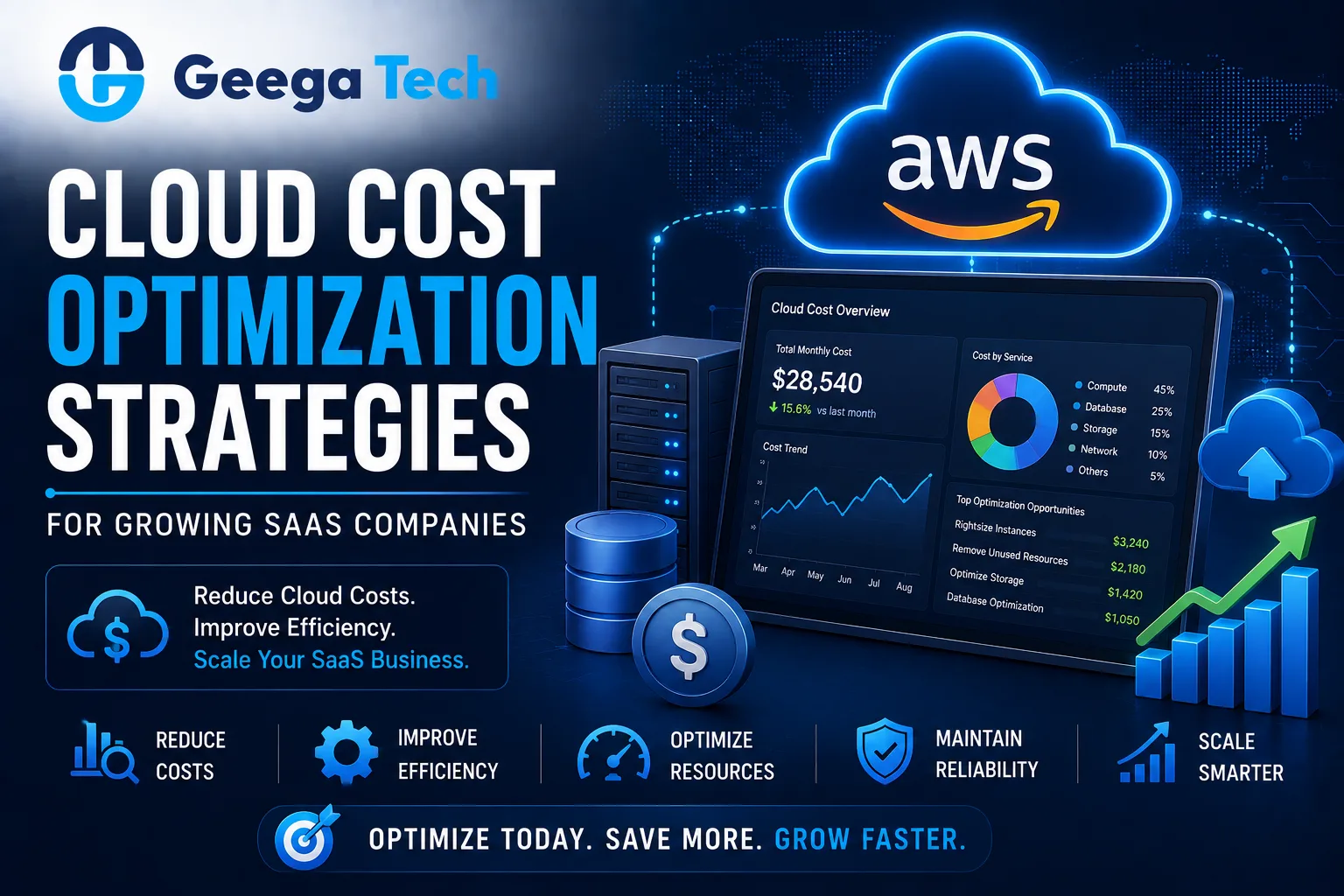
Cloud cost optimization strategies for growing SaaS companies

Cloud-Native Applications: What They Are and Why They Matter

Businesses today need software that can handle growing users, changing requirements, frequent updates, and increasing amounts of data.

Traditional applications were often designed to run on fixed servers with limited flexibility. Modern businesses, however, increasingly need applications that can scale quickly and remain available as demand changes.

This is where cloud-native applications become important.

Cloud-native applications are designed specifically to take advantage of modern cloud environments.

Instead of simply hosting traditional software on a cloud server, cloud-native development focuses on architecture, automation, scalability, resilience, and continuous software delivery.

In this guide, we’ll explain what cloud-native applications are, how they work, their major benefits, and when businesses should consider building them.


What Are Cloud-Native Applications?

Cloud-native applications are software applications designed to run efficiently in cloud environments.

They commonly use technologies and practices such as:

  • Containers
  • APIs
  • Microservices or modular services
  • Automated deployment
  • CI/CD
  • Infrastructure automation
  • Monitoring
  • Auto scaling

A simplified architecture may look like:

Users

Load Balancer / API Gateway

Application Services

Database + Cache + Storage

Cloud Infrastructure

The goal is to create applications that can adapt as business and infrastructure requirements change.


Cloud-Native vs Cloud-Hosted Applications

A cloud-hosted application and a cloud-native application are not necessarily the same thing.

Cloud-Hosted Application

An existing application is moved to a cloud server.

Example:

Traditional Application → Cloud Virtual Machine

The application architecture may remain largely unchanged.

Cloud-Native Application

The application is designed specifically around cloud capabilities.

It may use:

Containers + APIs + Automated Deployment + Managed Services + Auto Scaling

Cloud hosting changes where the application runs.

Cloud-native development can change how the application itself is designed and operated.


1. Scalability

One major benefit of cloud-native applications is scalability.

Imagine a SaaS application normally serves:

5,000 users

but suddenly receives:

50,000 users

A properly designed cloud-native system can increase infrastructure capacity when demand rises.

A simplified flow may look like:

Traffic Increases

Additional Application Instances Start

Traffic Is Distributed

Demand Decreases

Extra Capacity Is Reduced

This can help businesses handle changing workloads more efficiently.


2. Containers

Containers package an application together with the dependencies required to run it.

A container can include:

Application Code + Runtime + Libraries + Configuration

This helps create more consistent environments across:

Development → Testing → Production

Docker is commonly associated with containerized application development.

Containers can also make applications easier to deploy across different environments.


3. Microservices Architecture

Some cloud-native applications use microservices.

Instead of building one large application, functionality can be divided into smaller services.

For example:

User Service

Order Service

Payment Service

Notification Service

Reporting Service

Each service can potentially be developed, deployed, and scaled independently.

However, microservices also introduce additional complexity.

Small or early-stage applications may be better served by a well-designed modular application rather than immediately adopting many microservices.


4. API-First Architecture

Cloud-native applications commonly depend heavily on APIs.

For example:

Web App

API Layer

Backend Services

The same APIs may also support:

Mobile App + Admin Dashboard + Partner Integrations

This can make it easier to expand the software ecosystem without rebuilding the entire backend for each interface.


5. Automated CI/CD

Cloud-native development works well with modern CI/CD practices.

A typical workflow may look like:

Developer Pushes Code

Build

Automated Tests

Security Checks

Container Build

Cloud Deployment

Monitoring

This can help teams release smaller updates more frequently.


6. Auto Scaling

Traditional infrastructure may be configured for maximum expected traffic.

This can lead to unused capacity during low-demand periods.

Cloud-native architecture can use auto scaling to adjust infrastructure according to demand.

For example:

Low Traffic → 2 Instances

High Traffic → 8 Instances

Traffic Drops → 2 Instances

This can improve infrastructure efficiency when implemented correctly.


7. Resilience and High Availability

Cloud-native systems can be designed so that the failure of one component does not necessarily take down the entire application.

For example:

Instance 1 → Failure

Instance 2 → Running

Instance 3 → Running

A load balancer can direct traffic toward healthy instances.

Other resilience techniques may include:

  • Health checks
  • Redundancy
  • Automated restart
  • Database replication
  • Backup strategies
  • Disaster recovery

The appropriate level of resilience depends on the business impact of downtime.


8. Faster Software Releases

Traditional applications can sometimes require large deployment processes.

Cloud-native applications are often designed around smaller, automated releases.

Instead of:

Large Update Every Few Months

teams may release:

Smaller Updates More Frequently

This can help businesses:

  • Fix bugs faster
  • Release features sooner
  • Respond to customers
  • Improve software continuously

Automation and testing are essential for making frequent releases reliable.


9. Better Monitoring

Modern cloud applications need strong monitoring.

Teams should be able to track:

  • Application errors
  • API response times
  • CPU usage
  • Memory
  • Database performance
  • Request volume
  • Failed jobs

Monitoring can help teams identify issues before they become major customer problems.

Logs, metrics, and traces can also provide better visibility into complex application environments.


10. Cloud-Native Security

Cloud-native architecture can provide strong security capabilities, but security still needs to be designed properly.

Important practices include:

  • Identity and access management
  • Least-privilege access
  • Secrets management
  • API security
  • Encryption
  • Network security
  • Container security
  • Dependency scanning
  • Monitoring
  • Audit logging

Security should be integrated into development and deployment rather than treated as a final step.


Cloud-Native Architecture Example

Consider a SaaS platform.

A cloud-native architecture might look like:

Users

CDN / Load Balancer

Web Application

API Gateway

Application Services

Database + Cache + Object Storage

Monitoring & Logging

The architecture can then connect with:

Payments | Email | Notifications | Analytics | AI Services

This creates a flexible foundation for future product development.


Cloud-Native Applications for SaaS

SaaS companies can particularly benefit from cloud-native architecture.

SaaS products often need:

  • Multi-user access
  • Frequent updates
  • Subscription management
  • APIs
  • Analytics
  • High availability
  • Scalable infrastructure

Cloud-native architecture can help these applications scale as customer demand increases.


Cloud-Native Applications and AI

AI applications may have highly variable infrastructure requirements.

For example:

Normal Usage → Moderate Demand

Large AI Processing Job → High Demand

Cloud-native architecture can help allocate resources according to workload requirements.

Cloud applications may also connect to:

  • AI models
  • Vector databases
  • Data pipelines
  • AI agents
  • Machine learning services

The correct architecture depends on the specific AI workload.


Cloud-Native vs Traditional Applications

Factor Traditional Application Cloud-Native Application
Infrastructure Fixed Flexible
Scaling Often Manual Can Be Automated
Deployment Often Manual CI/CD Friendly
Architecture Usually Monolithic Modular / Services
Containers Optional Common
Monitoring Basic to Advanced Usually Built In
Updates Larger Releases Smaller Frequent Releases
Cloud Integration Limited Designed for Cloud

Traditional architecture is not automatically bad.

Some stable applications may not need cloud-native complexity.

The decision should depend on business requirements.


When Should You Build Cloud-Native?

Cloud-native development may be suitable when:

  • User traffic can grow significantly.
  • High availability is important.
  • You need frequent software releases.
  • Your application serves multiple regions.
  • You are building a SaaS platform.
  • Multiple applications need common APIs.
  • You expect the product to evolve quickly.
  • Automation is important to your development process.

When Cloud-Native May Not Be Necessary

Not every application needs advanced cloud-native architecture.

A simpler architecture may be more practical when:

  • User traffic is predictable.
  • The application is small.
  • Development resources are limited.
  • Downtime has limited business impact.
  • Scaling requirements are minimal.

Architecture should solve actual problems rather than introduce unnecessary complexity.


Cloud-Native Migration

Existing applications can also be modernized toward cloud-native architecture.

A gradual process might look like:

Step 1: Assess the Application

Review architecture, infrastructure, database, and dependencies.

Step 2: Move to Cloud Infrastructure

Migrate appropriate workloads.

Step 3: Containerize

Package suitable application components into containers.

Step 4: Improve APIs

Separate interfaces from backend functionality.

Step 5: Introduce CI/CD

Automate testing and deployment.

Step 6: Improve Scalability

Add load balancing, caching, and auto scaling where needed.

Step 7: Improve Monitoring

Implement centralized logs, metrics, and alerts.

Businesses do not necessarily need to complete every step at once.


Benefits of Cloud-Native Applications

Cloud-native development can provide:

  • Better scalability
  • Faster releases
  • Improved resilience
  • Easier automation
  • Flexible infrastructure
  • Better monitoring
  • API-driven architecture
  • Easier integration
  • Improved developer workflows
  • Support for business growth

The exact benefits depend heavily on how the application is designed and operated.


Common Cloud-Native Development Mistakes

Using Microservices Too Early

Microservices can create unnecessary complexity for smaller products.

Ignoring Cloud Costs

Scalable infrastructure still needs cost monitoring.

No Monitoring

Distributed systems require strong visibility.

Weak Security

Cloud infrastructure does not automatically secure an application.

Overengineering

More services and technologies do not automatically create better software.

The best architecture is usually the simplest architecture that reliably meets current and expected requirements.


Why Choose Geega Technologies for Cloud-Native Development?

At Geega Technologies, we help startups and enterprises build and modernize scalable cloud applications.

Our capabilities include:

  • Cloud Application Development
  • Cloud-Native Development
  • Custom Software Development
  • SaaS Application Development
  • Application Modernization
  • AWS Cloud Infrastructure
  • API Development & Integration
  • Docker & Containerization
  • DevOps & CI/CD
  • Database Optimization
  • Application Maintenance & Scaling

Our approach focuses on creating cloud architecture based on real business requirements rather than unnecessary technical complexity.


Final Thoughts

Cloud-native applications are designed to take advantage of modern cloud infrastructure, automation, containers, APIs, scalability, and continuous software delivery.

For growing SaaS and enterprise applications, cloud-native architecture can provide a foundation for:

Scalability + Reliability + Automation + Faster Releases

However, cloud-native does not mean every application needs dozens of microservices or complicated infrastructure.

Businesses should adopt cloud-native technologies where they solve real scalability, reliability, deployment, or operational challenges.
Get in touch with us

Looking for a certified tech partner? Contact Geega Technologies today.

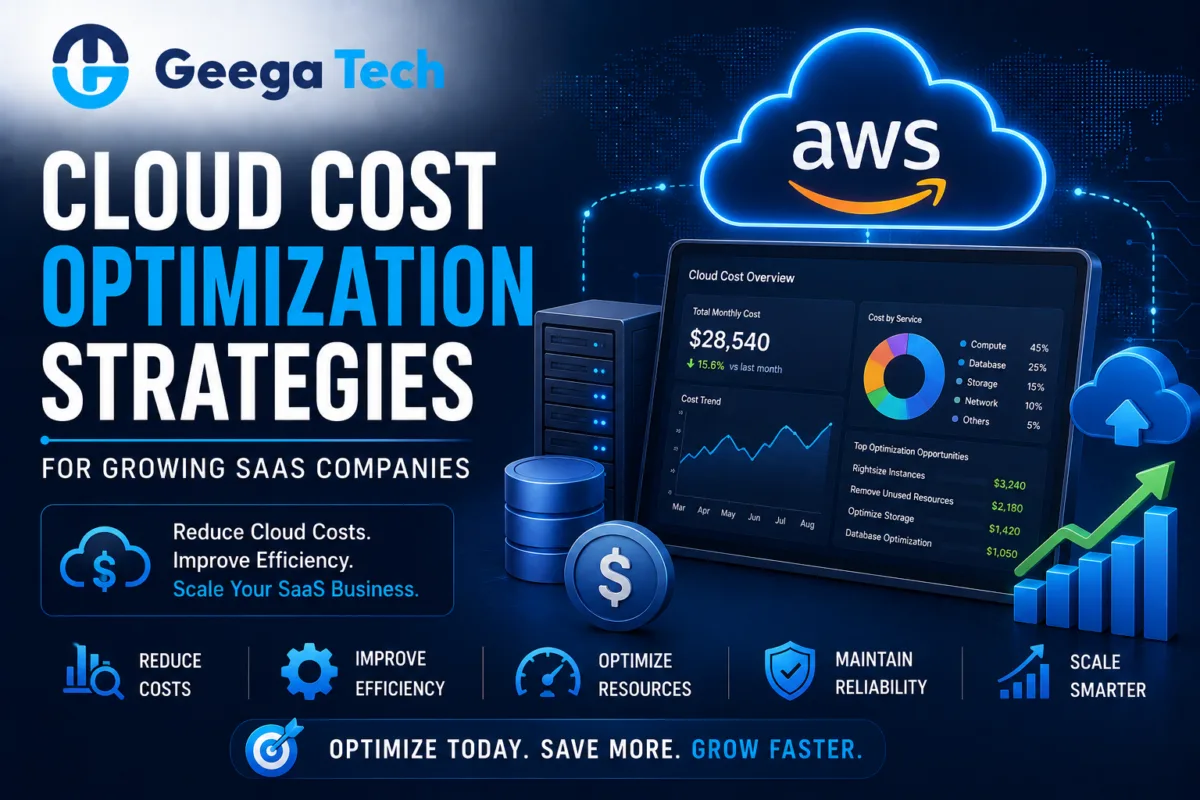
Cloud Cost Optimization Strategies for Growing SaaS Companies

Home » Cloud Cost Optimization Strategies for Growing SaaS Companies


Cloud Cost Optimization Strategies for Growing SaaS Companies

Cloud infrastructure makes it easier for SaaS companies to launch quickly, scale applications, and serve customers across different locations.

But as a SaaS product grows, cloud spending can grow just as quickly.

Unused servers, oversized resources, inefficient databases, unnecessary storage, and uncontrolled data transfer can gradually increase infrastructure expenses.

This is where cloud cost optimization becomes important.

Cloud cost optimization is not simply about spending less. The objective is to achieve the right balance between:

Cost + Performance + Reliability + Scalability

In this guide, we’ll explore practical strategies SaaS companies can use to control cloud spending while continuing to scale.

Cloud cost optimization strategies for growing SaaS companies

Cloud Cost Optimization Strategies for Growing SaaS Companies

Cloud infrastructure makes it easier for SaaS companies to launch quickly, scale applications, and serve customers across different locations.

But as a SaaS product grows, cloud spending can grow just as quickly.

Unused servers, oversized resources, inefficient databases, unnecessary storage, and uncontrolled data transfer can gradually increase infrastructure expenses.

This is where cloud cost optimization becomes important.

Cloud cost optimization is not simply about spending less. The objective is to achieve the right balance between:

Cost + Performance + Reliability + Scalability

In this guide, we’ll explore practical strategies SaaS companies can use to control cloud spending while continuing to scale.


What Is Cloud Cost Optimization?

Cloud cost optimization is the process of analyzing and improving cloud infrastructure so businesses pay for resources that actually provide value.

It may involve optimizing:

  • Compute resources
  • Databases
  • Storage
  • Network usage
  • Containers
  • Backups
  • Development environments
  • Logging
  • Application architecture

The objective is to eliminate waste without negatively affecting application performance or reliability.


Why SaaS Cloud Costs Increase

A SaaS platform may begin with relatively simple infrastructure:

Application → Database → Storage

As the product grows, the architecture may expand into:

Load Balancer → Multiple Servers → Database → Cache → Storage → CDN → Monitoring → Backups

Each additional service can increase cloud spending.

Common causes include:

  • Growing traffic
  • More customers
  • Larger databases
  • Increased storage
  • Overprovisioned servers
  • Unused resources
  • Poor application architecture
  • Excessive logging

Regular optimization helps prevent infrastructure costs from growing unnecessarily.


1. Identify Where Your Cloud Money Goes

The first step is visibility.

Businesses should understand which services, applications, teams, or environments generate cloud expenses.

Monitor areas such as:

  • Compute
  • Database
  • Storage
  • Networking
  • Backups
  • Monitoring
  • Development environments

Instead of seeing only:

Monthly Cloud Bill: $10,000

teams should aim to understand:

Production: $6,000

Database: $2,000

Development: $1,200

Storage & Other Services: $800

Better visibility makes optimization easier.


2. Right-Size Cloud Resources

One of the most common sources of unnecessary spending is oversized infrastructure.

For example, a server may have:

16 GB RAM

while the application consistently uses only:

3–4 GB

The business may be paying for capacity it rarely needs.

Teams should monitor:

  • CPU utilization
  • Memory usage
  • Network usage
  • Disk usage
  • Request volume

Resources can then be adjusted based on actual requirements.

This process is known as right-sizing.


3. Use Auto Scaling

SaaS traffic is rarely constant.

For example:

Morning → Low Traffic

Afternoon → High Traffic

Night → Low Traffic

Instead of running maximum capacity continuously, businesses can use auto scaling.

A simplified model:

Low Traffic → 2 Servers

High Traffic → 6 Servers

Traffic Drops → 2 Servers

This allows infrastructure capacity to adjust according to demand.


4. Shut Down Unused Resources

Development teams often create temporary resources for:

  • Testing
  • Development
  • Staging
  • Experiments
  • Proof of concepts

These resources may remain active even when nobody is using them.

Common examples include:

  • Unused virtual machines
  • Old databases
  • Detached storage
  • Test environments
  • Old snapshots

Regular infrastructure audits can identify these resources.

Development environments may also be automatically stopped outside working hours where appropriate.


5. Optimize Database Costs

Databases can become one of the largest infrastructure expenses for growing SaaS products.

Before simply increasing database capacity, teams should investigate performance problems.

Optimization techniques may include:

  • Database indexing
  • Query optimization
  • Caching
  • Archiving old data
  • Connection management
  • Read replicas where needed

For example:

Slow Query → Larger Database Server

may be more expensive than:

Slow Query → Add Correct Index → Faster Query

Software optimization can sometimes reduce infrastructure requirements significantly.


6. Use Caching

Applications often request the same information repeatedly.

Instead of querying the database every time, frequently accessed information can sometimes be cached.

A simplified flow:

User Request

Cache

If available → Return Data

If unavailable → Database

Caching can reduce:

  • Database workload
  • API response time
  • Server processing
  • Infrastructure demand

However, cache invalidation and data freshness should be designed carefully.


7. Optimize Cloud Storage

Storage may appear inexpensive initially, but costs can grow as SaaS applications accumulate large amounts of:

  • Images
  • Documents
  • Videos
  • Reports
  • Backups
  • Logs

Businesses should classify data based on how frequently it is accessed.

For example:

Frequently Used Data → Fast Storage

Old Data → Lower-Cost Storage Tier

Expired Data → Delete According to Policy

Lifecycle rules can automate this process.


8. Control Data Transfer Costs

Network and data-transfer costs can become significant for applications serving large files or global audiences.

Businesses can reduce unnecessary transfer through:

  • CDN usage
  • Image optimization
  • File compression
  • Caching
  • Efficient APIs
  • Regional architecture planning

For example, repeatedly serving a large image directly from an application server may be less efficient than delivering optimized cached versions through a CDN.


9. Optimize Application Code

Cloud cost problems are not always infrastructure problems.

Poor application code can consume unnecessary resources.

Examples include:

  • Inefficient database queries
  • Repeated API calls
  • Excessive background jobs
  • Large payloads
  • Memory leaks
  • Unnecessary processing

Improving application efficiency can reduce the infrastructure required to support the same number of users.


10. Monitor Logging Costs

Logging is essential for troubleshooting and monitoring.

But excessive logging can generate large amounts of data.

For example, storing every successful request indefinitely may create unnecessary costs.

Teams should define:

  • What should be logged
  • Log retention periods
  • Which logs need long-term storage
  • Which environments require detailed logs

Critical security and audit logs should not be removed simply to reduce expenses.


11. Use Reserved Capacity Where Appropriate

Some cloud workloads run continuously and have predictable resource requirements.

Businesses may be able to reduce costs through longer-term pricing commitments or reserved capacity options offered by their cloud provider.

These options are most useful for predictable workloads.

Businesses should avoid making large commitments before understanding their actual usage patterns.


12. Use Serverless Where It Makes Sense

Serverless architecture can be cost-effective for certain workloads because businesses pay primarily when functions execute.

Good examples may include:

  • Scheduled jobs
  • Image processing
  • Webhooks
  • Notifications
  • Lightweight APIs

However, serverless is not automatically cheaper for every workload.

High-volume or continuously running applications may have different cost characteristics.


Cloud Cost Optimization for SaaS

For SaaS companies, infrastructure cost should also be evaluated against customer economics.

Useful metrics may include:

Infrastructure Cost Per Customer

Total Infrastructure Cost ÷ Active Customers

Infrastructure Cost as % of Revenue

Cloud Infrastructure Cost ÷ Revenue × 100

For example:

If cloud infrastructure costs $10,000/month and SaaS revenue is $100,000/month, infrastructure represents approximately:

10% of revenue

Tracking these metrics over time can reveal whether infrastructure efficiency is improving as the business grows.


What Is FinOps?

FinOps, or Cloud Financial Operations, brings engineering, finance, and business teams together to manage cloud spending.

Instead of cloud costs being only an IT responsibility:

Engineering + Finance + Management

work together.

FinOps practices may include:

  • Cost allocation
  • Budgets
  • Forecasting
  • Usage monitoring
  • Optimization
  • Accountability

This becomes increasingly useful as cloud infrastructure grows across multiple teams and products.


Set Cloud Budgets and Alerts

Businesses should not wait until the monthly invoice arrives to discover unexpected spending.

Set alerts when cloud costs reach predefined thresholds.

For example:

50% Budget → Information

80% Budget → Warning

100% Budget → Critical Review

Alerts can help identify:

  • Unexpected traffic
  • Misconfigured resources
  • Development mistakes
  • Unusual workloads

before costs become significantly larger.


Cloud Cost Optimization Checklist

A practical checklist includes:

  • Cloud spending dashboard configured
  • Resources tagged properly
  • Unused servers identified
  • Instance sizes reviewed
  • Auto scaling configured where appropriate
  • Database queries optimized
  • Database indexes reviewed
  • Caching implemented where useful
  • Storage lifecycle rules configured
  • Old backups reviewed
  • CDN usage evaluated
  • Data transfer monitored
  • Logging retention configured
  • Development environments reviewed
  • Budgets and alerts enabled
  • Long-term pricing options evaluated
  • Cost per customer tracked

Common Cloud Cost Optimization Mistakes

Optimizing Only for Price

The cheapest infrastructure is not necessarily the best infrastructure.

Performance and reliability still matter.

Reducing Capacity Without Monitoring

Aggressive resource reductions can create performance problems.

Ignoring Development Environments

Non-production infrastructure can consume significant resources.

Scaling Before Optimizing Code

Poor application code can create unnecessary infrastructure demand.

No Ownership

Teams should know who is responsible for specific cloud resources and expenses.


Why Choose Geega Technologies for Cloud Optimization?

At Geega Technologies, we help businesses develop, modernize, and optimize cloud-based applications.

Our capabilities include:

  • Cloud Cost Optimization
  • Cloud Application Development
  • AWS Infrastructure
  • Application Modernization
  • SaaS Development
  • DevOps & CI/CD
  • Database Optimization
  • Application Performance Optimization
  • Custom Software Development
  • IT Infrastructure Upgrade
  • Application Maintenance & Scaling

Our approach focuses on reducing unnecessary infrastructure usage while maintaining the performance, security, and reliability required by the application.


Final Thoughts

Cloud cost optimization should be an ongoing process rather than a one-time activity.

As SaaS companies grow, infrastructure usage changes continuously.

The most effective strategy combines:

Monitoring + Right-Sizing + Auto Scaling + Database Optimization + Storage Management + Application Optimization

The objective should not simply be to create the lowest possible cloud bill.

Instead, businesses should aim for infrastructure that delivers the required:

Performance + Reliability + Scalability at an Efficient Cost

Get in touch with us

Looking for a certified tech partner? Contact Geega Technologies today.

DevOps and CI/CD Explained: A Business Guide

Home » DevOps and CI/CD Explained: A Business Guide


DevOps and CI/CD Explained: A Business Guide

Modern software teams are expected to release updates faster without reducing quality, stability, or security.

Traditional development methods often create delays because development, testing, and deployment happen in separate stages with heavy manual coordination.

This is where DevOps and CI/CD become important.

DevOps improves collaboration between development and operations teams, while CI/CD automates important parts of software integration, testing, and deployment.

Together, they can help businesses release software more frequently, reduce manual errors, and respond faster to customer requirements.

In this guide, we’ll explain DevOps and CI/CD in simple business terms and show how they support modern software development.

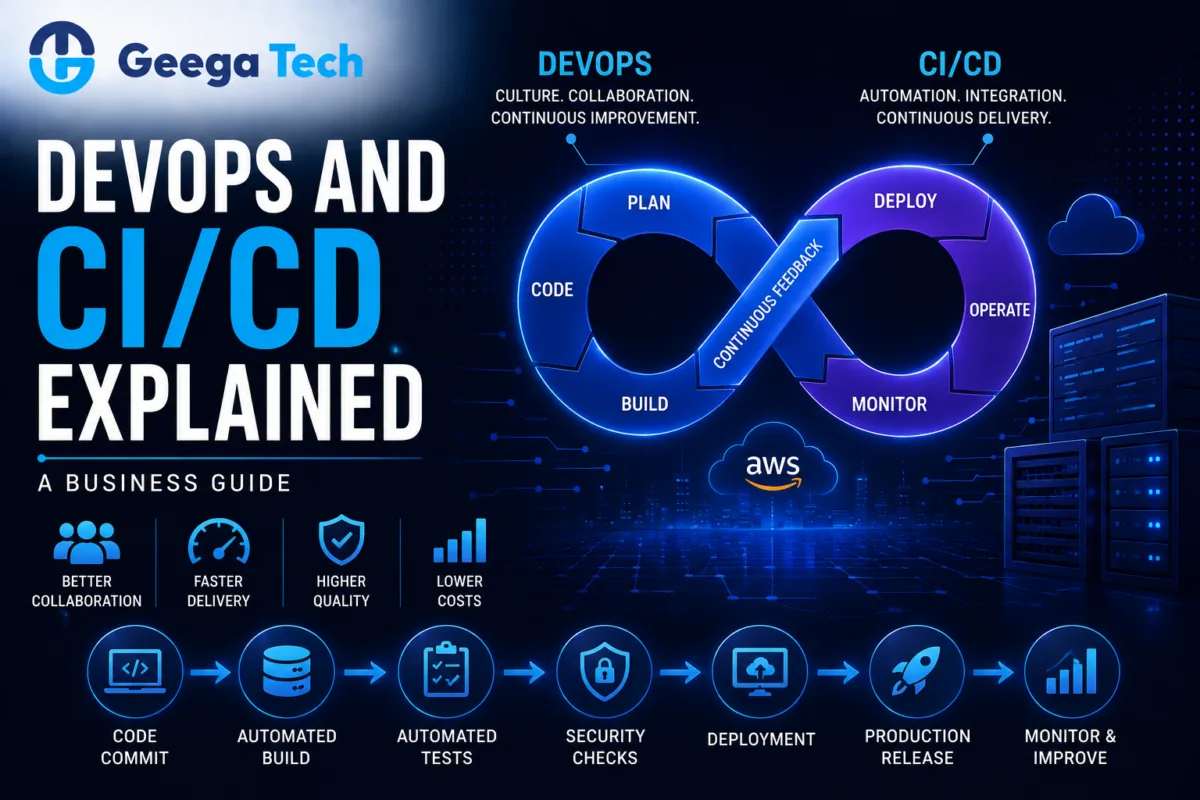
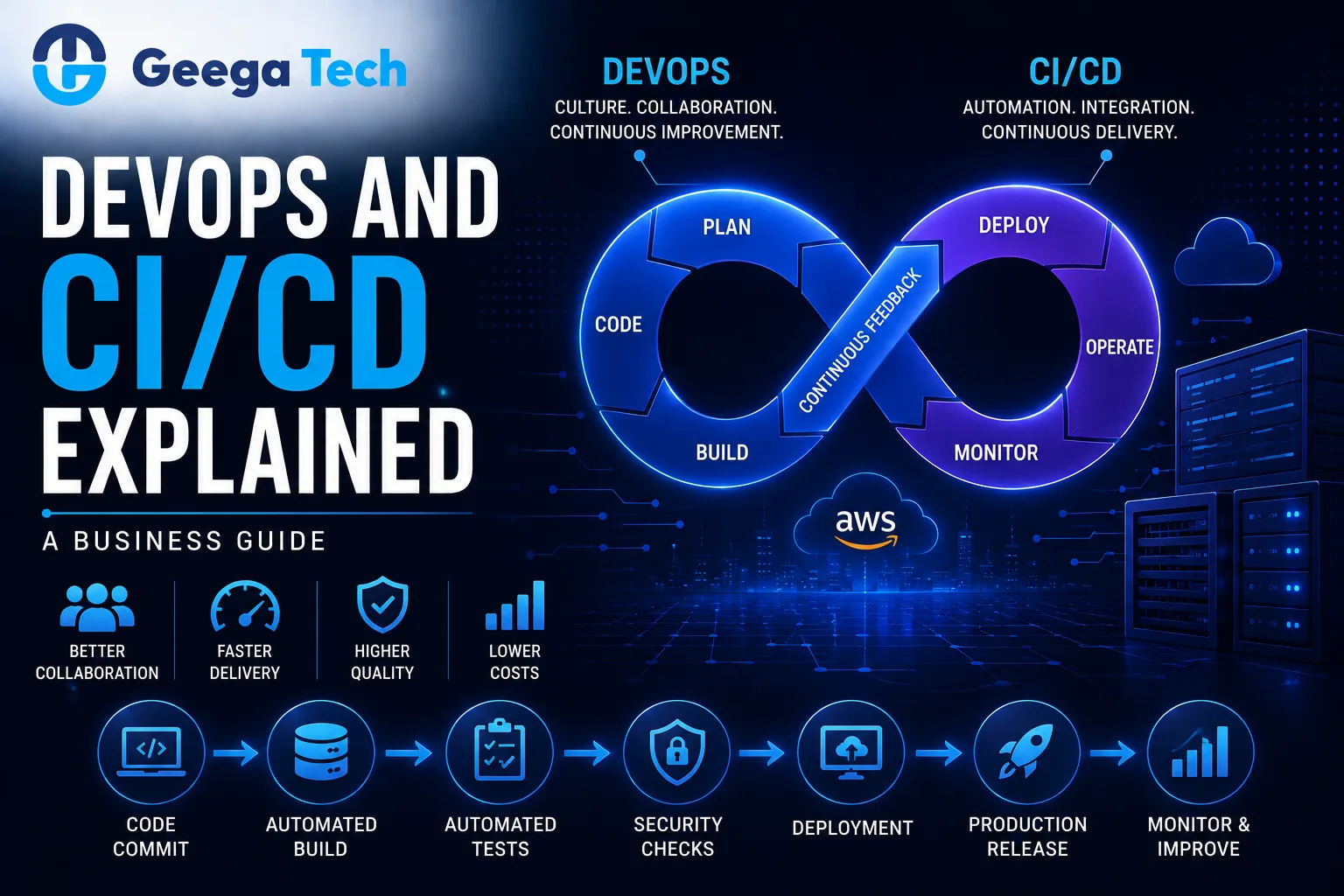
DevOps and CI/CD pipeline for automated software development and deployment

DevOps and CI/CD Explained: A Business Guide

Modern software teams are expected to release updates faster without reducing quality, stability, or security.

Traditional development methods often create delays because development, testing, and deployment happen in separate stages with heavy manual coordination.

This is where DevOps and CI/CD become important.

DevOps improves collaboration between development and operations teams, while CI/CD automates important parts of software integration, testing, and deployment.

Together, they can help businesses release software more frequently, reduce manual errors, and respond faster to customer requirements.

In this guide, we’ll explain DevOps and CI/CD in simple business terms and show how they support modern software development.


What Is DevOps?

DevOps is a software development approach that brings development and IT operations teams closer together.

Instead of working separately, teams collaborate throughout the software lifecycle.

A traditional process may look like:

Development → Testing → Operations → Deployment

A DevOps approach aims for:

Plan → Develop → Test → Deploy → Monitor → Improve

The objective is to make software delivery faster, more reliable, and easier to manage.

DevOps is not just a tool or technology.

It combines:

  • Culture
  • Processes
  • Automation
  • Collaboration
  • Monitoring
  • Infrastructure practices

What Is CI/CD?

CI/CD commonly refers to:

Continuous Integration

and

Continuous Delivery / Continuous Deployment

These practices automate how code changes are built, tested, and prepared for release.

A simplified CI/CD workflow may look like:

Developer Commit

Automated Build

Automated Tests

Security Checks

Deployment

Monitoring

This reduces the number of manual steps required to release software.


What Is Continuous Integration?

Continuous Integration means developers regularly merge their code changes into a shared repository.

Each change can trigger automated checks.

These may include:

  • Build validation
  • Unit tests
  • Code-quality checks
  • Dependency checks
  • Security scans

For example:

Developer Pushes Code → Pipeline Runs Tests → Team Gets Feedback

If the code breaks something, the team can identify the problem quickly.

This is usually easier than discovering several problems after weeks of development.


What Is Continuous Delivery?

Continuous Delivery takes automation further.

After code passes required tests, it is prepared so that it can be released to production with minimal manual effort.

A simplified flow is:

Code → Build → Test → Staging → Ready for Production

The final production release may still require human approval.

This gives businesses more control while maintaining a fast release process.


What Is Continuous Deployment?

Continuous Deployment automatically releases approved code changes to production when they successfully pass all required pipeline checks.

A simplified workflow is:

Code Change → Automated Tests → Production Deployment

This approach can support very frequent releases.

However, businesses should only use continuous deployment when their testing, monitoring, rollback, and operational processes are mature enough to support it safely.


DevOps vs CI/CD

DevOps and CI/CD are closely related but not the same.

DevOps CI/CD
Broader development approach Software delivery automation practice
Focuses on culture and collaboration Focuses on integration and deployment
Covers development and operations Covers build, test, release
Includes monitoring and infrastructure Includes pipeline automation
Organizational approach Technical implementation

CI/CD is often one of the key practices used inside a DevOps strategy.


Why Businesses Need DevOps

Software has become central to many businesses.

Companies may operate:

  • SaaS platforms
  • Mobile applications
  • Web applications
  • Customer portals
  • Enterprise systems
  • APIs
  • Cloud applications

Without efficient software delivery processes, teams may face:

  • Slow releases
  • Deployment failures
  • Long testing cycles
  • Manual errors
  • Poor collaboration
  • Difficult rollbacks

DevOps helps reduce these problems by improving the complete development and deployment process.


1. Faster Software Releases

Traditional deployments may require several manual steps.

For example:

Build Files → Copy to Server → Configure Environment → Run Tests → Restart Services

A CI/CD pipeline can automate many of these activities.

This allows development teams to release improvements more frequently.

Faster release cycles can help businesses respond quickly to:

  • Customer feedback
  • Bugs
  • Security issues
  • New business requirements

2. Reduced Deployment Errors

Manual deployments are vulnerable to human error.

Examples include:

  • Wrong configuration
  • Missing files
  • Incorrect environment variables
  • Forgotten database migrations
  • Wrong software version

Automated pipelines create a repeatable deployment process.

The same validated steps are followed each time.

This can improve reliability.


3. Faster Bug Detection

Continuous Integration helps identify problems earlier.

Instead of waiting until the end of a development cycle, automated tests can run after every major code change.

For example:

Code Commit

Test Failure

Developer Notification

This reduces the amount of time between introducing a bug and discovering it.


4. Better Collaboration

DevOps encourages development, QA, operations, and security teams to work together.

Instead of separate responsibilities such as:

Developers build software

and

Operations fix deployment problems

teams share responsibility for the complete application lifecycle.

This can improve communication and reduce unnecessary delays.


5. Consistent Environments

One common software problem is:

“It works on my machine.”

Different development, testing, and production environments can create unexpected issues.

DevOps practices such as containerization and infrastructure automation can help create more consistent environments.

For example:

Development Container

Testing Container

Production Container

All can use the same application configuration pattern.


6. Infrastructure as Code

Infrastructure as Code allows teams to define infrastructure using configuration files or code.

Instead of manually creating cloud resources, teams can automate infrastructure setup.

This may include:

  • Servers
  • Networks
  • Load balancers
  • Storage
  • Databases
  • Security rules

This makes infrastructure easier to reproduce and manage.


7. Automated Testing

CI/CD pipelines can include multiple types of automated testing.

Examples include:

  • Unit tests
  • Integration tests
  • API tests
  • Security tests
  • Regression tests

A pipeline may operate like:

Build

Unit Tests

API Tests

Security Scan

Deployment

Automation does not eliminate manual testing, but it can reduce repetitive testing effort.


8. DevSecOps

Security is increasingly integrated into DevOps processes.

This approach is often called DevSecOps.

Security checks can be included directly inside CI/CD pipelines.

For example:

Code → Tests → Dependency Scan → Security Scan → Deployment

This helps identify vulnerabilities earlier.

Important practices may include:

  • Dependency scanning
  • Secrets scanning
  • Static code analysis
  • Container scanning
  • Access-control reviews

Security should remain part of the complete software lifecycle.


9. Monitoring and Observability

Deployment is not the end of the software lifecycle.

Businesses should monitor applications after release.

Important metrics include:

  • CPU usage
  • Memory usage
  • API response time
  • Error rates
  • Request volume
  • Database performance
  • Failed jobs

Monitoring can help teams detect problems before they affect large numbers of users.


10. Rollback Strategy

Every production release carries some risk.

A good DevOps process includes a rollback strategy.

If a new release creates problems, teams should be able to restore the previous stable version quickly.

For example:

Version 2.4 Released

Critical Issue Detected

Rollback to Version 2.3

This can reduce downtime and business disruption.


Typical CI/CD Pipeline

A practical pipeline may look like:

Developer Writes Code

Git Push

Build

Automated Tests

Code Quality Check

Security Scan

Deploy to Staging

Approval

Deploy to Production

Monitoring

The actual pipeline should depend on application complexity and business requirements.


DevOps for Cloud Applications

Cloud infrastructure works particularly well with DevOps practices.

Teams can automate:

  • Application deployment
  • Infrastructure provisioning
  • Scaling
  • Backups
  • Monitoring
  • Containers

For example:

Code Repository → CI/CD → Cloud Infrastructure

This can create a repeatable deployment process for SaaS and enterprise applications.


DevOps for SaaS Companies

SaaS businesses often release updates continuously.

Their applications may need:

  • Frequent feature releases
  • Bug fixes
  • Security updates
  • Infrastructure scaling
  • Database migrations

DevOps can help SaaS teams manage these activities in a more consistent way.

A good CI/CD system can support:

Small Updates + Frequent Releases + Automated Testing

This can be safer than very large, infrequent production releases.


DevOps for Mobile Applications

Mobile development has slightly different release requirements because applications are distributed through app stores.

However, DevOps can still automate:

  • Builds
  • Tests
  • Signing
  • Versioning
  • Internal distribution
  • Release preparation

Backend APIs supporting mobile applications can use standard CI/CD deployment processes.


Common DevOps Tools

A DevOps environment may include tools for:

Source Control

Git-based repositories.

CI/CD

Automated build and deployment platforms.

Containers

Docker or similar container technologies.

Infrastructure

Cloud and infrastructure automation tools.

Monitoring

Application and infrastructure monitoring systems.

The correct toolset depends on the company’s development workflow and infrastructure.

Businesses should avoid introducing tools simply because they are popular.


Common DevOps Mistakes

Automating a Broken Process

Automation does not fix unclear development workflows.

Processes should first be understood and simplified.

Deploying Without Tests

Fast deployment without reliable testing increases risk.

No Rollback Plan

Teams should prepare for failed releases.

Ignoring Security

CI/CD pipelines should include appropriate security controls.

Too Many Tools

A complicated toolchain can increase maintenance effort.

No Monitoring

Teams need visibility into applications after deployment.


How to Implement DevOps in Your Organization

Step 1: Review the Current Process

Document how software currently moves from development to production.

Step 2: Identify Manual Bottlenecks

Find activities that consume unnecessary time or frequently create errors.

Step 3: Introduce Version Control

All production code and important configuration should be properly managed.

Step 4: Automate Testing

Start with reliable tests for important functionality.

Step 5: Build a CI Pipeline

Automatically build and test new code.

Step 6: Automate Deployment

Create consistent deployment processes for staging and production.

Step 7: Add Security Checks

Integrate security into the pipeline.

Step 8: Monitor Production

Track performance and failures.

Step 9: Improve Continuously

DevOps should evolve with the application and team.


Business Benefits of DevOps and CI/CD

A well-designed DevOps and CI/CD process can help businesses achieve:

  • Faster software releases
  • More consistent deployments
  • Earlier bug detection
  • Better team collaboration
  • Reduced manual work
  • Improved software quality
  • Better monitoring
  • Faster recovery from failures
  • More scalable software operations

The greatest value comes from combining automation with strong development practices.


Why Choose Geega Technologies for DevOps & CI/CD?

At Geega Technologies, we help startups and enterprises improve software development, deployment, and cloud operations.

Our capabilities include:

  • DevOps Implementation
  • CI/CD Pipeline Setup
  • Cloud Application Development
  • Docker & Containerization
  • AWS Infrastructure
  • Application Deployment
  • Custom Software Development
  • SaaS Development
  • Application Modernization
  • Software Testing & QA
  • Infrastructure Optimization

Our approach focuses on creating deployment workflows that are secure, repeatable, scalable, and appropriate for the application’s requirements.


Final Thoughts

DevOps and CI/CD help businesses move from slow, manual software releases toward faster and more reliable development workflows.

DevOps improves collaboration and ownership across development and operations.

CI/CD provides the automation needed to build, test, and deploy software consistently.

Together, they create a process such as:

Develop → Test → Secure → Deploy → Monitor → Improve

Businesses do not need to automate everything immediately.

Starting with version control, automated testing, CI pipelines, deployment automation, and monitoring can provide a strong foundation for continuous software delivery.

Get in touch with us

Looking for a certified tech partner? Contact Geega Technologies today.

Cloud Migration Guide 2026: Moving to AWS Without Downtime

Home » Cloud Migration Guide 2026: Moving to AWS Without Downtime


Cloud Migration Guide 2026: Moving to AWS Without Downtime

Moving applications and infrastructure to the cloud can help businesses improve scalability, reliability, flexibility, and operational efficiency.

Amazon Web Services (AWS) is one of the most widely used cloud platforms for hosting modern applications, databases, storage, APIs, and enterprise workloads.

But cloud migration is not simply about moving files from one server to another.

A poorly planned migration can create:

  • Application downtime
  • Data loss
  • Performance problems
  • Security issues
  • Unexpected cloud costs

This is why businesses need a structured cloud migration to AWS strategy.

In this guide, we’ll explore how to plan an AWS migration, reduce downtime, protect data, and move applications safely in 2026.

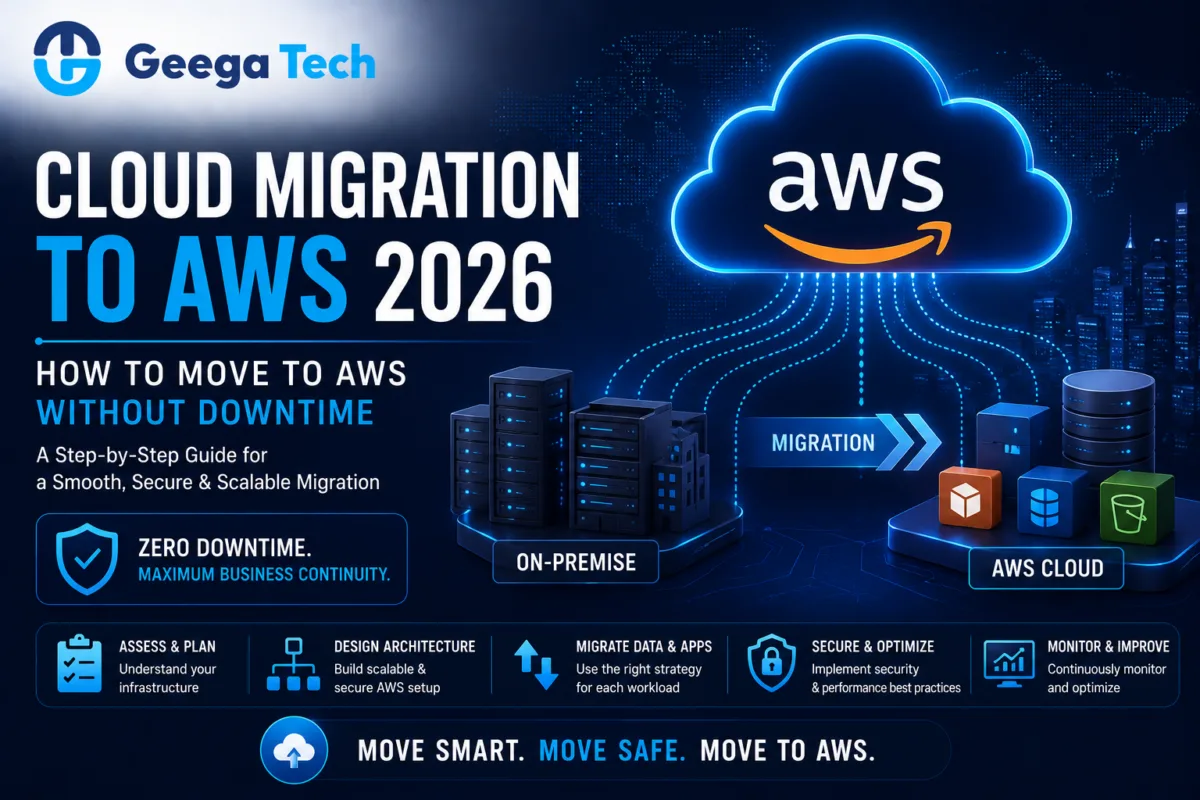
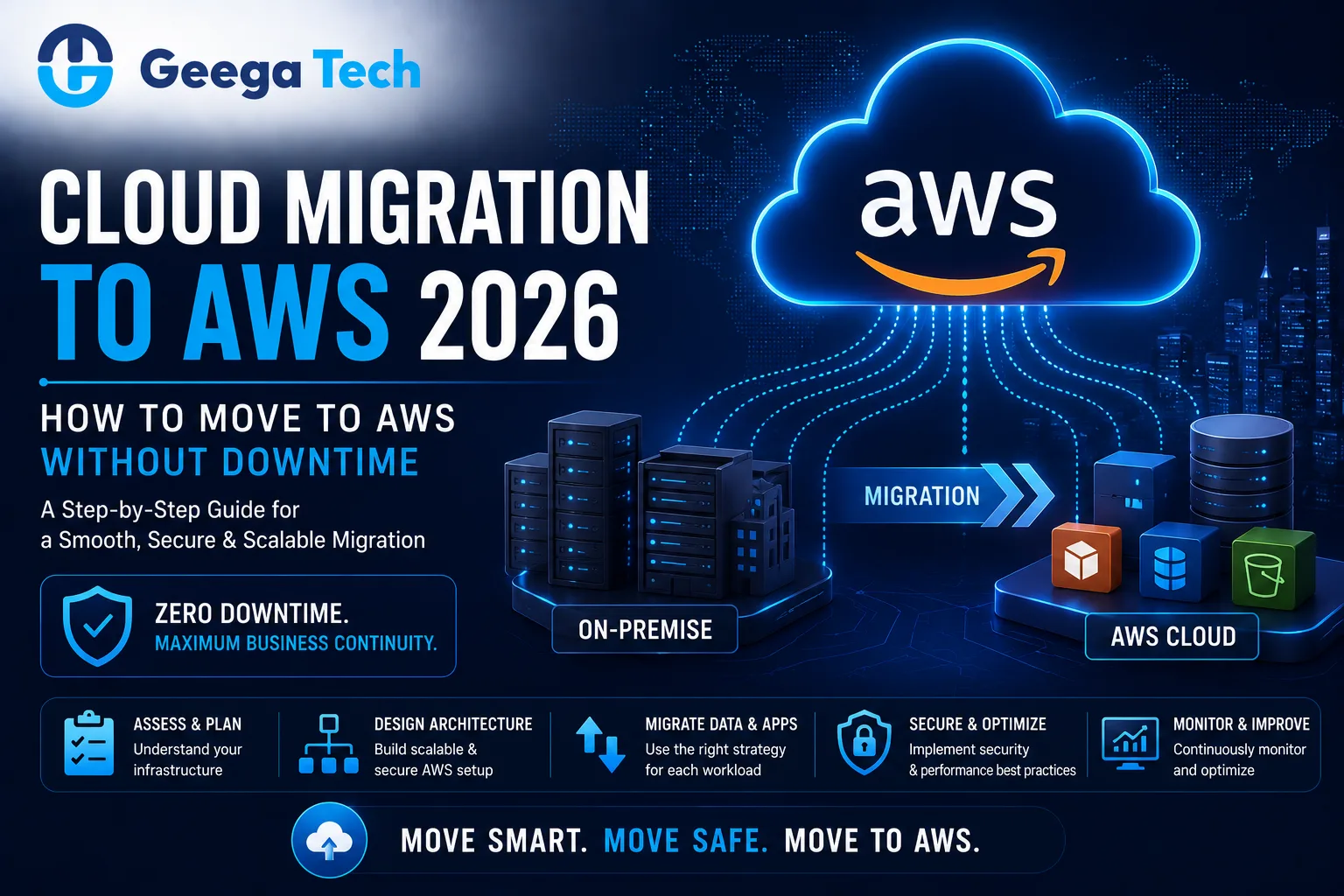
Cloud migration to AWS with minimal downtime in 2026

Cloud Migration to AWS: How to Move Without Downtime

Moving applications and infrastructure to the cloud can help businesses improve scalability, reliability, flexibility, and operational efficiency.

Amazon Web Services (AWS) is one of the most widely used cloud platforms for hosting modern applications, databases, storage, APIs, and enterprise workloads.

But cloud migration is not simply about moving files from one server to another.

A poorly planned migration can create:

  • Application downtime
  • Data loss
  • Performance problems
  • Security issues
  • Unexpected cloud costs

This is why businesses need a structured cloud migration to AWS strategy.

In this guide, we’ll explore how to plan an AWS migration, reduce downtime, protect data, and move applications safely in 2026.


What Is Cloud Migration to AWS?

Cloud migration to AWS is the process of moving applications, databases, servers, storage, or other workloads from existing infrastructure to Amazon Web Services.

Businesses may migrate from:

  • On-premise servers
  • Private data centers
  • Other cloud providers
  • Legacy hosting
  • Dedicated servers

A simplified migration flow may look like:

Existing Infrastructure

Assessment & Planning

AWS Architecture

Data & Application Migration

Testing

Cutover

Monitoring

The migration strategy depends on the complexity of the current environment.


Why Businesses Move to AWS

Businesses migrate to AWS for different reasons.

Common goals include:

  • Improved scalability
  • Better infrastructure flexibility
  • Global deployment options
  • Managed cloud services
  • Backup and recovery
  • Easier application deployment
  • Improved monitoring
  • Reduced dependence on physical infrastructure
  • Support for modernization

Cloud migration should always be tied to business and technical goals.


Common AWS Migration Approaches

There are several ways to migrate applications.

Rehost

Move an application with minimal changes.

This is often called:

Lift and Shift

It can be useful when businesses need to move quickly.


Replatform

Move the application while making selected improvements.

For example:

Self-Managed Database → Managed AWS Database

This can reduce some infrastructure-management effort without rebuilding the application.


Refactor

Change parts of the application architecture to take better advantage of cloud services.

This may improve scalability and maintainability but requires more development effort.


Rebuild

Rebuild the application using modern cloud-native architecture.

This can be appropriate when the existing application is severely outdated.


Step 1: Assess Your Existing Infrastructure

Before migration, create a clear inventory of the current system.

Review:

  • Servers
  • Applications
  • Databases
  • APIs
  • Storage
  • Network configuration
  • Domains
  • SSL certificates
  • Background jobs
  • Integrations
  • Security controls
  • Backup systems

Understanding dependencies is critical.

For example:

Web App → API → Database → Payment Gateway → Email Service

If one dependency is missed, the application may fail after migration.


Step 2: Define Migration Goals

Businesses should define why they are moving to AWS.

Possible goals include:

  • Reduce downtime
  • Improve scalability
  • Replace outdated servers
  • Improve disaster recovery
  • Support global users
  • Improve deployment speed
  • Modernize infrastructure

These goals influence the migration architecture.


Step 3: Design the AWS Architecture

The AWS environment should be designed before data and applications are moved.

Depending on requirements, the architecture may include:

  • Compute
  • Databases
  • Object storage
  • Load balancing
  • CDN
  • Networking
  • Monitoring
  • Identity and access management
  • Backups

A simplified architecture may look like:

Users

Load Balancer

Application Servers

Database

Storage / Backup

The exact AWS services should depend on the application.


Step 4: Plan for Zero or Minimal Downtime

Downtime is one of the biggest migration concerns.

A safer approach is to run the old and new environments in parallel during migration.

For example:

Existing Production

and

New AWS Environment

both remain available during testing.

Once the AWS environment has been fully tested, traffic can gradually be moved.

This reduces the risk of long outages.


Step 5: Prepare the Database Migration

Database migration is usually one of the most sensitive parts of cloud migration.

The process should consider:

  • Database size
  • Data consistency
  • Replication
  • Backup
  • Migration time
  • Application writes
  • Validation

For minimal downtime, teams may use continuous replication.

A simplified approach:

Existing Database

Initial Copy

Continuous Replication

AWS Database

Final Synchronization

Application Cutover

This reduces the gap between old and new databases.


Step 6: Move Application Services

Applications can be moved after the AWS environment is prepared.

This may include:

  • Backend APIs
  • Web applications
  • Background workers
  • Scheduled tasks
  • File-processing services
  • Admin panels

Teams should verify:

  • Environment variables
  • Secrets
  • Database connections
  • API URLs
  • Storage paths
  • Network access

Configuration errors are a common source of migration problems.


Step 7: Migrate Files and Storage

Applications may contain:

  • User uploads
  • Documents
  • Images
  • Videos
  • Reports
  • Backups

These files need to be moved carefully.

Large amounts of storage may require staged migration rather than one large transfer.

After migration, verify:

  • File counts
  • Permissions
  • URLs
  • Application access
  • Backup configuration

Step 8: Configure Security

Cloud migration should never reduce security.

AWS environments should apply appropriate controls such as:

  • Identity and access management
  • Least-privilege permissions
  • Secure network configuration
  • Data encryption
  • HTTPS
  • Secrets management
  • Logging
  • Monitoring

Administrative access should be tightly controlled.

Avoid using overly broad permissions unless they are genuinely required.


Step 9: Test the AWS Environment

Before switching production traffic, perform thorough testing.

Testing should include:

Functional Testing

Verify that business features work correctly.

API Testing

Confirm all integrations and endpoints are functioning.

Database Testing

Validate data consistency and query performance.

Performance Testing

Check application response times under load.

Security Testing

Review access controls, network configuration, and application security.

User Acceptance Testing

Allow business users to verify critical workflows.


Step 10: Perform the Cutover

The cutover is when production traffic is moved to AWS.

This may involve:

  • Final database synchronization
  • DNS changes
  • Load balancer updates
  • Application configuration changes

For low-risk migrations, teams can gradually shift traffic.

For example:

10% → AWS

then

50% → AWS

then

100% → AWS

This can help identify issues before every user reaches the new environment.


Step 11: Monitor After Migration

Migration is not complete when the application starts working on AWS.

Teams should monitor:

  • CPU usage
  • Memory
  • API response times
  • Database performance
  • Error rates
  • Network traffic
  • Storage
  • Cloud costs

User feedback should also be reviewed closely after migration.


AWS Migration and Application Modernization

Cloud migration can also be an opportunity to modernize applications.

For example, a business may move from:

Single Legacy Server

to

Load-Balanced Cloud Application

or:

Self-Hosted Database

to

Managed Database

Other improvements may include:

  • Containers
  • CI/CD
  • Caching
  • Object storage
  • Automated backups
  • Monitoring

However, businesses should avoid changing too many things simultaneously unless necessary.

Migration risk increases when infrastructure, application code, database design, and business logic are all changed at once.


Disaster Recovery

One important benefit of cloud architecture is the ability to design stronger disaster-recovery strategies.

Businesses should plan for scenarios such as:

  • Server failure
  • Database failure
  • Accidental deletion
  • Application bugs
  • Regional outages

A disaster-recovery plan may include:

  • Automated backups
  • Database snapshots
  • Replication
  • Restore procedures
  • Recovery testing

Backups are only useful if they can actually be restored.


Cloud Cost Optimization

AWS provides flexible infrastructure, but poor architecture can create unnecessary expenses.

Businesses should monitor:

  • Underused servers
  • Oversized resources
  • Unused storage
  • Data transfer
  • Database capacity
  • Logging volume

Cost optimization should be part of cloud operations from the beginning.

The objective is not simply to reduce spending.

It is to achieve the right balance between:

Performance + Reliability + Cost


Common AWS Migration Mistakes

Migrating Without an Assessment

Dependencies must be understood first.

No Rollback Plan

Businesses should know how to return to the existing environment if migration fails.

Changing Everything at Once

Migration and complete application modernization at the same time can increase risk.

Weak Security Configuration

Cloud infrastructure should follow least-privilege principles.

Ignoring Data Synchronization

Database changes during migration can create inconsistent information.

No Performance Testing

The new environment should be tested under realistic workloads.

Ignoring Cloud Costs

Cloud architecture should be monitored continuously.


Cloud Migration Checklist

A practical migration checklist includes:

  • Existing infrastructure documented
  • Application dependencies mapped
  • AWS architecture designed
  • Migration strategy selected
  • Full backups created
  • Database replication planned
  • AWS security configured
  • Application deployed
  • Files migrated
  • Integrations tested
  • Performance tested
  • Security tested
  • Rollback plan prepared
  • DNS strategy prepared
  • Final synchronization completed
  • Production traffic migrated
  • Monitoring enabled
  • Cost monitoring enabled

Why Choose Geega Technologies for Cloud Migration?

At Geega Technologies, we help startups and enterprises modernize infrastructure and migrate applications to cloud environments.

Our capabilities include:

  • Cloud Application Development
  • AWS Cloud Migration
  • Application Modernization
  • Legacy System Modernization
  • Custom Software Development
  • API Development & Integration
  • Database Migration
  • DevOps & CI/CD
  • Cloud Infrastructure Setup
  • Application Maintenance & Scaling
  • Digital Transformation

Our migration approach focuses on minimizing business disruption while improving scalability, security, reliability, and maintainability.


Final Thoughts

A successful cloud migration to AWS requires much more than copying an application to a new server.

Businesses should plan:

Infrastructure + Application + Database + Security + Testing + Cutover + Monitoring

For systems where downtime matters, parallel environments, database replication, thorough testing, and a rollback strategy can significantly reduce migration risk.

The goal should be to move to AWS safely while creating an infrastructure foundation that can support future business growth.

Get in touch with us

Looking for a certified tech partner? Contact Geega Technologies today.

Node.js for Enterprise Applications: Benefits and Use Cases

Home » Node.js for Enterprise Applications: Benefits and Use Cases


Node.js for Enterprise Applications: Benefits and Use Cases

Enterprise applications need to handle large amounts of data, multiple users, complex business workflows, integrations, APIs, and continuous system activity.

Choosing the right backend technology can have a major impact on application performance, scalability, maintainability, and development speed.

One technology commonly used for modern backend development is Node.js.

Node.js allows developers to run JavaScript on the server and build APIs, real-time systems, business applications, SaaS platforms, and enterprise services.

But is Node.js suitable for large-scale enterprise applications?

In this guide, we’ll explore the benefits, limitations, architecture, and practical use cases of Node.js enterprise applications.

Node.js enterprise applications and scalable backend development

Node.js for Enterprise Applications

Enterprise applications need to handle large amounts of data, multiple users, complex business workflows, integrations, APIs, and continuous system activity.

Choosing the right backend technology can have a major impact on application performance, scalability, maintainability, and development speed.

One technology commonly used for modern backend development is Node.js.

Node.js allows developers to run JavaScript on the server and build APIs, real-time systems, business applications, SaaS platforms, and enterprise services.

But is Node.js suitable for large-scale enterprise applications?

In this guide, we’ll explore the benefits, limitations, architecture, and practical use cases of Node.js enterprise applications.


What Is Node.js?

Node.js is a JavaScript runtime that allows developers to execute JavaScript outside the browser.

It is commonly used for backend development.

A simplified application architecture may look like:

Web / Mobile Application

Node.js API

Business Logic

Database

Node.js is frequently combined with technologies such as:

  • Express.js
  • NestJS
  • MongoDB
  • PostgreSQL
  • Redis
  • React
  • Next.js
  • Cloud infrastructure

This makes it flexible for many modern application architectures.


Why Businesses Use Node.js

Node.js is widely used because it can help development teams build fast and scalable backend services.

Businesses often choose Node.js for:

  • APIs
  • SaaS platforms
  • Real-time applications
  • Admin dashboards
  • Customer portals
  • eCommerce systems
  • Communication platforms
  • Enterprise applications

One of its main advantages is that both frontend and backend teams can work within the JavaScript/TypeScript ecosystem.


1. Fast Development With JavaScript

Many modern development teams already use JavaScript or TypeScript on the frontend.

With Node.js, the same language ecosystem can also be used on the backend.

For example:

React Frontend

Node.js Backend

Database

This can improve collaboration between frontend and backend developers and reduce context switching between programming languages.

It can also make hiring and team organization easier for companies already using JavaScript technologies.


2. Strong for API Development

Enterprise systems depend heavily on APIs.

APIs may connect:

  • Web applications
  • Mobile apps
  • Admin panels
  • CRM systems
  • ERP platforms
  • Payment services
  • Third-party tools

Node.js is well suited for building API-driven applications.

A Node.js backend can expose APIs for:

Users → Orders → Payments → Reports → Notifications

These APIs can then be consumed by multiple applications.


3. Suitable for Real-Time Applications

Node.js is also useful for applications that require real-time communication.

Examples include:

  • Chat applications
  • Live notifications
  • Collaboration tools
  • Tracking systems
  • Monitoring dashboards
  • Live updates

Technologies such as WebSockets can be used with Node.js to maintain continuous communication between clients and servers.


4. Scalable Architecture

A properly designed Node.js application can scale as traffic increases.

Common scalability strategies include:

  • Horizontal scaling
  • Load balancing
  • Caching
  • Background processing
  • Queue systems
  • Database optimization
  • Cloud infrastructure

For example:

Users

Load Balancer

Node.js Server 1 | Node.js Server 2 | Node.js Server 3

Database / Cache

This allows businesses to add additional application instances as demand grows.


5. Good for Microservices

Large enterprise applications sometimes split functionality into smaller services.

For example:

User Service

Payment Service

Notification Service

Reporting Service

Order Service

Node.js can be used effectively for microservices because it works well with APIs and lightweight services.

However, microservices should not be adopted without a clear need.

For many enterprise applications, a well-structured modular architecture may be simpler and easier to maintain.


6. Large JavaScript Ecosystem

Node.js has access to the npm ecosystem, which includes a large number of open-source packages.

These packages can help developers implement functionality such as:

  • Authentication
  • Validation
  • Logging
  • File uploads
  • Email
  • Payments
  • Database connections
  • Testing
  • API documentation

This can reduce development time.

However, teams should carefully review and maintain third-party dependencies because outdated packages can introduce security or maintenance risks.


7. Node.js for SaaS Applications

Node.js can be a strong choice for SaaS platforms.

A SaaS backend may need to manage:

  • Authentication
  • User roles
  • Subscriptions
  • Payments
  • APIs
  • Notifications
  • Reports
  • Multi-tenancy
  • Integrations

A simplified SaaS architecture may look like:

React / Next.js Frontend

Node.js Backend

Database

Cloud Infrastructure

Additional services can be connected for payments, analytics, email, storage, and AI.


8. Node.js for Enterprise APIs

Large businesses often need to connect multiple systems.

For example:

CRM

Node.js Integration Layer

ERP + Database + Analytics + Mobile App

Node.js can act as an API or integration layer between older systems and modern applications.

This can be useful during digital transformation or application modernization projects.


9. Node.js for Admin Dashboards

Admin panels and dashboards often rely on backend APIs for:

  • User management
  • Reports
  • Analytics
  • Permissions
  • Orders
  • Payments
  • Notifications

Node.js can provide the API layer behind dashboards built using React or Next.js.

This creates a common modern architecture:

Admin Dashboard → Node.js APIs → Database


10. Node.js for AI-Powered Applications

Node.js can also be used as the backend layer for AI-powered software.

For example:

Web / Mobile App

Node.js Backend

AI Service / Model

Database

Use cases may include:

  • AI assistants
  • Document analysis
  • AI agents
  • Intelligent search
  • Automated reporting
  • Recommendation systems

Node.js can manage users, permissions, business logic, APIs, and AI integrations around the AI component.


Node.js Performance

Node.js uses an event-driven, non-blocking I/O model.

This makes it particularly effective for applications handling many simultaneous network or API requests.

Typical use cases include:

  • APIs
  • Real-time communication
  • Web applications
  • Streaming
  • Notifications
  • Integration services

However, CPU-intensive workloads may need a different approach.

Heavy processing may be handled using:

  • Worker threads
  • Background workers
  • Separate services
  • Specialized computing systems

Technology should match the workload.


Node.js and Database Options

Node.js can work with multiple database technologies.

These include:

MongoDB

Useful for document-based data models.

PostgreSQL

Useful for relational applications requiring strong transactional behavior.

MySQL

Common in traditional relational applications.

Redis

Useful for caching, sessions, and temporary data.

The database should be selected based on application requirements rather than simply following the backend technology.


Security for Node.js Enterprise Applications

Security is critical in enterprise systems.

Important practices include:

  • Strong authentication
  • Role-based access control
  • Input validation
  • API authorization
  • Rate limiting
  • Secure headers
  • HTTPS
  • Secrets management
  • Database security
  • Dependency scanning
  • Logging and monitoring

Sensitive business logic should always be validated on the server.


Node.js and DevOps

Node.js applications can work well with modern DevOps practices.

A typical CI/CD process may look like:

Developer Commit

Build

Automated Tests

Security Checks

Docker Image

Deployment

Monitoring

This can support faster and more consistent application releases.


Benefits of Node.js for Enterprise Applications

Key benefits can include:

Faster Development

JavaScript/TypeScript can be used across frontend and backend.

Strong API Support

Node.js works well for API-first applications.

Scalability

Applications can scale horizontally with proper architecture.

Real-Time Capabilities

Useful for notifications, collaboration, and live systems.

Large Ecosystem

npm provides many packages and tools.

Cloud Friendly

Node.js works well in modern cloud and container environments.


Limitations of Node.js

Node.js is not perfect for every application.

Potential challenges include:

CPU-Heavy Workloads

Large calculations or intensive processing may need dedicated services.

Dependency Management

Large npm dependency trees require maintenance and security monitoring.

Poor Architecture Can Still Fail

Node.js itself does not automatically make an application scalable.

Bad database queries, inefficient APIs, or poor infrastructure can still cause serious performance problems.

Asynchronous Complexity

Poorly structured asynchronous code can become difficult to maintain.

Modern patterns and TypeScript can help improve code quality.


Node.js vs Traditional Enterprise Technologies

Factor Node.js Traditional Enterprise Stacks
Language JavaScript / TypeScript Java, .NET, PHP, Python etc.
API Development Strong Strong
Real-Time Apps Excellent Depends on stack
Developer Ecosystem Very Large Varies
Microservices Strong Strong
SaaS Development Strong Strong
CPU-Heavy Workloads Requires planning Depends on platform

There is no universal best backend technology.

Node.js should be selected when it fits the application’s requirements and development-team expertise.


When Should You Use Node.js?

Node.js can be a strong choice when:

  • You need scalable APIs.
  • You are building a SaaS platform.
  • Your application requires real-time features.
  • Your frontend uses React or Next.js.
  • Your team prefers JavaScript/TypeScript.
  • You need integration services.
  • You are building microservices.
  • You expect many simultaneous connections.

When Might Another Technology Be Better?

Another backend technology may be more suitable when:

  • The application requires intensive CPU processing.
  • Existing enterprise systems are built around another ecosystem.
  • Specialized libraries are only available in another language.
  • Regulatory or technical requirements favor another platform.

Architecture decisions should always begin with business and technical requirements.


Why Choose Geega Technologies for Node.js Development?

At Geega Technologies, we help startups and enterprises build scalable backend systems, APIs, SaaS platforms, and custom applications.

Our development capabilities include:

  • Node.js Development
  • MERN Development
  • API Development & Integration
  • Enterprise Software Development
  • SaaS Development
  • Custom Software Development
  • React Development
  • Next.js Development
  • Admin Panel & Dashboard Development
  • Cloud Application Development
  • Application Modernization
  • DevOps & CI/CD

Our approach focuses on clean architecture, security, performance, scalability, and long-term maintainability.


Final Thoughts

Node.js enterprise applications can provide a strong foundation for modern, API-driven software.

Node.js is especially useful for:

APIs + SaaS + Real-Time Apps + Integrations + Cloud Applications

Its JavaScript/TypeScript ecosystem can also simplify development for teams using React or Next.js.

However, Node.js should not be selected simply because it is popular.

The right backend technology should match:

Business Requirements + Workload + Scalability + Security + Team Expertise

When used in the right architecture, Node.js can be a practical choice for building modern enterprise applications.

Get in touch with us

Looking for a certified tech partner? Contact Geega Technologies today.

Building Admin Panels & Dashboards That Scale With Your Business

Home » Building Admin Panels & Dashboards That Scale With Your Business


Building Admin Panels & Dashboards That Scale With Your Business

As a business grows, managing users, transactions, products, employees, reports, and operations becomes increasingly complex.

Spreadsheets and disconnected tools may work initially, but eventually businesses need a centralized system to monitor and control their operations.

This is where admin panel dashboard development becomes important.

A well-designed admin panel allows businesses to manage operations from one centralized interface, while dashboards transform raw business data into useful insights.

However, an admin dashboard should not only solve today’s requirements. It should also be designed to support new users, features, data, and business processes as the organization grows.

In this guide, we’ll explore how businesses can build secure, scalable, and user-friendly admin panels and dashboards.

Admin panel dashboard development for scalable business applications

Building Admin Panels & Dashboards That Scale With Your Business

As a business grows, managing users, transactions, products, employees, reports, and operations becomes increasingly complex.

Spreadsheets and disconnected tools may work initially, but eventually businesses need a centralized system to monitor and control their operations.

This is where admin panel dashboard development becomes important.

A well-designed admin panel allows businesses to manage operations from one centralized interface, while dashboards transform raw business data into useful insights.

However, an admin dashboard should not only solve today’s requirements. It should also be designed to support new users, features, data, and business processes as the organization grows.

In this guide, we’ll explore how businesses can build secure, scalable, and user-friendly admin panels and dashboards.


What Is an Admin Panel?

An admin panel is a secure interface used by authorized users to manage an application or business platform.

Depending on the system, administrators may use it to manage:

  • Users
  • Employees
  • Customers
  • Products
  • Orders
  • Payments
  • Content
  • Notifications
  • Reports
  • Roles and permissions
  • Application settings

For example:

Customer Application → Backend → Admin Panel

The customer interacts with the application, while administrators manage operations through the admin panel.


What Is a Business Dashboard?

A dashboard provides a visual overview of important business information.

Instead of manually reviewing thousands of records, managers can monitor key metrics through:

  • KPI cards
  • Charts
  • Graphs
  • Tables
  • Filters
  • Reports
  • Alerts

For example, a sales dashboard might display:

Total Revenue | New Customers | Orders | Conversion Rate

This makes important information easier to understand and act on.


Admin Panel vs Dashboard

Although the terms are sometimes used interchangeably, they serve different purposes.

Feature Admin Panel Dashboard
Primary Purpose Manage operations Monitor performance
User Management Yes Usually limited
CRUD Operations Yes Limited
Reports Yes Yes
Charts & KPIs Sometimes Core feature
Permissions Important Important
Settings Usually included Usually limited
Data Visualization Moderate High

Many modern business systems combine both into a single platform.


Why Businesses Need Custom Admin Panels

Generic software may not always match specific business processes.

A custom admin panel can be designed around the organization’s actual workflow.

For example, a logistics company might need:

Drivers → Vehicles → Trips → Tracking → Payments → Reports

A healthcare platform might require:

Patients → Doctors → Appointments → Payments → Reports

An eCommerce business may need:

Products → Orders → Customers → Inventory → Payments

Custom development allows the system to reflect these workflows directly.


1. Design for Multiple User Roles

Not every employee should have access to everything.

A scalable admin panel should support role-based access control.

For example:

Super Admin

Full platform access.

Manager

Manage teams and review reports.

Accountant

Access invoices, payments, and financial reports.

Support Team

Access customer requests and support-related information.

The system should enforce permissions on both the frontend and backend.

This improves security and makes the interface easier for individual users.


2. Keep the Dashboard Simple

One common dashboard mistake is displaying too much information.

A dashboard should focus on information users actually need.

Instead of showing 30 metrics on one screen, prioritize key indicators such as:

Revenue

Active Users

Orders

Conversion Rate

Pending Tasks

Additional information can be available through detailed reports.

Good dashboard design helps users identify important information quickly.


3. Build Reusable Components

Large admin panels often contain repeated interface elements.

Examples include:

  • Tables
  • Filters
  • Forms
  • Buttons
  • Modals
  • Charts
  • Status badges
  • Pagination

Reusable components reduce duplicated development work.

For example:

Reusable Table Component

can be used for:

Users | Orders | Products | Payments

This makes the application easier to maintain as new modules are added.


4. Build Scalable APIs

Admin panels often communicate with backend APIs.

A simplified architecture looks like:

Admin Dashboard

API Layer

Business Logic

Database

APIs should be designed to handle increasing data and user activity.

Important considerations include:

  • Pagination
  • Filtering
  • Sorting
  • Search
  • Validation
  • Authentication
  • Authorization
  • Rate limiting

The frontend should not request thousands of unnecessary records when only a small number are needed.


5. Optimize Large Data Tables

Admin panels frequently contain large datasets.

For example:

100 Users → 10,000 Users → 1,000,000 Users

Loading all records simultaneously can cause serious performance problems.

Instead, use techniques such as:

  • Server-side pagination
  • Search
  • Filters
  • Sorting
  • Optimized queries
  • Lazy loading where appropriate

This keeps dashboards responsive even as business data grows.


6. Create Useful Filters

Filters are essential when users work with large amounts of information.

Common filters include:

  • Date range
  • Status
  • Location
  • User type
  • Department
  • Category
  • Payment status

For example:

Date: August 2026

Status: Completed

Location: Delhi

The backend should process complex filtering efficiently rather than forcing the browser to load the entire dataset first.


7. Use Real-Time Updates Only Where Needed

Some dashboards require real-time information.

Examples include:

  • Live orders
  • Fleet tracking
  • Support tickets
  • Notifications
  • System monitoring

Technologies such as WebSockets can provide real-time updates.

However, not every metric needs to update every second.

For example, a monthly revenue report may not require real-time communication.

Using real-time technology only where necessary can reduce infrastructure complexity.


8. Add Reporting and Export Features

Business users often need data outside the dashboard.

Useful export formats may include:

  • Excel
  • CSV
  • PDF

Reports might include:

  • Sales reports
  • Attendance reports
  • Payment reports
  • Customer reports
  • Inventory reports
  • Performance reports

Advanced systems can also automate scheduled reports.

For example:

Monthly Report → Generated Automatically → Sent to Management


9. Make Security a Core Requirement

Admin panels are high-value targets because they can provide access to critical business operations.

Important security measures include:

  • Strong authentication
  • Multi-factor authentication
  • Role-based access
  • Secure APIs
  • Session management
  • HTTPS
  • Input validation
  • Rate limiting
  • Audit logging

Administrative accounts should receive stronger protection than ordinary user accounts.


10. Maintain Audit Logs

Businesses should know who performed important actions.

For example:

User: Admin01
Action: Updated Customer
Time: 10:42 AM
IP / Device: Logged where appropriate

Audit logs can track activities such as:

  • Login
  • User creation
  • Record updates
  • Deletions
  • Permission changes
  • Payment actions
  • Configuration changes

This is particularly useful for enterprise applications.


Building Scalable Dashboard Architecture

A scalable dashboard architecture might look like:

Admin Users

React / Next.js Dashboard

Secure APIs

Node.js / Backend Services

Database + Cache

Cloud Infrastructure

Additional services can support:

Notifications | Reports | File Storage | Analytics

The exact architecture should depend on application requirements rather than following one fixed template.


Admin Panel Development With React and Next.js

React and Next.js can both be used for modern admin-panel development.

React works well for highly interactive interfaces containing:

  • Tables
  • Forms
  • Charts
  • Filters
  • Modals

Next.js can provide additional application structure and server-side capabilities.

The right choice depends on the overall platform architecture and backend requirements.


Mobile Responsive Admin Dashboards

Business users increasingly access dashboards from tablets and smartphones.

Admin panels should therefore be responsive.

Important mobile considerations include:

  • Responsive tables
  • Touch-friendly buttons
  • Collapsible navigation
  • Readable charts
  • Mobile-friendly forms
  • Optimized cards

However, extremely complex administrative workflows may still be designed primarily for desktop use while supporting essential mobile actions.


Dashboard Performance Optimization

As dashboards grow, performance can become a challenge.

Common optimization techniques include:

Pagination

Load smaller sets of records.

Caching

Avoid repeatedly calculating or requesting unchanged information.

Database Indexing

Improve frequently used database queries.

Lazy Loading

Load certain components only when required.

API Optimization

Return only the data the frontend needs.

Background Processing

Generate complex reports without making users wait.

These improvements can significantly improve the experience of large business dashboards.


AI-Powered Admin Dashboards

Modern dashboards can also integrate AI features.

Examples include:

  • AI-generated summaries
  • Natural-language reporting
  • Predictive analytics
  • Anomaly detection
  • Intelligent search
  • Automated recommendations
  • AI assistants

For example, instead of manually reviewing several reports, a manager could ask:

“Summarize this month’s sales performance.”

The system could analyze authorized business data and provide a concise summary.

AI should complement reliable reporting rather than replace accurate underlying data.


Common Admin Dashboard Development Mistakes

Showing Too Much Information

More data does not automatically create a better dashboard.

Poor Permission Management

Users should only access information relevant to their role.

Loading All Records

Large datasets require pagination and optimized queries.

No Audit Logs

Critical administrative actions should be traceable.

Ignoring Mobile Responsiveness

Important dashboard functions should remain usable across appropriate devices.

Poor Search and Filters

Finding information becomes difficult as data grows.

No Scalability Planning

Architecture should support increasing users, data, and modules.


How Much Does Admin Panel Development Cost?

The cost of admin panel dashboard development depends on functionality and complexity.

A broad planning range may look like:

Admin Panel Type Approximate Cost
Basic Admin Panel $2,000 – $5,000
Business Dashboard $4,000 – $10,000
Advanced Admin Panel $8,000 – $20,000
Enterprise Dashboard $15,000 – $50,000+

These are general planning estimates rather than fixed prices.

Actual cost depends on:

  • Number of modules
  • User roles
  • Reports
  • Integrations
  • Charts
  • Real-time features
  • Backend complexity
  • Security requirements

A detailed requirement analysis is needed for an accurate estimate.


Why Choose Geega Technologies for Admin Panel Development?

At Geega Technologies, we design and develop custom admin panels and business dashboards for startups and enterprises.

Our capabilities include:

  • Admin Panel Development
  • Custom Dashboard Development
  • React Dashboard Development
  • Next.js Development
  • MERN Development
  • API Development & Integration
  • Role-Based Access Control
  • Reporting & Analytics
  • Custom Software Development
  • SaaS Development
  • Cloud Application Development
  • Application Maintenance & Scaling

Our focus is on creating dashboards that are easy to use today while remaining maintainable as business requirements grow.


Final Thoughts

Effective admin panel dashboard development is about more than displaying charts and tables.

A scalable dashboard should provide:

Clear Data + Fast Performance + Strong Security + Role-Based Access + Useful Reports + Scalable Architecture

Businesses should design admin platforms around real workflows rather than trying to display every available metric.

When built correctly, an admin panel can become the operational center of a digital business.

Get in touch with us

Looking for a certified tech partner? Contact Geega Technologies today.

MERN Stack for SaaS Applications: A Practical Guide

Home » MERN Stack for SaaS Applications: A Practical Guide


MERN Stack for SaaS Applications: A Practical Guide

Software-as-a-Service (SaaS) has become one of the most popular models for delivering modern business software.

From CRM platforms and project-management tools to healthcare systems, HR software, analytics platforms, and AI-powered applications, SaaS products need technology that can support rapid development and future growth.

One popular technology combination is the MERN stack for SaaS development.

MERN combines four JavaScript-based technologies:

MongoDB + Express.js + React + Node.js

Together, they can provide a flexible foundation for developing modern SaaS applications.

In this guide, we’ll explore how the MERN stack works, its benefits, architecture, security considerations, and when businesses should consider it for SaaS development.

MERN stack for SaaS application development using MongoDB Express React and Node.js

MERN Stack for SaaS Applications: A Practical Guide

Software-as-a-Service (SaaS) has become one of the most popular models for delivering modern business software.

From CRM platforms and project-management tools to healthcare systems, HR software, analytics platforms, and AI-powered applications, SaaS products need technology that can support rapid development and future growth.

One popular technology combination is the MERN stack for SaaS development.

MERN combines four JavaScript-based technologies:

MongoDB + Express.js + React + Node.js

Together, they can provide a flexible foundation for developing modern SaaS applications.

In this guide, we’ll explore how the MERN stack works, its benefits, architecture, security considerations, and when businesses should consider it for SaaS development.


What Is the MERN Stack?

MERN is a full-stack JavaScript technology stack consisting of four technologies.

MongoDB

MongoDB is a document-oriented database commonly used for storing application data.

Express.js

Express.js is a backend web framework for Node.js that helps developers create APIs and server-side application logic.

React

React is a JavaScript library for building interactive user interfaces.

Node.js

Node.js allows JavaScript to run on the server and is commonly used for APIs and backend applications.

Together:

React → Express.js / Node.js → MongoDB

This allows development teams to use JavaScript or TypeScript across much of the application.


Why Use MERN Stack for SaaS?

SaaS applications usually require more than a basic website.

A typical SaaS platform may include:

  • User registration
  • Authentication
  • Dashboards
  • Subscription plans
  • Multiple user roles
  • Reports
  • Notifications
  • APIs
  • Admin panels
  • Integrations
  • Analytics

The MERN stack can support these requirements while providing flexibility for future development.


MERN SaaS Application Architecture

A simplified MERN stack for SaaS architecture may look like:

Users

React Frontend

REST / API Layer

Node.js + Express.js

MongoDB

Cloud Infrastructure

Additional services can then be connected for:

  • Payments
  • Email
  • SMS
  • File storage
  • Analytics
  • AI
  • Notifications

This creates a modular architecture that can evolve with the product.


1. Faster Full-Stack Development

One advantage of MERN is the JavaScript ecosystem.

Instead of using completely different languages across frontend and backend development, teams can work largely with:

JavaScript / TypeScript

React handles the frontend while Node.js and Express handle backend services.

This can simplify collaboration between frontend and backend teams.


2. Suitable for Interactive SaaS Dashboards

Many SaaS applications depend heavily on dashboards.

These may include:

  • Charts
  • Tables
  • Filters
  • Reports
  • Forms
  • Notifications
  • Real-time updates

React’s component-based architecture works well for creating reusable dashboard interfaces.

For example:

Dashboard

→ Revenue Card
→ User Statistics
→ Sales Chart
→ Recent Activity
→ Notifications

Reusable components can make large SaaS interfaces easier to maintain.


3. API-First Development

Modern SaaS applications often serve multiple clients.

For example:

Web Application

Mobile Application

Admin Panel

All three may communicate with the same backend APIs.

Node.js and Express can be used to create APIs that support these different applications.

An API-first architecture also makes future integrations easier.


4. Flexible Database Structure

MongoDB stores information in document-based structures.

This can be useful for SaaS products where data models may evolve during early development.

Common SaaS data may include:

  • Users
  • Organizations
  • Products
  • Orders
  • Subscriptions
  • Notifications
  • Activity logs

However, database selection should always depend on the actual data model and consistency requirements.

MongoDB is not automatically the best database for every SaaS application.


5. Building Multi-Tenant SaaS Applications

Many SaaS platforms are multi-tenant.

This means multiple businesses use the same application while their data remains logically separated.

For example:

SaaS Platform

→ Company A
→ Company B
→ Company C

A MERN application can implement multi-tenancy using an appropriate database and application architecture.

Important considerations include:

  • Tenant identification
  • Data isolation
  • User roles
  • Subscription limits
  • Permissions
  • Tenant-specific configuration

Data isolation should be designed carefully because it directly affects security.


6. Authentication and User Roles

Most SaaS platforms require multiple user types.

For example:

Super Admin

Company Admin

Manager

Employee

The backend should enforce which features and data each role can access.

Important security features can include:

  • Secure authentication
  • Role-based access control
  • Password hashing
  • Session or token management
  • Multi-factor authentication
  • Login monitoring

Authorization should always be validated on the backend rather than relying only on frontend restrictions.


7. Subscription and Payment Integration

Subscription management is a core requirement for many SaaS businesses.

A SaaS platform may offer:

Free

Starter

Professional

Enterprise

The application may need to manage:

  • Plans
  • Subscriptions
  • Billing cycles
  • Payment status
  • Usage limits
  • Upgrades
  • Downgrades
  • Cancellations

Payment gateways can be integrated through backend APIs.

Critical payment information and validation should remain server-side.


8. MERN Stack Scalability

A properly designed MERN application can scale as usage grows.

Scalability strategies may include:

  • Database indexing
  • Query optimization
  • Caching
  • Load balancing
  • Horizontal scaling
  • Background jobs
  • CDN usage
  • Cloud infrastructure

For example:

Users

Load Balancer

Multiple Node.js Instances

Database / Cache

Scaling decisions should be based on actual traffic and performance measurements.


9. Real-Time SaaS Features

Some SaaS applications require real-time functionality.

Examples include:

  • Chat
  • Notifications
  • Live dashboards
  • Collaboration
  • Tracking
  • Activity updates

Node.js can support real-time communication technologies such as WebSockets.

However, real-time architecture should only be added where the product actually requires it.


10. MERN Stack and AI-Powered SaaS

MERN can also be used as the application layer for AI-powered SaaS products.

For example:

React Interface

Node.js Backend

AI Service / Model

Database

AI functionality might include:

  • AI assistants
  • Document analysis
  • Intelligent search
  • Automated reports
  • Recommendations
  • AI agents
  • Workflow automation

The MERN application manages users, permissions, workflows, data, and interfaces while AI components provide intelligent capabilities.


Security for MERN SaaS Applications

Security is especially important for SaaS platforms because multiple customers may depend on the same application.

Important practices include:

  • Strong authentication
  • Role-based permissions
  • Secure password hashing
  • API validation
  • Rate limiting
  • HTTPS
  • Data protection
  • Secure cookies or tokens
  • Secrets management
  • Dependency monitoring
  • Audit logging
  • Database access control

Multi-tenant SaaS applications should pay particular attention to tenant isolation.

One customer should never be able to access another customer’s information.


MERN Stack for MVP Development

MERN can be useful for startups building MVPs.

A startup can begin with:

Authentication + Core Feature + Dashboard + Basic Admin Panel

and later add:

Payments + Analytics + Mobile App + Automation + AI

This can allow businesses to validate the product before investing heavily in advanced functionality.

However, architecture should still be planned carefully so that rapid MVP development does not create unnecessary technical debt.


MERN Stack vs Traditional Development

Factor MERN Stack Traditional Multi-Language Stack
Frontend React Varies
Backend Node.js PHP / Java / Python / .NET etc.
Database MongoDB SQL or NoSQL
Main Ecosystem JavaScript Multiple ecosystems
API Development Strong Strong
SaaS Development Strong Strong
Rapid MVPs Excellent Depends on stack
Real-Time Apps Strong Depends on technology

MERN is not inherently better than every alternative.

Its biggest advantage is providing a cohesive JavaScript ecosystem for suitable applications.


When Should You Choose MERN for SaaS?

MERN may be a strong choice when:

  • You need an interactive web application.
  • Your team has JavaScript expertise.
  • You need REST or real-time APIs.
  • You are developing an MVP.
  • Your SaaS requires dashboards.
  • You expect frequent product updates.
  • You may later add a mobile application.
  • Your data model fits MongoDB well.

When Might Another Stack Be Better?

Another technology stack may be preferable when:

  • The organization already has strong expertise in another ecosystem.
  • The application requires highly relational database transactions.
  • Existing enterprise infrastructure uses another platform.
  • Specific compliance or technical requirements favor another technology.

Technology selection should always start with business and technical requirements.


Why Choose Geega Technologies for MERN Development?

At Geega Technologies, we help startups and enterprises design and develop scalable web and SaaS applications using modern technologies.

Our capabilities include:

  • MERN Development
  • SaaS Application Development
  • React Development
  • Node.js Development
  • MongoDB Development
  • API Development & Integration
  • Admin Panel & Dashboard Development
  • Custom Software Development
  • Cloud Application Development
  • AI Integration
  • Application Maintenance & Scaling

Our approach focuses on architecture, security, scalability, user experience, and long-term maintainability.


Final Thoughts

The MERN stack for SaaS can provide a flexible technology foundation for modern software products.

By combining:

MongoDB + Express.js + React + Node.js

businesses can build interactive web interfaces, APIs, dashboards, multi-tenant platforms, subscription systems, and other SaaS functionality within a JavaScript-focused ecosystem.

However, technology alone does not make an application scalable.

Successful SaaS products also require:

Good Architecture + Security + Database Design + Monitoring + Cloud Infrastructure

The right stack should always be selected based on the product’s actual requirements.

Get in touch with us

Looking for a certified tech partner? Contact Geega Technologies today.

Next.js vs React: What to Choose for Your Web Application

Home » Next.js vs React: What to Choose for Your Web Application


Next.js vs React: What to Choose for Your Web Application

When businesses plan a modern web application, React and Next.js are two technologies that often come up early in the discussion.

React is a popular JavaScript library for building user interfaces.

Next.js is a framework built on top of React that adds capabilities such as routing, server-side rendering, static generation, backend routes, image optimization, and other production-focused features.

So when comparing Next.js vs React, which one should you choose for your web application?

The answer depends on what you’re building.

A complex internal dashboard may have different requirements from an SEO-focused business website, SaaS product, eCommerce platform, or customer-facing application.

This guide explains the key differences between React and Next.js and when each approach makes sense.

Next.js vs React comparison for modern web application development

Next.js vs React: Which Should You Choose?

When businesses plan a modern web application, React and Next.js are two technologies that often come up early in the discussion.

React is a popular JavaScript library for building user interfaces.

Next.js is a framework built on top of React that adds capabilities such as routing, server-side rendering, static generation, backend routes, image optimization, and other production-focused features.

So when comparing Next.js vs React, which one should you choose for your web application?

The answer depends on what you’re building.

A complex internal dashboard may have different requirements from an SEO-focused business website, SaaS product, eCommerce platform, or customer-facing application.

This guide explains the key differences between React and Next.js and when each approach makes sense.


What Is React?

React is an open-source JavaScript library used to build interactive user interfaces.

It allows developers to create applications using reusable components.

For example, a web application may contain reusable components such as:

  • Navigation bar
  • Buttons
  • Forms
  • Product cards
  • Tables
  • Dashboards
  • Modals
  • Notifications

React is especially useful for building dynamic interfaces where content changes based on user actions.

A simplified React application architecture might look like:

Browser → React Application → APIs → Backend → Database

React primarily focuses on the user-interface layer.

Developers usually choose additional tools for routing, server rendering, backend functionality, and other requirements.


What Is Next.js?

Next.js is a React-based framework designed to provide a more complete structure for building production web applications.

It includes built-in capabilities for areas such as:

  • Routing
  • Server rendering
  • Static page generation
  • API/backend functionality
  • Image optimization
  • Metadata
  • Performance optimization
  • Application structure

A simplified architecture might look like:

Browser → Next.js Application → Server/API → Database

Because Next.js includes more application-level functionality, developers often need fewer separate libraries and configuration decisions.


Next.js vs React: Quick Comparison

Feature React Next.js
Type UI Library React Framework
Routing Requires additional setup Built-in
Server Rendering Additional setup Built-in support
Static Generation Additional setup Built-in support
SEO Requires more planning Strong built-in options
Backend Routes Separate backend usually Supported
Image Optimization External/custom Built-in capabilities
Flexibility Very high Structured
Best For SPAs, dashboards SEO sites, SaaS, full web apps

React gives developers more freedom to assemble their own architecture.

Next.js provides more conventions and built-in functionality.


1. Next.js vs React for SEO

SEO is one of the biggest reasons businesses consider Next.js.

Traditional client-rendered React applications may require additional planning to ensure search engines receive useful page content and metadata.

Next.js provides several rendering approaches that can make SEO-friendly websites easier to build.

These include:

  • Server-side rendering
  • Static generation
  • Metadata management
  • Pre-rendered pages

For businesses depending heavily on organic search traffic, Next.js is often attractive.

Typical examples include:

  • Company websites
  • Blogs
  • eCommerce stores
  • Marketplace pages
  • Landing pages
  • Content platforms

2. Performance

Both React and Next.js can deliver fast web applications when developed correctly.

However, Next.js includes several capabilities designed to help production performance.

These may include:

  • Server rendering
  • Static generation
  • Code splitting
  • Image optimization
  • Caching strategies
  • Streaming and server components where appropriate

For a simple internal dashboard, a React SPA may already provide excellent performance.

For a public content-heavy website, Next.js can provide more options for optimizing how pages are delivered.


3. Routing

React itself does not provide a complete built-in routing system.

Developers commonly use an additional routing library.

Next.js includes file-based or framework-managed routing.

For example, application pages can be structured around routes such as:

/

/about

/services

/blog

/contact

This can simplify project organization.


4. Server-Side Rendering

Server-side rendering means generating page content on the server before sending it to the browser.

A simplified flow is:

User Request → Server Generates Page → HTML Sent to Browser

This can be useful for:

  • SEO
  • Dynamic pages
  • Faster initial content delivery
  • Personalized server-generated content

Next.js provides built-in support for server-based rendering approaches.

React alone generally requires a framework or additional architecture to implement this effectively.


5. Static Site Generation

Some pages do not need to be generated on every request.

Examples include:

  • About pages
  • Service pages
  • Blog posts
  • Documentation pages

These pages can sometimes be generated ahead of time.

A simplified workflow is:

Build Time → Generate Page → Store Static Output → Serve Quickly

Next.js supports static generation as part of the framework.

This can improve speed and reduce server workload for suitable pages.


6. Backend Capabilities

React focuses mainly on frontend development.

A typical React application may require a separate backend built with technologies such as:

  • Node.js
  • Express
  • Laravel
  • Python
  • Java
  • .NET

Next.js can support server-side functions and API routes inside the same project.

This can be useful for:

  • Contact forms
  • Authentication flows
  • Simple APIs
  • Database operations
  • Server-side integrations

For large systems, businesses may still choose a separate backend architecture.


7. Development Flexibility

React offers very high flexibility.

Developers can choose their own:

  • Router
  • State-management solution
  • Backend
  • Build tools
  • Data-fetching strategy
  • Project structure

This can be useful for teams that want full architectural control.

Next.js provides stronger conventions.

This can reduce setup decisions and make projects more standardized.


8. Next.js vs React for SaaS

SaaS products often require:

  • Authentication
  • Dashboards
  • Subscription management
  • API integration
  • Marketing pages
  • SEO landing pages
  • User accounts
  • Admin panels

Next.js can be particularly useful because the same project can support:

SEO Website + Application + Server Logic

For example:

Marketing Website

Signup

User Dashboard

API / Backend

React can also handle SaaS dashboards effectively, especially when the public marketing website and application are separate systems.


9. Next.js vs React for Admin Dashboards

Admin dashboards often do not depend heavily on search-engine visibility.

They mainly require:

  • Fast interactions
  • Tables
  • Charts
  • Forms
  • Filters
  • Role-based permissions
  • API integration

For these applications, both React and Next.js can work well.

A standalone React application may be sufficient if the dashboard mainly communicates with an existing backend API.

Next.js may be useful if server-side features are also required.


10. Next.js vs React for eCommerce

eCommerce applications typically need:

  • SEO-friendly product pages
  • Fast loading
  • Product search
  • Shopping carts
  • Payments
  • User accounts
  • Dynamic inventory

Because product pages can benefit significantly from SEO and fast initial loading, Next.js is often a strong option for eCommerce websites.

React can still be used for highly interactive parts of the application.

In practice, Next.js itself uses React, so businesses do not really choose between completely unrelated technologies.


React vs Next.js for Startups

Startups need to balance:

Development Speed + Cost + Flexibility + Future Growth

React can be a good option when:

  • You are building an internal application.
  • SEO is not important.
  • You already have a separate backend.
  • Your team wants architectural flexibility.

Next.js can be a good option when:

  • Public pages require SEO.
  • You want built-in routing.
  • The project combines marketing pages and application features.
  • Server rendering is useful.
  • You want a structured React framework.

Learning Curve

React is generally the foundation.

Developers need to understand:

  • Components
  • Props
  • State
  • Hooks
  • JavaScript or TypeScript

Next.js adds additional concepts such as:

  • Routing
  • Server/client components
  • Rendering strategies
  • Data fetching
  • Caching
  • Server-side functionality

Developers with strong React knowledge can generally transition to Next.js more easily.


Security Considerations

Security depends mainly on application architecture and implementation.

Businesses should consider:

  • Authentication
  • Authorization
  • API security
  • Input validation
  • Secure cookies
  • Environment variables
  • Data protection
  • Dependency updates

Next.js server functionality also means developers must properly separate sensitive backend code from browser-accessible code.

Security should be reviewed throughout development regardless of framework choice.


Next.js vs React: Which Is Better?

There is no universal winner.

Choose React When:

  • You need a frontend SPA.
  • You already have a backend.
  • SEO is not important.
  • You want maximum architectural flexibility.
  • You are building an internal dashboard or portal.

Choose Next.js When:

  • SEO matters.
  • You need public landing pages.
  • You want server-side rendering.
  • You need static generation.
  • You want a structured full-stack React framework.
  • You’re building SaaS, eCommerce, or content-heavy applications.

For many modern public-facing applications, Next.js can provide a more complete starting point.


Can React and Next.js Be Used Together?

Yes—in fact, Next.js is built using React.

When you build a Next.js application, you still create React components.

A simplified relationship is:

React = UI Foundation

Next.js = React + Application Framework

So the decision is often really:

Plain React Architecture vs React With Next.js Framework


Why Choose Geega Technologies for React & Next.js Development?

At Geega Technologies, we help startups and enterprises develop secure, scalable modern web applications.

Our development capabilities include:

  • Next.js Development
  • React Development
  • MERN Development
  • Custom Software Development
  • SaaS Development
  • Web Application Development
  • Admin Panel & Dashboard Development
  • API Development & Integration
  • Cloud Application Development
  • Enterprise Software Development
  • Application Modernization

Our approach focuses on selecting technology based on business requirements, SEO needs, performance, scalability, and long-term maintenance.


Final Thoughts

The Next.js vs React decision depends on what type of web application you are building.

React provides a flexible foundation for developing interactive user interfaces and single-page applications.

Next.js builds on React and adds production-focused capabilities such as routing, server rendering, static generation, and server-side functionality.

A simple way to think about the choice is:

Internal SPA / Dashboard → React may be enough

SEO + SaaS + eCommerce + Public Web Application → Next.js may be more suitable

The best framework is the one that matches your product requirements rather than simply the technology receiving the most attention.

Get in touch with us

Looking for a certified tech partner? Contact Geega Technologies today.

When Should You Modernize Your Mobile App? Signs It's Time

Home » When Should You Modernize Your Mobile App? Signs It’s Time


When Should You Modernize Your Mobile App? Signs It's Time

A mobile application may work well when it first launches, but over time business requirements, operating systems, security standards, user expectations, and technologies change.

An app that was modern five years ago may now feel slow, outdated, difficult to maintain, or expensive to scale.

This is where app modernization becomes important.

Mobile app modernization involves improving an existing application’s technology, architecture, user experience, performance, security, integrations, and infrastructure so it can continue supporting business growth.

The challenge is knowing when modernization is actually necessary.

In this guide, we’ll explore the major signs that indicate it may be time to modernize your mobile application.

App modernization and mobile application upgrade in 2026

When Should You Modernize Your Mobile App?

A mobile application may work well when it first launches, but over time business requirements, operating systems, security standards, user expectations, and technologies change.

An app that was modern five years ago may now feel slow, outdated, difficult to maintain, or expensive to scale.

This is where app modernization becomes important.

Mobile app modernization involves improving an existing application’s technology, architecture, user experience, performance, security, integrations, and infrastructure so it can continue supporting business growth.

The challenge is knowing when modernization is actually necessary.

In this guide, we’ll explore the major signs that indicate it may be time to modernize your mobile application.


What Is Mobile App Modernization?

Mobile app modernization is the process of updating or transforming an existing application to improve its technical and business capabilities.

Modernization may involve:

  • Updating the technology stack
  • Improving UI/UX
  • Rebuilding outdated modules
  • Migrating backend systems
  • Adding APIs
  • Moving infrastructure to the cloud
  • Improving application security
  • Optimizing performance
  • Introducing automation
  • Adding AI-powered features

Modernization does not always mean rebuilding the entire application.

Sometimes improving specific components can deliver better results at a lower cost.


Why Mobile Apps Become Outdated

Mobile applications can become outdated for several reasons.

These may include:

  • Old programming languages
  • Unsupported libraries
  • Changing Android or iOS requirements
  • Outdated backend systems
  • Poor architecture
  • Growing user traffic
  • New security requirements
  • Changing customer expectations
  • New business processes

As these issues accumulate, the application becomes harder and more expensive to maintain.


1. Your App Has Become Slow

Performance is one of the clearest signs that modernization may be needed.

Users expect applications to respond quickly.

Performance issues may include:

  • Slow startup
  • Delayed screen loading
  • Slow API responses
  • Lag during navigation
  • Long checkout processes
  • Slow search results

Poor performance can result from outdated code, inefficient APIs, database problems, or weak infrastructure.

Modernization can help improve both application and backend performance.


2. The App Crashes Frequently

Frequent crashes create a poor user experience and can damage customer trust.

Common causes may include:

  • Outdated dependencies
  • Memory problems
  • Compatibility issues
  • Poor error handling
  • Backend failures
  • Old application architecture

If every update creates new problems, the underlying technology may need more than temporary fixes.


3. Your UI Looks Outdated

Mobile design trends and user expectations change quickly.

An outdated interface may include:

  • Complicated navigation
  • Crowded screens
  • Small buttons
  • Poor spacing
  • Old visual styles
  • Difficult forms
  • Inconsistent layouts

Modern UI/UX can make the application easier to use and improve the overall customer experience.


4. New Features Are Difficult to Add

A healthy application should allow development teams to add features without creating problems throughout the system.

If every new feature requires major changes to unrelated parts of the application, the architecture may have become too tightly connected.

This can increase:

  • Development time
  • Testing effort
  • Cost
  • Bugs
  • Deployment risk

Refactoring or rebuilding specific modules can improve maintainability.


5. Your Technology Stack Is Outdated

Technology itself is not a reason to modernize.

However, modernization should be considered when the existing stack creates business or technical limitations.

Problems may include:

  • Unsupported frameworks
  • Deprecated libraries
  • Limited developer availability
  • Security vulnerabilities
  • Poor compatibility
  • Lack of documentation

Continuing to depend on unsupported technology can increase long-term risk.


6. The App Does Not Support New Android or iOS Versions Properly

Google and Apple continuously update their mobile operating systems.

Older applications may experience issues with:

  • Permissions
  • Notifications
  • Background tasks
  • Storage
  • Authentication
  • Screen layouts
  • Device compatibility

If supporting each new operating-system release requires extensive fixes, modernization may be necessary.


7. Security Has Become a Concern

Security requirements evolve over time.

Older mobile applications may use outdated:

  • Authentication methods
  • Encryption
  • API security
  • Token handling
  • Data storage
  • Dependencies

Modern applications should consider:

  • Secure authentication
  • Role-based permissions
  • API security
  • Encryption
  • Secure storage
  • Dependency management
  • Monitoring

Security weaknesses should not be ignored simply because the application still functions.


8. Your App Cannot Scale With Business Growth

An application built for a few hundred users may struggle when the business grows.

Common scalability problems include:

  • Server overload
  • Slow databases
  • API bottlenecks
  • Failed transactions
  • High infrastructure costs
  • Poor performance during peak traffic

Modernization may involve improving:

App Architecture + Backend + Database + Cloud Infrastructure

This helps prepare the product for future growth.


9. Integrations Are Difficult

Modern businesses depend on integrations.

Applications may need to connect with:

  • Payment gateways
  • CRM systems
  • ERP software
  • Analytics platforms
  • Cloud storage
  • AI services
  • Marketing tools
  • Internal applications

Legacy mobile apps may not have flexible API architecture.

Modernizing the backend and integration layer can make future integrations easier.


10. Maintenance Costs Keep Increasing

Older software can become expensive to maintain.

Your team may spend more time fixing problems than developing new functionality.

Increasing maintenance costs can come from:

  • Technical debt
  • Old dependencies
  • Poor documentation
  • Complicated code
  • Limited developer availability
  • Frequent compatibility fixes

At some point, modernization may be more cost-effective than continuously patching the existing application.


App Modernization vs Complete Rebuild

Businesses do not always need a full rebuild.

Modernization

Modernization can include:

  • Updating UI
  • Refactoring code
  • Replacing selected modules
  • Migrating backend systems
  • Improving APIs
  • Moving to cloud infrastructure

Complete Rebuild

A complete rebuild may make sense when:

  • Architecture is severely outdated
  • Most of the code requires replacement
  • Security risks are significant
  • Business requirements have changed completely
  • Existing technology prevents future development

The decision should be based on technical assessment and business value.


Mobile App Modernization Strategies

Several strategies can be considered.

Refactor

Improve existing code while preserving much of the current application.

Replatform

Move the application to a newer platform or framework.

Rearchitect

Change the application’s architecture to improve scalability and maintainability.

Rebuild

Develop the application again using modern technologies.

Replace

Replace the existing application with a completely different software solution.

The right approach depends on the condition of the current application.


Modernizing the Backend

Sometimes the mobile application itself is not the main problem.

The backend may be responsible for poor performance or limited scalability.

Backend modernization may include:

  • API improvements
  • Database optimization
  • Cloud migration
  • Authentication upgrades
  • Caching
  • Background processing
  • Better monitoring

Improving the backend can significantly improve the mobile experience.


Cloud Migration and App Modernization

Cloud infrastructure can be part of a modernization strategy.

Potential benefits include:

  • Easier scaling
  • Managed databases
  • Better monitoring
  • Backup options
  • Flexible infrastructure
  • Improved deployment workflows

However, moving an outdated application to the cloud without improving its architecture may simply move the same problems to a different environment.


Adding AI During App Modernization

Modernization can also create an opportunity to introduce AI-powered functionality.

Examples include:

  • AI customer support
  • Intelligent search
  • Personalized recommendations
  • Document analysis
  • AI assistants
  • Automated reporting
  • AI agents

AI should only be introduced where it solves a useful business problem.


How to Modernize a Mobile App

A practical modernization process may look like this:

Step 1: Audit the Existing Application

Review:

  • Code
  • Architecture
  • Backend
  • Database
  • APIs
  • Security
  • Performance
  • User experience

Step 2: Identify Business Problems

Determine what is currently limiting growth or user experience.

Step 3: Prioritize Improvements

Separate issues into:

Critical

Important

Future Enhancements

Step 4: Select the Modernization Strategy

Choose whether to refactor, replatform, rearchitect, rebuild, or replace.

Step 5: Modernize in Phases

Avoid changing everything at once where possible.

A phased approach reduces risk.

Step 6: Test Thoroughly

Perform:

  • Functional testing
  • Performance testing
  • Security testing
  • API testing
  • Device testing
  • User acceptance testing

Step 7: Monitor After Launch

Track:

  • App crashes
  • Response times
  • API performance
  • User feedback
  • Infrastructure usage

Benefits of Mobile App Modernization

Successful app modernization can help businesses achieve:

  • Faster performance
  • Better user experience
  • Stronger security
  • Easier maintenance
  • Improved scalability
  • Better integrations
  • Faster feature development
  • Lower technical debt
  • Improved compatibility
  • Longer application lifespan

The real benefit is creating an application that can continue supporting the business instead of becoming a technical limitation.


Why Choose Geega Technologies for App Modernization?

At Geega Technologies, we help businesses modernize, re-engineer, and scale existing mobile applications.

Our capabilities include:

  • Mobile App Modernization
  • Application Re-engineering
  • Android App Development
  • iOS App Development
  • React Native Development
  • Native App Development
  • Hybrid App Development
  • Backend Modernization
  • API Development & Integration
  • Cloud Application Development
  • App Maintenance & Scaling
  • AI Integration

Our approach begins with understanding the existing application and identifying which areas should be improved, replaced, or preserved.


Final Thoughts

App modernization becomes necessary when an existing application starts limiting performance, security, scalability, integrations, or business growth.

Businesses should not modernize software simply because it is old.

They should modernize when the current application creates measurable problems.

Important warning signs include:

Slow Performance + Frequent Crashes + Outdated Technology + Security Problems + High Maintenance Costs + Scalability Limits

A structured modernization strategy can help extend the life of an existing product while preparing it for future requirements.

Get in touch with us

Looking for a certified tech partner? Contact Geega Technologies today.

Mobile App Security Best Practices for Enterprise Apps

Home » Mobile App Security Best Practices for Enterprise Apps


Mobile App Security Best Practices for Enterprise Apps

Mobile applications are now a critical part of business operations.

Employees, customers, partners, and field teams use mobile apps to access business data, make payments, manage accounts, communicate, and perform important tasks.

As mobile usage grows, mobile app security becomes increasingly important—especially for enterprise applications that handle sensitive information.

A security weakness in a mobile app can expose customer data, employee information, authentication credentials, APIs, or internal business systems.

For this reason, security should not be added only before launch.

It should be built into the application from planning and architecture through development, testing, deployment, and maintenance.

In this guide, we’ll cover practical mobile app security best practices businesses should consider in 2026.

Mobile app security best practices for enterprise applications

Mobile App Security Best Practices for Enterprise Apps

Mobile applications are now a critical part of business operations.

Employees, customers, partners, and field teams use mobile apps to access business data, make payments, manage accounts, communicate, and perform important tasks.

As mobile usage grows, mobile app security becomes increasingly important—especially for enterprise applications that handle sensitive information.

A security weakness in a mobile app can expose customer data, employee information, authentication credentials, APIs, or internal business systems.

For this reason, security should not be added only before launch.

It should be built into the application from planning and architecture through development, testing, deployment, and maintenance.

In this guide, we’ll cover practical mobile app security best practices businesses should consider in 2026.


What Is Mobile App Security?

Mobile app security refers to the practices, technologies, and controls used to protect mobile applications, users, data, APIs, and backend systems from unauthorized access and security threats.

A secure mobile application typically needs to protect:

  • User accounts
  • Authentication credentials
  • Personal information
  • Payment data
  • Business records
  • API communication
  • Local app storage
  • Backend systems
  • Administrative features

Security is especially important for enterprise applications because they often connect directly with critical business systems.


Why Mobile App Security Matters

A mobile application is rarely isolated.

A typical architecture may look like:

Mobile App → API → Backend → Database → Business Systems

If one part of this chain is weak, attackers may attempt to exploit it.

Security problems can potentially lead to:

  • Data exposure
  • Account takeover
  • Unauthorized transactions
  • API abuse
  • Business disruption
  • Compliance issues
  • Loss of customer trust

A secure architecture helps reduce these risks.


1. Use Strong Authentication

Authentication verifies the identity of the person accessing the application.

Enterprise apps should consider:

  • Strong passwords
  • Secure password reset
  • Multi-factor authentication
  • Biometric authentication
  • Login-attempt protection
  • Session timeout
  • Device verification where appropriate

Administrative and privileged accounts should receive stronger controls because they usually have access to sensitive functionality.


2. Implement Role-Based Access Control

Authentication alone is not enough.

The application must also determine what each user is allowed to do.

For example:

Employee → View Assigned Tasks

Manager → View Team + Approve Requests

Administrator → Manage Users + Settings + Reports

This is known as role-based access control (RBAC).

Users should receive only the permissions required for their responsibilities.

This reduces the impact of compromised accounts.


3. Secure API Communication

Mobile applications depend heavily on APIs.

The API should never trust a request simply because it comes from your mobile application.

APIs should independently verify:

  • User identity
  • Permissions
  • Request validity
  • Data access
  • Rate limits

Important API security practices include:

  • HTTPS/TLS
  • Authentication tokens
  • Authorization checks
  • Input validation
  • Rate limiting
  • Secure error handling
  • Logging and monitoring

Sensitive business rules should be enforced on the backend.


4. Encrypt Sensitive Data

Mobile applications may process sensitive information.

This data should be protected both:

In Transit

Use secure encrypted connections such as HTTPS/TLS.

At Rest

Sensitive stored data should use appropriate encryption and secure storage mechanisms.

Businesses should avoid storing confidential information locally unless it is necessary.


5. Store Tokens and Credentials Securely

Authentication tokens, API secrets, and other credentials should not be stored in insecure locations.

Mobile platforms provide secure storage mechanisms that can be used for sensitive values.

Developers should avoid:

  • Plain-text credentials
  • Hard-coded API keys
  • Sensitive information in source code
  • Unencrypted configuration files

Secrets that belong to backend systems should generally remain on the server rather than inside the mobile application.


6. Validate All User Input

Applications should never assume that user input is safe.

Input validation should be applied to:

  • Forms
  • Search fields
  • Uploads
  • API parameters
  • URLs
  • User-generated content

Validation should exist both in the mobile application and on the backend.

Server-side validation is especially important because attackers can bypass client-side controls.


7. Protect Against Reverse Engineering

Mobile applications are distributed to user devices, which means attackers may attempt to inspect application code.

Businesses can reduce risk through techniques such as:

  • Code obfuscation
  • Removing debug information
  • Preventing secrets from being embedded in code
  • Detecting tampered applications where appropriate
  • Keeping sensitive logic on backend systems

The mobile application should not contain secrets that can compromise the entire platform if discovered.


8. Keep Dependencies Updated

Modern mobile apps often use:

  • Libraries
  • SDKs
  • Plugins
  • Analytics packages
  • Payment SDKs
  • Authentication libraries

These third-party dependencies may develop security vulnerabilities over time.

Development teams should:

  • Track dependencies
  • Remove unused packages
  • Monitor security advisories
  • Update vulnerable components
  • Test updates before production release

Dependency security should continue throughout the lifetime of the application.


9. Secure Push Notifications

Push notifications can potentially expose sensitive information on a locked device.

Businesses should avoid placing highly confidential information directly inside notification messages.

For example, instead of displaying complete financial details, a notification could say:

“You have a new account update.”

The user can then authenticate inside the app to view the details securely.


10. Protect User Sessions

User sessions need proper lifecycle management.

Security controls can include:

  • Token expiration
  • Session timeout
  • Logout invalidation
  • Refresh-token management
  • Device/session tracking
  • Reauthentication for sensitive actions

Long-lived sessions without appropriate controls can increase security risk.


11. Protect Against Rooted or Jailbroken Devices

Rooted Android devices and jailbroken iPhones can remove some operating-system security controls.

For highly sensitive enterprise applications, businesses may want to detect these environments and apply additional restrictions.

This decision should depend on:

  • Data sensitivity
  • Industry requirements
  • User experience
  • Business risk

Not every application needs to completely block modified devices, but the risk should be evaluated.


12. Use Secure Backend Infrastructure

Even the most secure mobile interface cannot protect an insecure backend.

Enterprise applications should also secure:

  • Servers
  • Databases
  • Cloud infrastructure
  • APIs
  • Admin panels
  • File storage
  • Backups
  • Internal services

Important controls include:

  • Identity and access management
  • Firewall rules
  • Encryption
  • Monitoring
  • Backup security
  • Secret management
  • Patch management

Mobile security should therefore be treated as part of the overall application-security architecture.


Mobile App Security Testing

Security testing should happen throughout development.

Important activities may include:

Static Analysis

Review source code for potential security problems.

Dynamic Testing

Test the running application and backend.

API Security Testing

Verify authentication, authorization, input handling, and business logic.

Dependency Scanning

Identify known vulnerabilities in packages and SDKs.

Penetration Testing

Simulate real-world attacks to identify security weaknesses.

Security testing should be performed before major releases and after significant architecture changes.


Android App Security

Android applications should consider platform-specific risks such as:

  • Application permissions
  • Local storage
  • Exported components
  • Intent handling
  • Secure WebView configuration
  • Keystore usage
  • APK tampering
  • Dependency security

Developers should request only permissions that the application actually needs.


iOS App Security

iOS applications should consider:

  • Keychain storage
  • App Transport Security
  • Data protection
  • Secure authentication
  • URL schemes
  • Universal links
  • Permissions
  • Secure local storage

Platform-specific security guidelines should be reviewed throughout development.


Security for Enterprise Mobile Apps

Enterprise applications often require additional controls.

These may include:

  • Single sign-on
  • Multi-factor authentication
  • Device management
  • Remote session revocation
  • Detailed audit logs
  • Role-based permissions
  • Enterprise identity integration
  • Data-loss prevention
  • Access policies

Organizations should select controls based on the sensitivity of the data and operations handled by the app.


Mobile App Security for Payments

Applications processing payments should avoid storing sensitive payment information unnecessarily.

Businesses should use trusted payment providers and secure integrations.

Security should include:

  • Encrypted communication
  • Secure APIs
  • Transaction validation
  • Strong authentication
  • Fraud-monitoring controls
  • Server-side verification

Payment status should not be trusted only because the mobile application reports that a transaction was successful.


Mobile App Security for Healthcare

Healthcare applications may process sensitive health information.

Security may require additional measures around:

  • Data privacy
  • Access control
  • Encryption
  • Audit logging
  • Secure communications
  • User consent
  • Regulatory requirements

Healthcare applications should be designed around the applicable requirements of the regions in which they operate.


Common Mobile App Security Mistakes

Hard-Coding Secrets

Sensitive API keys and backend credentials should not be embedded in the application.

Trusting the Mobile Client

Critical validation should happen on the server.

Weak Authorization

Always verify whether a user is permitted to access requested data or actions.

Storing Too Much Data Locally

Store only what is necessary.

Ignoring Third-Party Libraries

Dependencies need ongoing security monitoring.

No Security Testing

Functional testing alone is not sufficient for enterprise applications.

Poor Logging

Businesses need enough information to investigate suspicious activity.


Mobile App Security Checklist

A practical checklist includes:

  • Strong authentication implemented
  • MFA considered for sensitive users
  • Role-based permissions configured
  • HTTPS enforced
  • APIs secured
  • User input validated
  • Sensitive data encrypted
  • Secure token storage used
  • Secrets removed from client code
  • Dependencies reviewed
  • Push notifications reviewed
  • Session expiration configured
  • Backend infrastructure secured
  • Logging enabled
  • Security testing completed
  • Penetration testing considered
  • Monitoring enabled
  • Incident-response process defined

Why Choose Geega Technologies for Secure Mobile App Development?

At Geega Technologies, we help startups and enterprises design and develop secure, scalable mobile applications.

Our capabilities include:

  • Mobile App Development
  • Android App Development
  • iOS App Development
  • Native App Development
  • Hybrid App Development
  • React Native Development
  • Secure API Development
  • Backend Development
  • Admin Panel Development
  • Cloud Application Development
  • Software Testing & QA
  • App Maintenance & Scaling

Our approach considers security from architecture through development, testing, deployment, and ongoing application maintenance.


Final Thoughts

Mobile app security should not be treated as a final checklist before launching an enterprise application.

It should be integrated throughout:

Architecture → Development → APIs → Data → Testing → Deployment → Monitoring

Businesses should focus on protecting users, application data, backend systems, and APIs while applying least-privilege access and strong authentication.

As mobile applications become more deeply connected with enterprise systems, security will continue to be one of the most important parts of mobile application development.

Get in touch with us

Looking for a certified tech partner? Contact Geega Technologies today.

Looking for Custom Software, AI Integration or Infrastructure Retainers?