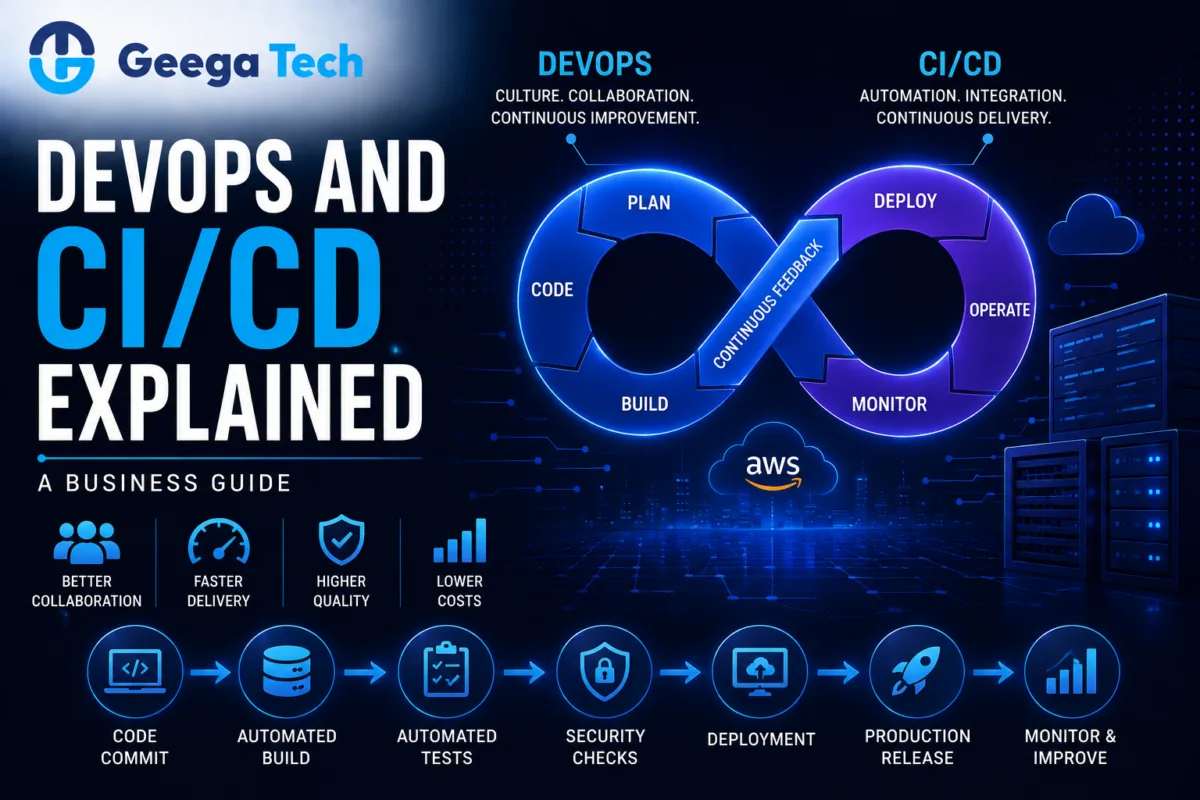
DevOps and CI/CD Explained: A Business Guide
Modern software teams are expected to release updates faster without reducing quality, stability, or security.
Traditional development methods often create delays because development, testing, and deployment happen in separate stages with heavy manual coordination.
This is where DevOps and CI/CD become important.
DevOps improves collaboration between development and operations teams, while CI/CD automates important parts of software integration, testing, and deployment.
Together, they can help businesses release software more frequently, reduce manual errors, and respond faster to customer requirements.
In this guide, we’ll explain DevOps and CI/CD in simple business terms and show how they support modern software development.
What Is DevOps?
DevOps is a software development approach that brings development and IT operations teams closer together.
Instead of working separately, teams collaborate throughout the software lifecycle.
A traditional process may look like:
Development → Testing → Operations → Deployment
A DevOps approach aims for:
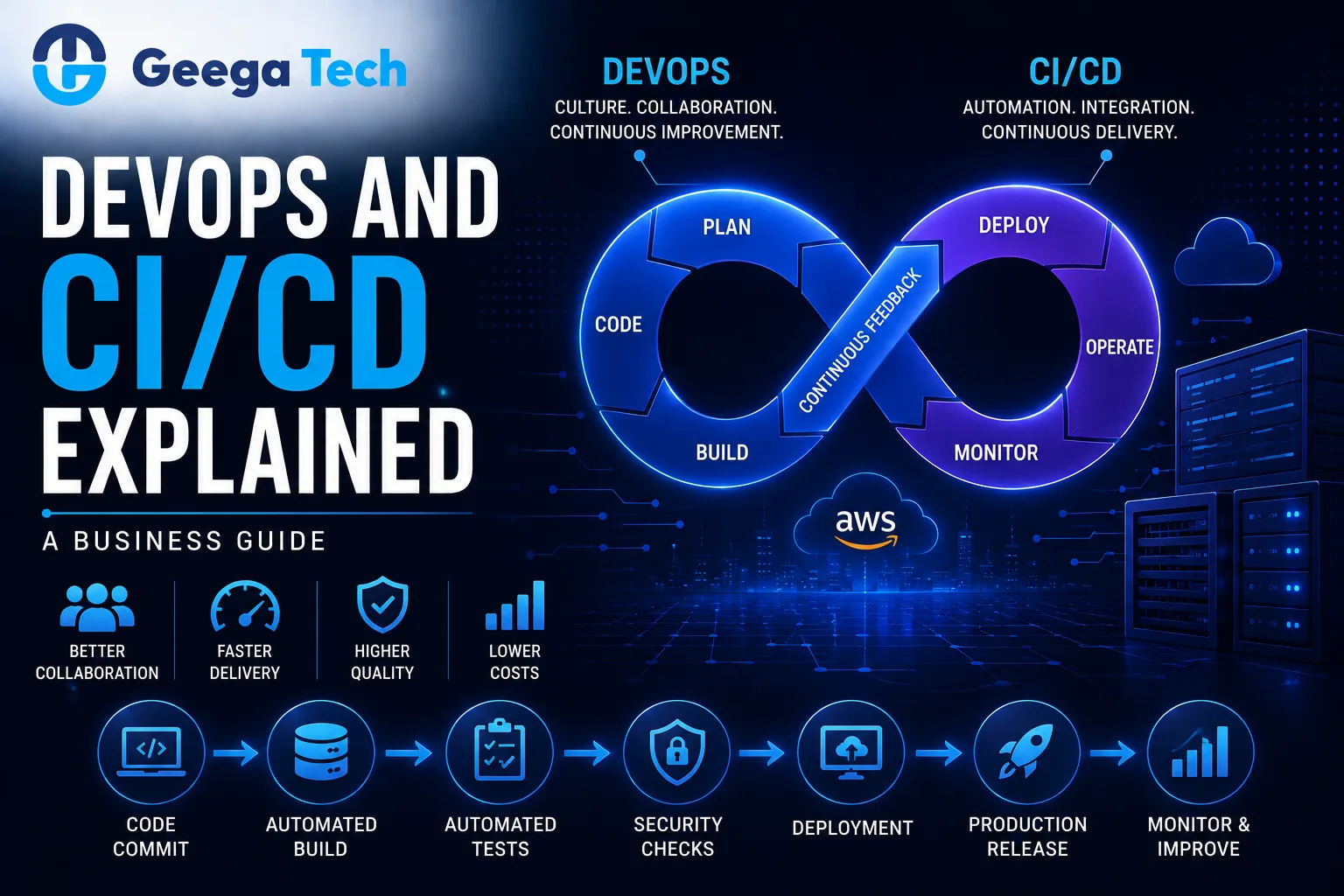
Plan → Develop → Test → Deploy → Monitor → Improve
The objective is to make software delivery faster, more reliable, and easier to manage.
DevOps is not just a tool or technology.
It combines:
- Culture
- Processes
- Automation
- Collaboration
- Monitoring
- Infrastructure practices
What Is CI/CD?
CI/CD commonly refers to:
Continuous Integration
and
Continuous Delivery / Continuous Deployment
These practices automate how code changes are built, tested, and prepared for release.
A simplified CI/CD workflow may look like:
Developer Commit
↓
Automated Build
↓
Automated Tests
↓
Security Checks
↓
Deployment
↓
Monitoring
This reduces the number of manual steps required to release software.
What Is Continuous Integration?
Continuous Integration means developers regularly merge their code changes into a shared repository.
Each change can trigger automated checks.
These may include:
- Build validation
- Unit tests
- Code-quality checks
- Dependency checks
- Security scans
For example:
Developer Pushes Code → Pipeline Runs Tests → Team Gets Feedback
If the code breaks something, the team can identify the problem quickly.
This is usually easier than discovering several problems after weeks of development.
What Is Continuous Delivery?
Continuous Delivery takes automation further.
After code passes required tests, it is prepared so that it can be released to production with minimal manual effort.
A simplified flow is:
Code → Build → Test → Staging → Ready for Production
The final production release may still require human approval.
This gives businesses more control while maintaining a fast release process.
What Is Continuous Deployment?
Continuous Deployment automatically releases approved code changes to production when they successfully pass all required pipeline checks.
A simplified workflow is:
Code Change → Automated Tests → Production Deployment
This approach can support very frequent releases.
However, businesses should only use continuous deployment when their testing, monitoring, rollback, and operational processes are mature enough to support it safely.
DevOps vs CI/CD
DevOps and CI/CD are closely related but not the same.
| DevOps | CI/CD |
|---|
| Broader development approach | Software delivery automation practice |
| Focuses on culture and collaboration | Focuses on integration and deployment |
| Covers development and operations | Covers build, test, release |
| Includes monitoring and infrastructure | Includes pipeline automation |
| Organizational approach | Technical implementation |
CI/CD is often one of the key practices used inside a DevOps strategy.
Why Businesses Need DevOps
Software has become central to many businesses.
Companies may operate:
- SaaS platforms
- Mobile applications
- Web applications
- Customer portals
- Enterprise systems
- APIs
- Cloud applications
Without efficient software delivery processes, teams may face:
- Slow releases
- Deployment failures
- Long testing cycles
- Manual errors
- Poor collaboration
- Difficult rollbacks
DevOps helps reduce these problems by improving the complete development and deployment process.
1. Faster Software Releases
Traditional deployments may require several manual steps.
For example:
Build Files → Copy to Server → Configure Environment → Run Tests → Restart Services
A CI/CD pipeline can automate many of these activities.
This allows development teams to release improvements more frequently.
Faster release cycles can help businesses respond quickly to:
- Customer feedback
- Bugs
- Security issues
- New business requirements
2. Reduced Deployment Errors
Manual deployments are vulnerable to human error.
Examples include:
- Wrong configuration
- Missing files
- Incorrect environment variables
- Forgotten database migrations
- Wrong software version
Automated pipelines create a repeatable deployment process.
The same validated steps are followed each time.
This can improve reliability.
3. Faster Bug Detection
Continuous Integration helps identify problems earlier.
Instead of waiting until the end of a development cycle, automated tests can run after every major code change.
For example:
Code Commit
↓
Test Failure
↓
Developer Notification
This reduces the amount of time between introducing a bug and discovering it.
4. Better Collaboration
DevOps encourages development, QA, operations, and security teams to work together.
Instead of separate responsibilities such as:
Developers build software
and
Operations fix deployment problems
teams share responsibility for the complete application lifecycle.
This can improve communication and reduce unnecessary delays.
5. Consistent Environments
One common software problem is:
“It works on my machine.”
Different development, testing, and production environments can create unexpected issues.
DevOps practices such as containerization and infrastructure automation can help create more consistent environments.
For example:
Development Container
Testing Container
Production Container
All can use the same application configuration pattern.
6. Infrastructure as Code
Infrastructure as Code allows teams to define infrastructure using configuration files or code.
Instead of manually creating cloud resources, teams can automate infrastructure setup.
This may include:
- Servers
- Networks
- Load balancers
- Storage
- Databases
- Security rules
This makes infrastructure easier to reproduce and manage.
7. Automated Testing
CI/CD pipelines can include multiple types of automated testing.
Examples include:
- Unit tests
- Integration tests
- API tests
- Security tests
- Regression tests
A pipeline may operate like:
Build
↓
Unit Tests
↓
API Tests
↓
Security Scan
↓
Deployment
Automation does not eliminate manual testing, but it can reduce repetitive testing effort.
8. DevSecOps
Security is increasingly integrated into DevOps processes.
This approach is often called DevSecOps.
Security checks can be included directly inside CI/CD pipelines.
For example:
Code → Tests → Dependency Scan → Security Scan → Deployment
This helps identify vulnerabilities earlier.
Important practices may include:
- Dependency scanning
- Secrets scanning
- Static code analysis
- Container scanning
- Access-control reviews
Security should remain part of the complete software lifecycle.
9. Monitoring and Observability
Deployment is not the end of the software lifecycle.
Businesses should monitor applications after release.
Important metrics include:
- CPU usage
- Memory usage
- API response time
- Error rates
- Request volume
- Database performance
- Failed jobs
Monitoring can help teams detect problems before they affect large numbers of users.
10. Rollback Strategy
Every production release carries some risk.
A good DevOps process includes a rollback strategy.
If a new release creates problems, teams should be able to restore the previous stable version quickly.
For example:
Version 2.4 Released
↓
Critical Issue Detected
↓
Rollback to Version 2.3
This can reduce downtime and business disruption.
Typical CI/CD Pipeline
A practical pipeline may look like:
Developer Writes Code
↓
Git Push
↓
Build
↓
Automated Tests
↓
Code Quality Check
↓
Security Scan
↓
Deploy to Staging
↓
Approval
↓
Deploy to Production
↓
Monitoring
The actual pipeline should depend on application complexity and business requirements.
DevOps for Cloud Applications
Cloud infrastructure works particularly well with DevOps practices.
Teams can automate:
- Application deployment
- Infrastructure provisioning
- Scaling
- Backups
- Monitoring
- Containers
For example:
Code Repository → CI/CD → Cloud Infrastructure
This can create a repeatable deployment process for SaaS and enterprise applications.
DevOps for SaaS Companies
SaaS businesses often release updates continuously.
Their applications may need:
- Frequent feature releases
- Bug fixes
- Security updates
- Infrastructure scaling
- Database migrations
DevOps can help SaaS teams manage these activities in a more consistent way.
A good CI/CD system can support:
Small Updates + Frequent Releases + Automated Testing
This can be safer than very large, infrequent production releases.
DevOps for Mobile Applications
Mobile development has slightly different release requirements because applications are distributed through app stores.
However, DevOps can still automate:
- Builds
- Tests
- Signing
- Versioning
- Internal distribution
- Release preparation
Backend APIs supporting mobile applications can use standard CI/CD deployment processes.
Common DevOps Tools
A DevOps environment may include tools for:
Source Control
Git-based repositories.
CI/CD
Automated build and deployment platforms.
Containers
Docker or similar container technologies.
Infrastructure
Cloud and infrastructure automation tools.
Monitoring
Application and infrastructure monitoring systems.
The correct toolset depends on the company’s development workflow and infrastructure.
Businesses should avoid introducing tools simply because they are popular.
Common DevOps Mistakes
Automating a Broken Process
Automation does not fix unclear development workflows.
Processes should first be understood and simplified.
Deploying Without Tests
Fast deployment without reliable testing increases risk.
No Rollback Plan
Teams should prepare for failed releases.
Ignoring Security
CI/CD pipelines should include appropriate security controls.
Too Many Tools
A complicated toolchain can increase maintenance effort.
No Monitoring
Teams need visibility into applications after deployment.
How to Implement DevOps in Your Organization
Step 1: Review the Current Process
Document how software currently moves from development to production.
Step 2: Identify Manual Bottlenecks
Find activities that consume unnecessary time or frequently create errors.
Step 3: Introduce Version Control
All production code and important configuration should be properly managed.
Step 4: Automate Testing
Start with reliable tests for important functionality.
Step 5: Build a CI Pipeline
Automatically build and test new code.
Step 6: Automate Deployment
Create consistent deployment processes for staging and production.
Step 7: Add Security Checks
Integrate security into the pipeline.
Step 8: Monitor Production
Track performance and failures.
Step 9: Improve Continuously
DevOps should evolve with the application and team.
Business Benefits of DevOps and CI/CD
A well-designed DevOps and CI/CD process can help businesses achieve:
- Faster software releases
- More consistent deployments
- Earlier bug detection
- Better team collaboration
- Reduced manual work
- Improved software quality
- Better monitoring
- Faster recovery from failures
- More scalable software operations
The greatest value comes from combining automation with strong development practices.
Why Choose Geega Technologies for DevOps & CI/CD?
At Geega Technologies, we help startups and enterprises improve software development, deployment, and cloud operations.
Our capabilities include:
- DevOps Implementation
- CI/CD Pipeline Setup
- Cloud Application Development
- Docker & Containerization
- AWS Infrastructure
- Application Deployment
- Custom Software Development
- SaaS Development
- Application Modernization
- Software Testing & QA
- Infrastructure Optimization
Our approach focuses on creating deployment workflows that are secure, repeatable, scalable, and appropriate for the application’s requirements.
Final Thoughts
DevOps and CI/CD help businesses move from slow, manual software releases toward faster and more reliable development workflows.
DevOps improves collaboration and ownership across development and operations.
CI/CD provides the automation needed to build, test, and deploy software consistently.
Together, they create a process such as:
Develop → Test → Secure → Deploy → Monitor → Improve
Businesses do not need to automate everything immediately.
Starting with version control, automated testing, CI pipelines, deployment automation, and monitoring can provide a strong foundation for continuous software delivery.