Home » AI-Powered Legacy System Modernization: How to Upgrade Old Software in 2026
Many businesses still rely on software applications that were built years ago.
These systems may continue to handle critical operations such as accounting, inventory, customer management, manufacturing, HR, reporting, or internal workflows.
But as businesses grow, legacy applications can become difficult to maintain.
Slow performance, outdated interfaces, limited integrations, manual workflows, security concerns, and increasing maintenance costs can prevent organizations from adopting modern digital capabilities.
Replacing an entire business system, however, can be expensive and disruptive.
That is why AI Legacy System Modernization is becoming an important technology strategy in 2026.
Instead of immediately replacing every existing application, businesses can modernize legacy systems gradually by upgrading architecture, moving selected workloads to the cloud, developing APIs, automating workflows, and integrating artificial intelligence.
This approach can extend the value of existing technology while preparing businesses for a more intelligent and scalable digital future.
In this guide, we’ll explore what AI-powered legacy modernization means, when businesses should modernize old software, different modernization strategies, AI use cases, costs, challenges, and how to create a practical modernization roadmap.
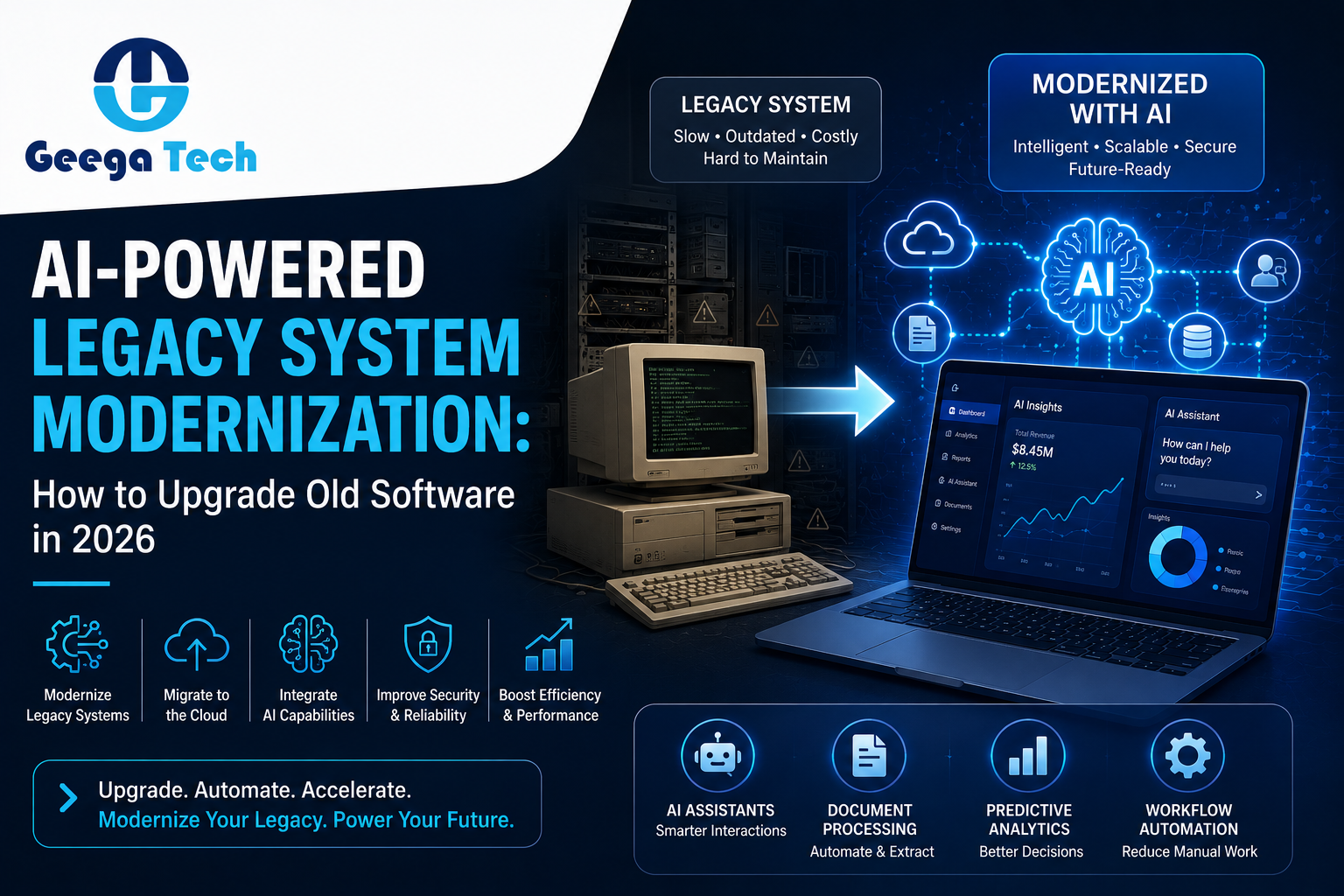
Legacy System Modernization is the process of upgrading older software applications, infrastructure, databases, and technology architectures to meet modern business requirements.
A legacy application might still work correctly but have limitations such as:
Modernization does not always mean rebuilding the entire application.
Depending on the system, businesses may upgrade individual components while keeping valuable existing functionality.
AI Legacy System Modernization combines traditional application modernization with artificial intelligence.
The objective is not simply to make old software newer.
It is to transform existing systems into more intelligent digital platforms.
Businesses can potentially add capabilities such as:
For example, an organization may have an old ERP system containing years of operational data.
Instead of immediately replacing the ERP, the company could develop secure APIs and add an AI-powered analytics layer that helps managers retrieve information and understand business trends more efficiently.
How do you know when it’s time to modernize an existing application?
Several warning signs can indicate that your current technology is limiting business growth.
Older applications often require specialized developers or outdated infrastructure.
As technology ages, finding experienced professionals who can maintain it may become increasingly difficult.
Businesses may spend significant resources keeping existing software operational instead of investing in innovation.
Legacy applications may struggle when:
Performance problems can reduce employee productivity and create poor customer experiences.
If employees constantly export spreadsheets, copy information between systems, manually generate reports, or repeatedly enter the same data, the existing software may not support modern workflow automation.
Modern businesses use multiple platforms.
A legacy application may need to communicate with:
Older applications without modern APIs can make these integrations difficult.
Software interfaces designed many years ago may require employees to navigate complicated screens and workflows.
Modernizing the frontend can improve usability without necessarily replacing the entire backend.
Older frameworks, libraries, operating systems, and databases may no longer receive regular security updates.
Unsupported technology can increase cybersecurity risk.
Modernization provides an opportunity to improve:
Legacy software often stores valuable data but provides limited ways to analyze it.
Employees may depend heavily on spreadsheets and manual reports.
Modern analytics and AI capabilities can help organizations extract greater value from existing business information.
| Traditional Modernization | AI-Powered Modernization |
|---|---|
| Updates old technology | Adds intelligent capabilities |
| Improves UI/UX | Adds conversational experiences |
| Moves systems to cloud | Adds scalable AI services |
| Develops modern APIs | Connects AI with business systems |
| Improves reporting | Provides AI-assisted insights |
| Automates fixed workflows | Enables intelligent automation |
| Improves performance | Adds predictive capabilities |
| Modernizes architecture | Creates AI-ready architecture |
The two approaches are complementary.
Strong AI modernization usually requires a solid modern software foundation.
There is no single modernization approach suitable for every application.
Businesses can choose from several strategies.
Rehosting involves moving an application to modern infrastructure with minimal changes to the application itself.
This is sometimes described as “lift and shift.”
It can help businesses reduce dependence on outdated physical infrastructure.
However, it does not automatically solve architectural or application-level problems.
Replatforming involves making selected improvements while moving the application to a modern platform.
Businesses might:
This provides more modernization benefits than basic rehosting without requiring a complete rebuild.
Refactoring improves the internal structure of an application while preserving core functionality.
This can include:
Refactoring can make future development easier and prepare the application for AI integration.
Older applications are often built as large monolithic systems.
Businesses may redesign parts of the architecture using:
A more flexible architecture can make integrations and scaling easier.
Sometimes the existing application is too outdated or difficult to maintain.
In this case, businesses may rebuild the application using a modern technology stack while preserving the required business logic.
This requires greater investment but can provide significant long-term flexibility.
For many businesses, incremental modernization is the most practical strategy.
Instead of replacing the entire application at once:
This can reduce operational disruption and project risk.
Once the core system is ready for integration, businesses can introduce intelligent capabilities.
Legacy applications may contain thousands or millions of records.
Traditional search often requires users to know exact fields or keywords.
AI-powered search can allow users to ask natural-language questions.
For example:
“Show overdue invoices from our top customers.”
“Find orders delayed by more than seven days.”
“Show sales performance for the last quarter.”
The application can translate user intent into relevant queries while respecting permissions.
Businesses can build AI assistants that interact with approved organizational data.
Employees could ask:
“Summarize today’s operations.”
“Which customers require attention?”
“Generate this week’s sales summary.”
“Find our latest purchasing policy.”
This can make existing enterprise software easier to use.
Legacy business processes often involve large volumes of documents.
AI can assist with processing:
Information can be extracted, validated, and passed into existing business workflows.
Instead of manually preparing reports, AI-enabled systems can help generate:
AI can also help explain significant changes in business metrics.
Historical legacy data can potentially be used to build predictive capabilities.
Businesses can analyze data for:
This transforms historical information into more actionable business insights.
AI agents can add another layer of automation.
Instead of only displaying information, an AI agent may perform approved multi-step tasks.
For example:
Sensitive actions should always have appropriate permissions, logging, validation, and human oversight.
Legacy CRM or customer management systems can be connected with AI support capabilities.
AI can help:
This allows businesses to modernize customer service without immediately replacing their entire CRM.
Automation and improved infrastructure can reduce certain manual and maintenance expenses.
Modern interfaces and intelligent workflows help employees complete tasks faster.
Businesses can extract greater value from historical information already stored in legacy systems.
Faster systems, modern interfaces, and AI-assisted support can improve digital experiences.
Modern architectures can support increasing users, data volumes, and integrations.
Modernization provides an opportunity to replace unsupported technologies and introduce current security practices.
APIs and modular architectures make it easier to introduce future functionality.
Healthcare organizations may modernize older systems to improve:
Sensitive healthcare information requires strong security, privacy, and regulatory controls.
Financial organizations can modernize:
Manufacturers can modernize systems for:
Retail businesses can improve:
Legacy logistics systems can be modernized for:
Modernization costs depend heavily on the condition and complexity of the existing application.
Broad planning estimates might include:
| Modernization Project | Estimated Cost |
| Basic UI/API Modernization | $8,000 – $25,000 |
| Cloud Migration & Replatforming | $15,000 – $50,000+ |
| AI Integration into Existing Software | $15,000 – $60,000+ |
| Major Application Refactoring | $30,000 – $100,000+ |
| Legacy Application Rebuild | $50,000 – $200,000+ |
| Enterprise Modernization Program | $100,000 – $500,000+ |
These are broad estimates rather than fixed prices.
Actual cost depends on:
A technical assessment should be performed before estimating a major modernization project.
Typical timelines may include:
| Project | Approximate Timeline |
| Technical Assessment | 1–3 Weeks |
| Small Modernization | 1–3 Months |
| AI Integration | 2–4 Months |
| Major Refactoring | 3–8 Months |
| Application Rebuild | 4–12+ Months |
| Enterprise Modernization | 6–18+ Months |
Complex systems should generally be modernized in controlled phases.
Evaluate:
Determine which problems are creating the greatest operational impact.
Decide whether components should be:
Modern AI and cloud services require secure access to business information.
Upgrade critical infrastructure and application components.
Start with one high-value use case.
Test:
Avoid unnecessary big-bang migrations when phased deployment is possible.
Track:
This depends on the condition of the existing software.
Modernization may be better when:
A rebuild may be better when:
A technical audit can help determine the most appropriate approach.
Businesses should avoid:
Modernization should be driven by measurable business outcomes rather than technology trends.
At Geega Technologies, we help businesses transform outdated applications into modern, scalable, and intelligent software platforms.
Our services include:
Our approach begins by understanding the existing technology and business workflows before recommending a modernization strategy.
Instead of replacing everything unnecessarily, we help organizations identify which components should be retained, upgraded, integrated, migrated, or rebuilt.
The goal is to create a secure and scalable foundation that supports both current operations and future AI capabilities.
Legacy applications often contain valuable business logic and years of organizational data.
Modernization provides an opportunity to preserve that value while introducing modern cloud infrastructure, APIs, automation, analytics, and artificial intelligence.
The goal should not simply be to make old software look new.
The goal should be to create a technology foundation capable of supporting the next stage of business growth.
AI Legacy System Modernization can help businesses bridge the gap between existing technology and modern intelligent software.
Organizations do not always need to replace their entire software ecosystem to adopt AI.
By modernizing strategically, businesses can improve performance, automate repetitive workflows, strengthen security, extract greater value from existing data, and gradually introduce AI capabilities.
The most effective approach begins with a technical assessment, identifies the highest-value improvements, and modernizes the system in controlled phases.
Is outdated software slowing down your business?
Geega Technologies can help you assess, modernize, and transform existing applications into secure, scalable, and AI-ready digital platforms.
Whether you need application re-engineering, cloud migration, API development, AI integration, workflow automation, or a complete software rebuild, our development team can help.
Contact Geega Technologies today for a free consultation and start planning your legacy software modernization journey.


Speak directly with our engineering team to audit your requirements, architecture, and timeline.