Home » Cloud Migration Guide 2026: Moving to AWS Without Downtime
Moving applications and infrastructure to the cloud can help businesses improve scalability, reliability, flexibility, and operational efficiency.
Amazon Web Services (AWS) is one of the most widely used cloud platforms for hosting modern applications, databases, storage, APIs, and enterprise workloads.
But cloud migration is not simply about moving files from one server to another.
A poorly planned migration can create:
This is why businesses need a structured cloud migration to AWS strategy.
In this guide, we’ll explore how to plan an AWS migration, reduce downtime, protect data, and move applications safely in 2026.
Moving applications and infrastructure to the cloud can help businesses improve scalability, reliability, flexibility, and operational efficiency.
Amazon Web Services (AWS) is one of the most widely used cloud platforms for hosting modern applications, databases, storage, APIs, and enterprise workloads.
But cloud migration is not simply about moving files from one server to another.
A poorly planned migration can create:
This is why businesses need a structured cloud migration to AWS strategy.
In this guide, we’ll explore how to plan an AWS migration, reduce downtime, protect data, and move applications safely in 2026.
Cloud migration to AWS is the process of moving applications, databases, servers, storage, or other workloads from existing infrastructure to Amazon Web Services.
Businesses may migrate from:
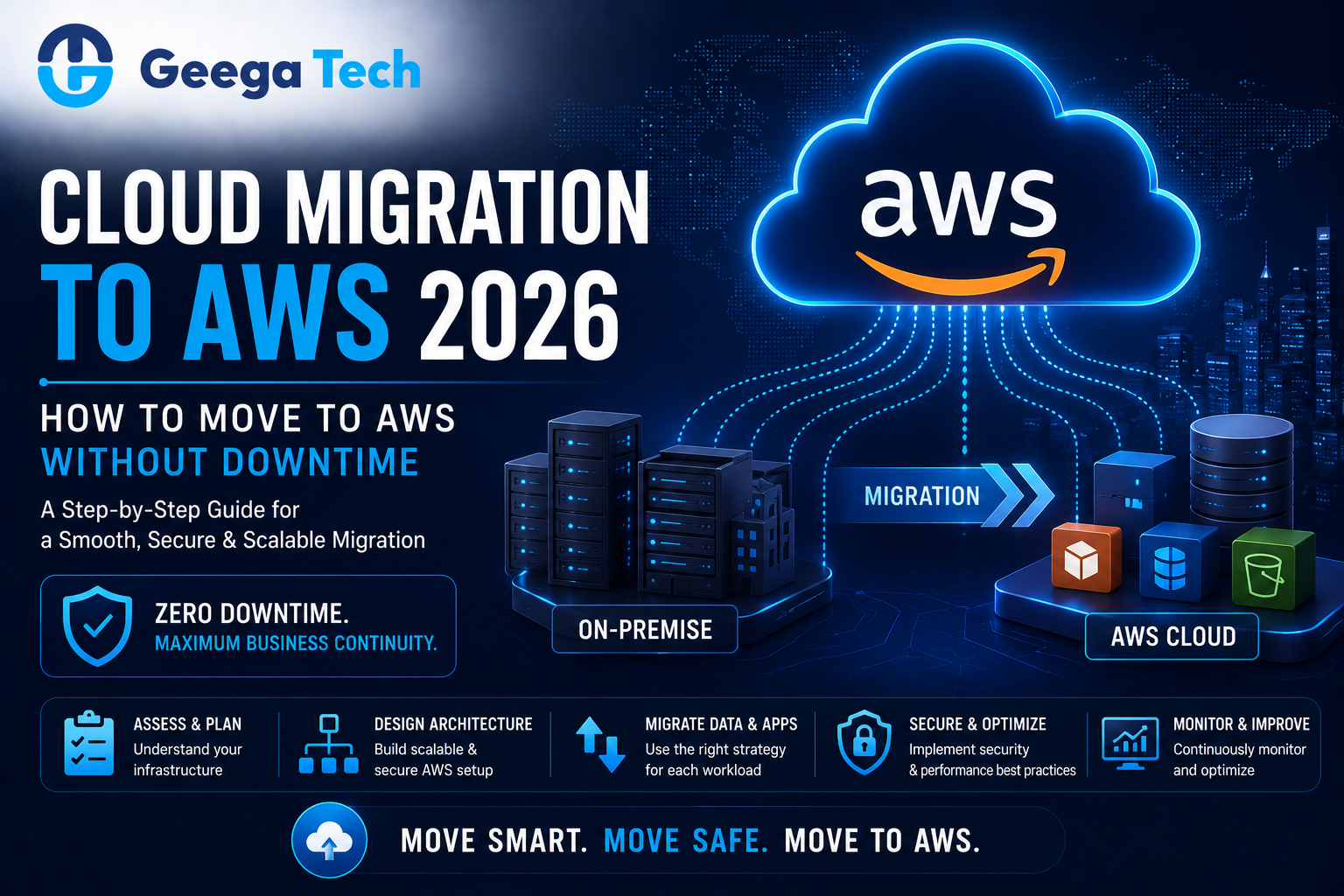
A simplified migration flow may look like:
Existing Infrastructure
↓
Assessment & Planning
↓
AWS Architecture
↓
Data & Application Migration
↓
Testing
↓
Cutover
↓
Monitoring
The migration strategy depends on the complexity of the current environment.
Businesses migrate to AWS for different reasons.
Common goals include:
Cloud migration should always be tied to business and technical goals.
There are several ways to migrate applications.
Move an application with minimal changes.
This is often called:
Lift and Shift
It can be useful when businesses need to move quickly.
Move the application while making selected improvements.
For example:
Self-Managed Database → Managed AWS Database
This can reduce some infrastructure-management effort without rebuilding the application.
Change parts of the application architecture to take better advantage of cloud services.
This may improve scalability and maintainability but requires more development effort.
Rebuild the application using modern cloud-native architecture.
This can be appropriate when the existing application is severely outdated.
Before migration, create a clear inventory of the current system.
Review:
Understanding dependencies is critical.
For example:
Web App → API → Database → Payment Gateway → Email Service
If one dependency is missed, the application may fail after migration.
Businesses should define why they are moving to AWS.
Possible goals include:
These goals influence the migration architecture.
The AWS environment should be designed before data and applications are moved.
Depending on requirements, the architecture may include:
A simplified architecture may look like:
Users
↓
Load Balancer
↓
Application Servers
↓
Database
↓
Storage / Backup
The exact AWS services should depend on the application.
Downtime is one of the biggest migration concerns.
A safer approach is to run the old and new environments in parallel during migration.
For example:
Existing Production
and
New AWS Environment
both remain available during testing.
Once the AWS environment has been fully tested, traffic can gradually be moved.
This reduces the risk of long outages.
Database migration is usually one of the most sensitive parts of cloud migration.
The process should consider:
For minimal downtime, teams may use continuous replication.
A simplified approach:
Existing Database
↓
Initial Copy
↓
Continuous Replication
↓
AWS Database
↓
Final Synchronization
↓
Application Cutover
This reduces the gap between old and new databases.
Applications can be moved after the AWS environment is prepared.
This may include:
Teams should verify:
Configuration errors are a common source of migration problems.
Applications may contain:
These files need to be moved carefully.
Large amounts of storage may require staged migration rather than one large transfer.
After migration, verify:
Cloud migration should never reduce security.
AWS environments should apply appropriate controls such as:
Administrative access should be tightly controlled.
Avoid using overly broad permissions unless they are genuinely required.
Before switching production traffic, perform thorough testing.
Testing should include:
Verify that business features work correctly.
Confirm all integrations and endpoints are functioning.
Validate data consistency and query performance.
Check application response times under load.
Review access controls, network configuration, and application security.
Allow business users to verify critical workflows.
The cutover is when production traffic is moved to AWS.
This may involve:
For low-risk migrations, teams can gradually shift traffic.
For example:
10% → AWS
then
50% → AWS
then
100% → AWS
This can help identify issues before every user reaches the new environment.
Migration is not complete when the application starts working on AWS.
Teams should monitor:
User feedback should also be reviewed closely after migration.
Cloud migration can also be an opportunity to modernize applications.
For example, a business may move from:
Single Legacy Server
to
Load-Balanced Cloud Application
or:
Self-Hosted Database
to
Managed Database
Other improvements may include:
However, businesses should avoid changing too many things simultaneously unless necessary.
Migration risk increases when infrastructure, application code, database design, and business logic are all changed at once.
One important benefit of cloud architecture is the ability to design stronger disaster-recovery strategies.
Businesses should plan for scenarios such as:
A disaster-recovery plan may include:
Backups are only useful if they can actually be restored.
AWS provides flexible infrastructure, but poor architecture can create unnecessary expenses.
Businesses should monitor:
Cost optimization should be part of cloud operations from the beginning.
The objective is not simply to reduce spending.
It is to achieve the right balance between:
Performance + Reliability + Cost
Dependencies must be understood first.
Businesses should know how to return to the existing environment if migration fails.
Migration and complete application modernization at the same time can increase risk.
Cloud infrastructure should follow least-privilege principles.
Database changes during migration can create inconsistent information.
The new environment should be tested under realistic workloads.
Cloud architecture should be monitored continuously.
A practical migration checklist includes:
At Geega Technologies, we help startups and enterprises modernize infrastructure and migrate applications to cloud environments.
Our capabilities include:
Our migration approach focuses on minimizing business disruption while improving scalability, security, reliability, and maintainability.
A successful cloud migration to AWS requires much more than copying an application to a new server.
Businesses should plan:
Infrastructure + Application + Database + Security + Testing + Cutover + Monitoring
For systems where downtime matters, parallel environments, database replication, thorough testing, and a rollback strategy can significantly reduce migration risk.
The goal should be to move to AWS safely while creating an infrastructure foundation that can support future business growth.


Speak directly with our engineering team to audit your requirements, architecture, and timeline.